
Candoo How to Watch Netflix on your Computer
Watch Movies and TV shows on the Netflix website on your computer.
Step 1
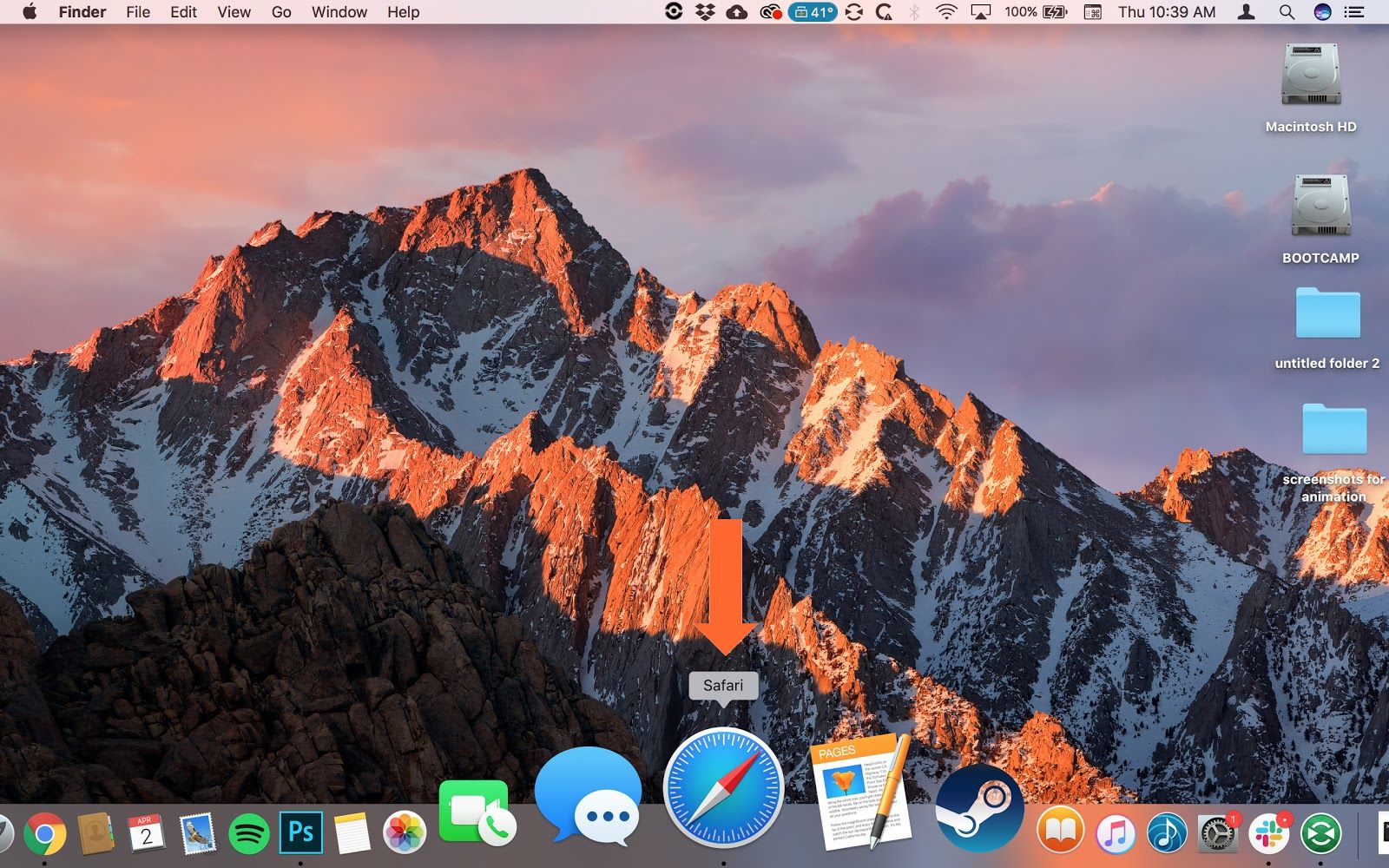
To open a new browser window (Chrome, Safari, Firefox) Click on one of these images on your computer.
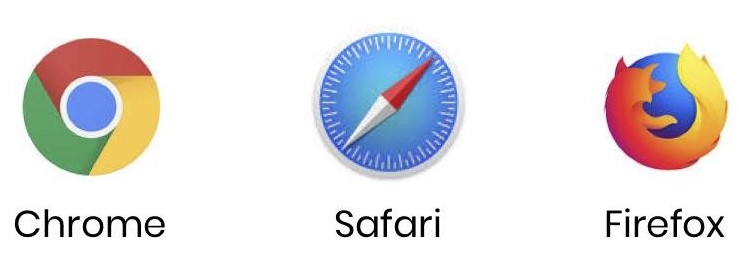
In this example, we are using Apple’s Safari.
Step 2
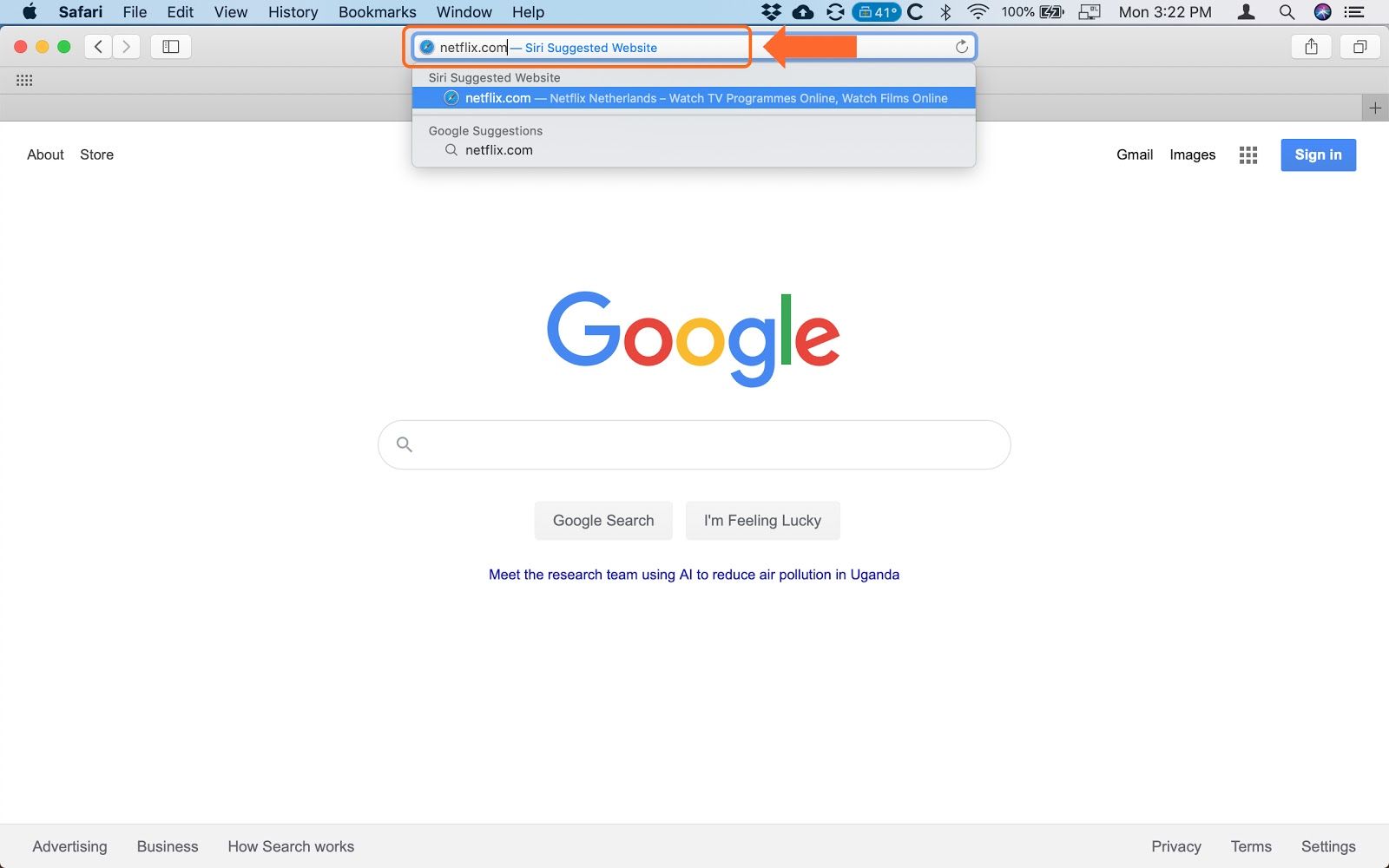
Type Netflix.com in the search bar.
Step 3
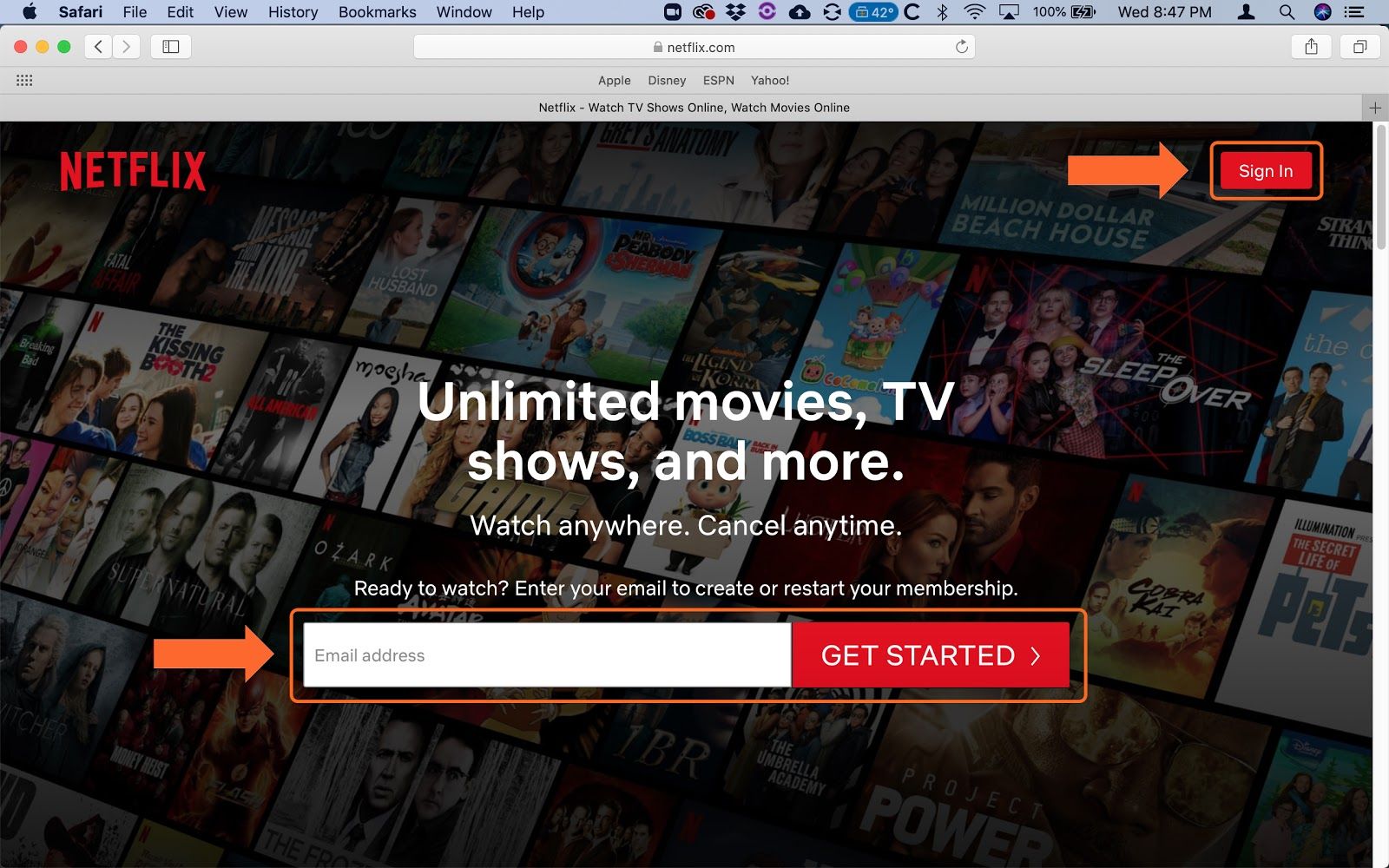
The Netflix site will open and you will have the option to either “Sign In” if you already have a Netflix membership or to create one if you don’t. Let’s assume you already have a membership so click “Sign In” in the upper right corner of the screen.
Step 4
Enter your Email address and Password where indicated and click the red “Sign In” button.

Step 5
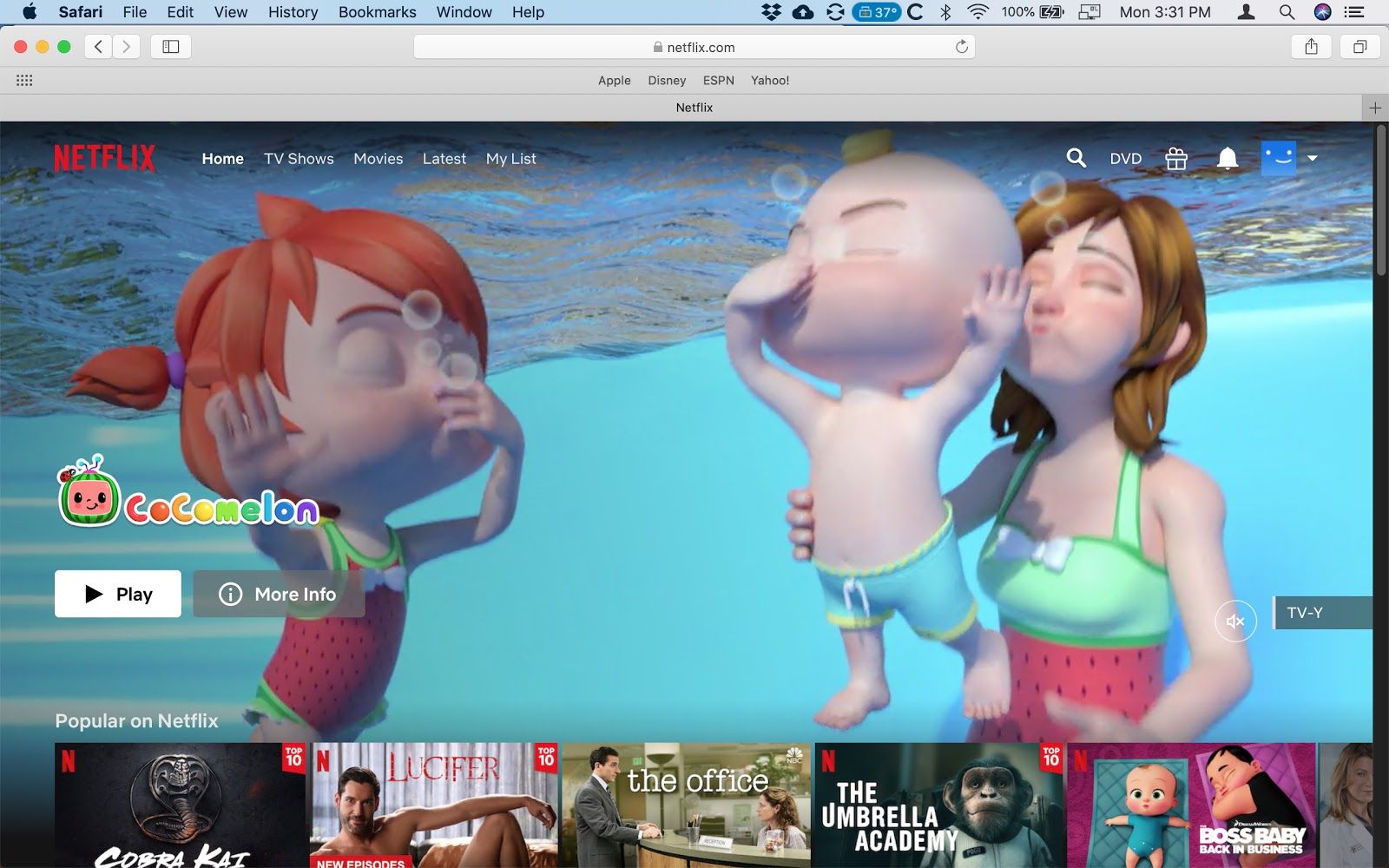
You are now signed into your Netflix account.
Step 6
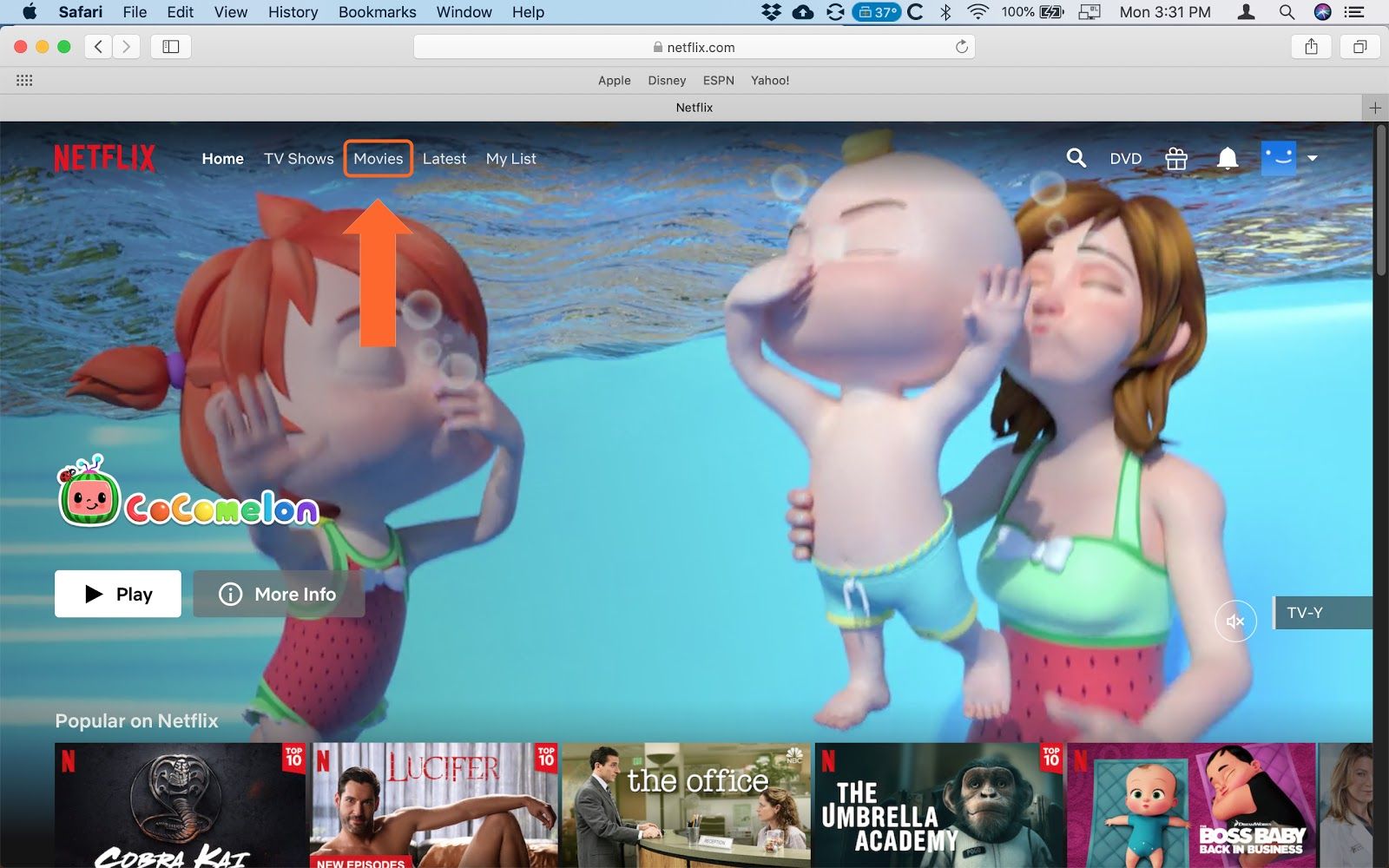
Netflix gives you multiple ways to find TV Shows and Movies. For this example, we will search in Movies. Click on “Movies” in the menu options at the top of the screen.
Step 7
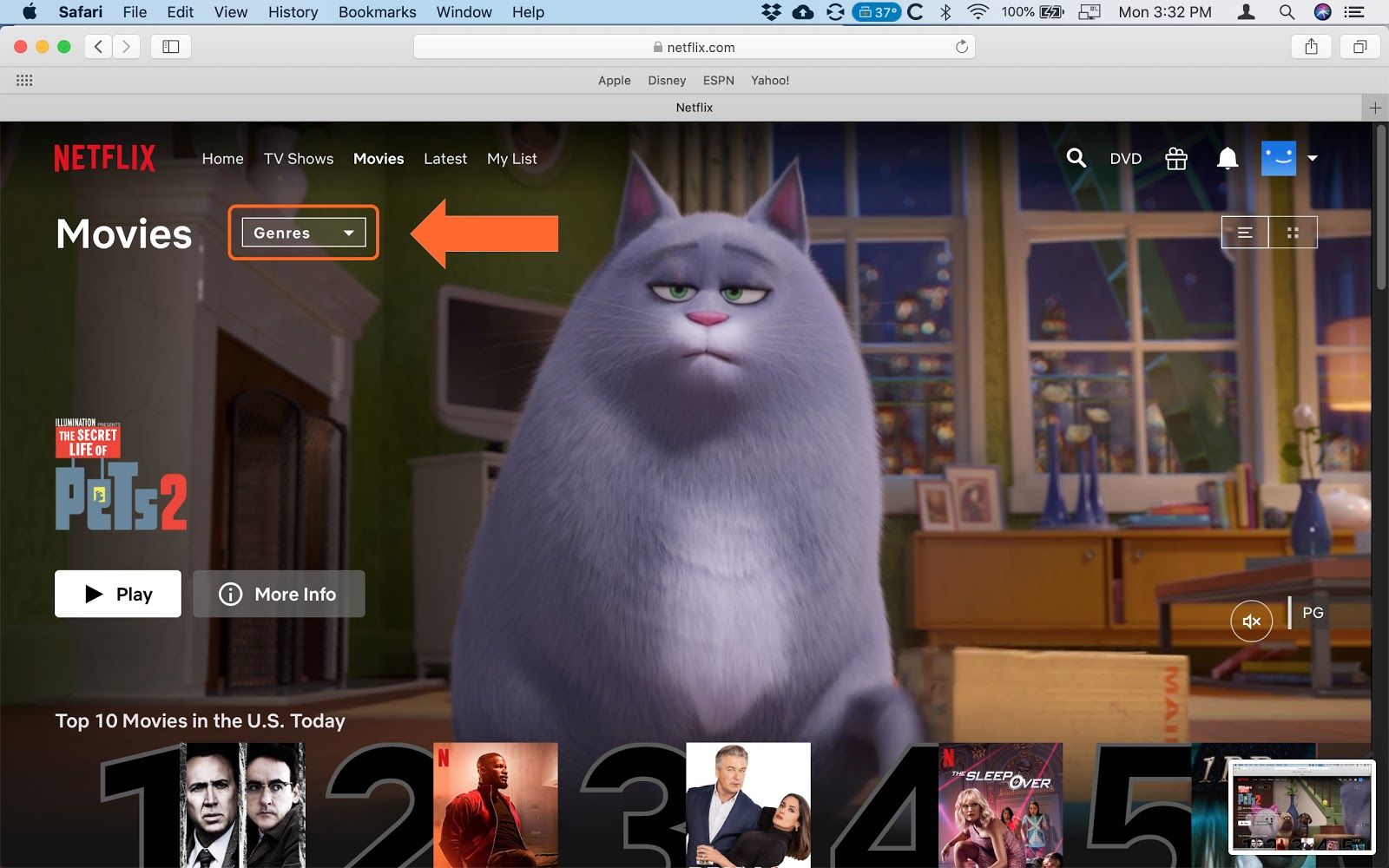
We are now on the Movies page. Next click on “Genres”
Step 8
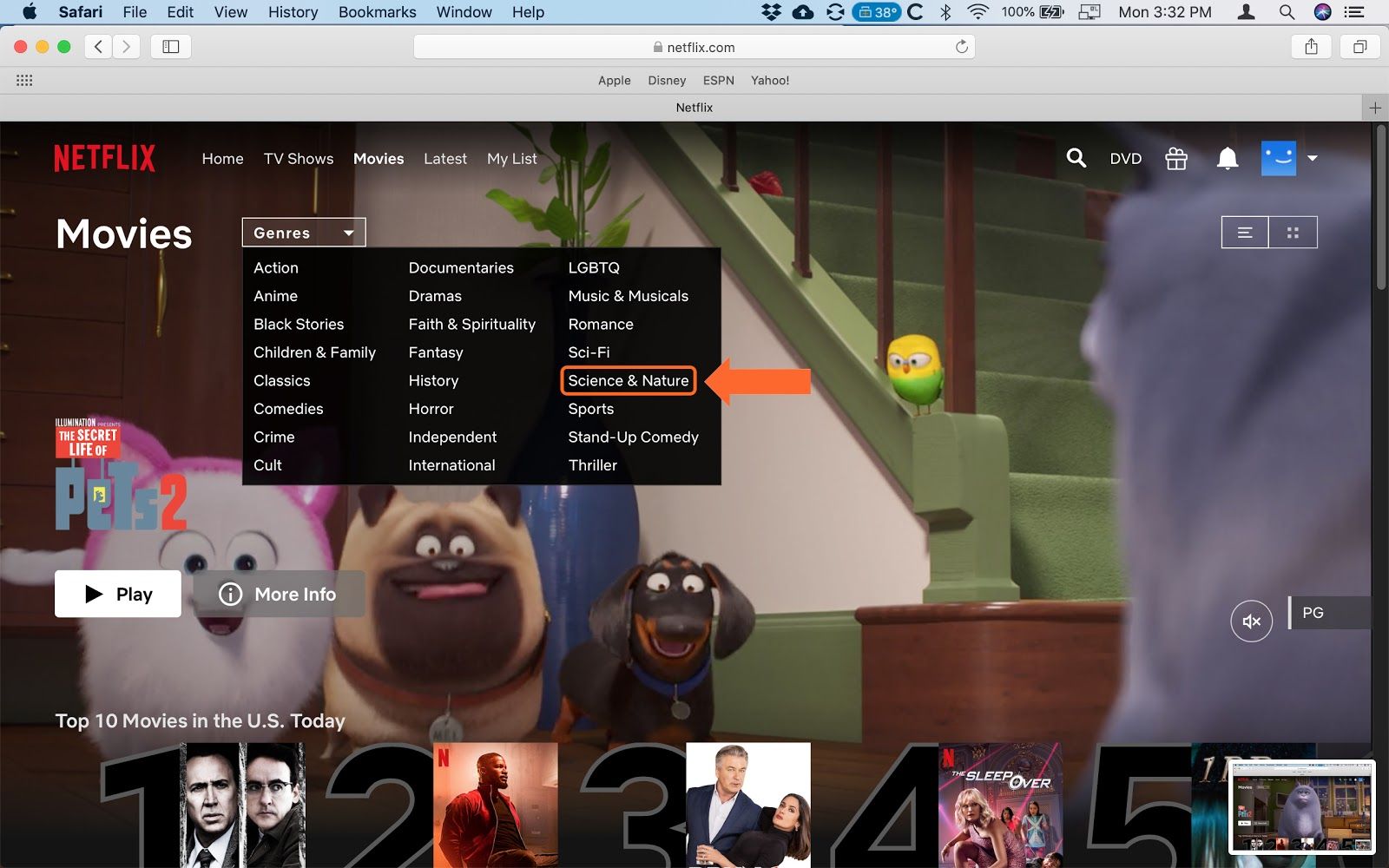
Let’s try “Science and Nature” Click where indicated.
Step 9
We are now on the Science & Nature page. Hover your mouse over “Our Planet”. You don’t need to click on it yet.
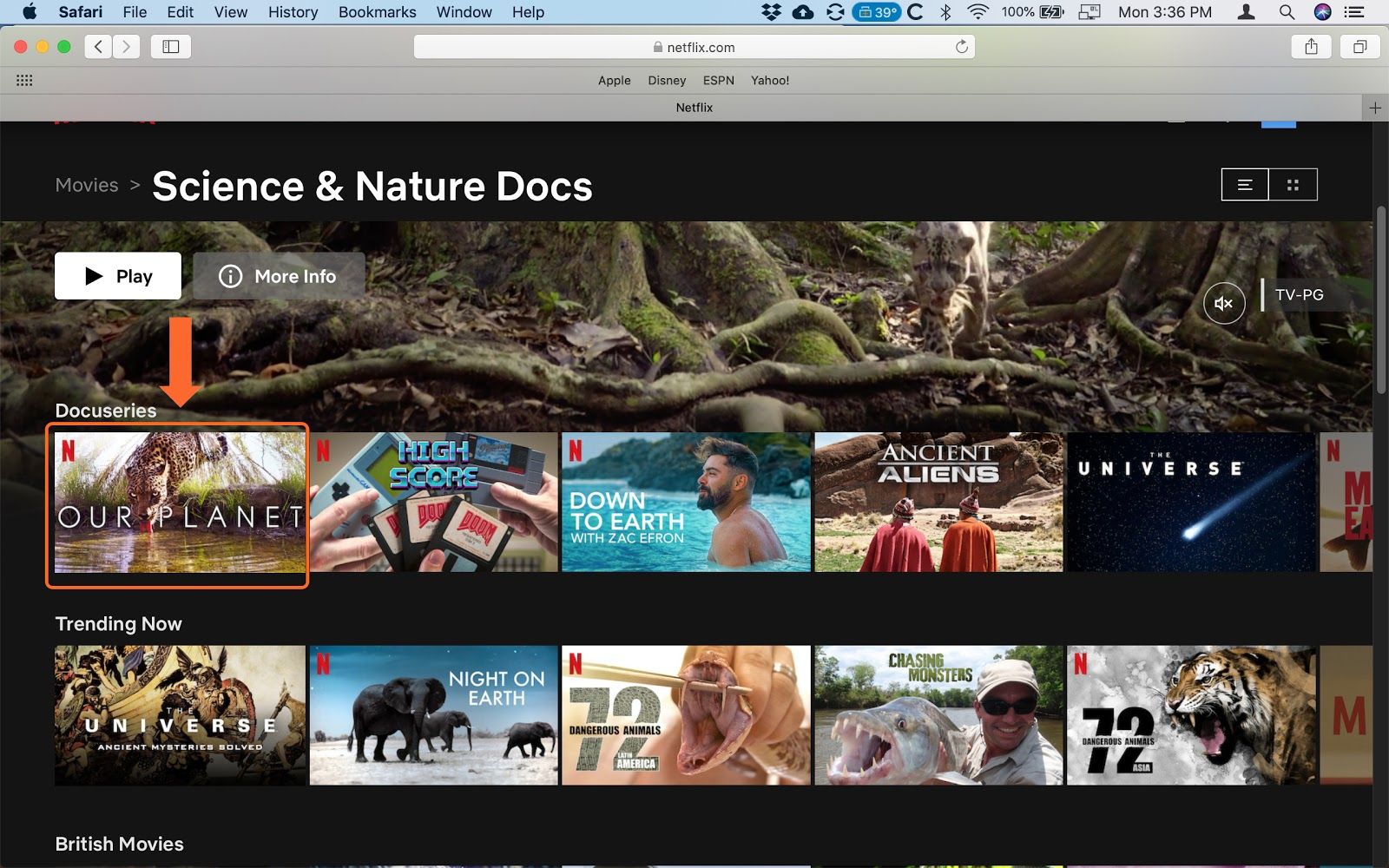
Step 10
You can now click on the “Play” button to start your episode or click the downward red arrow for more information about the series.
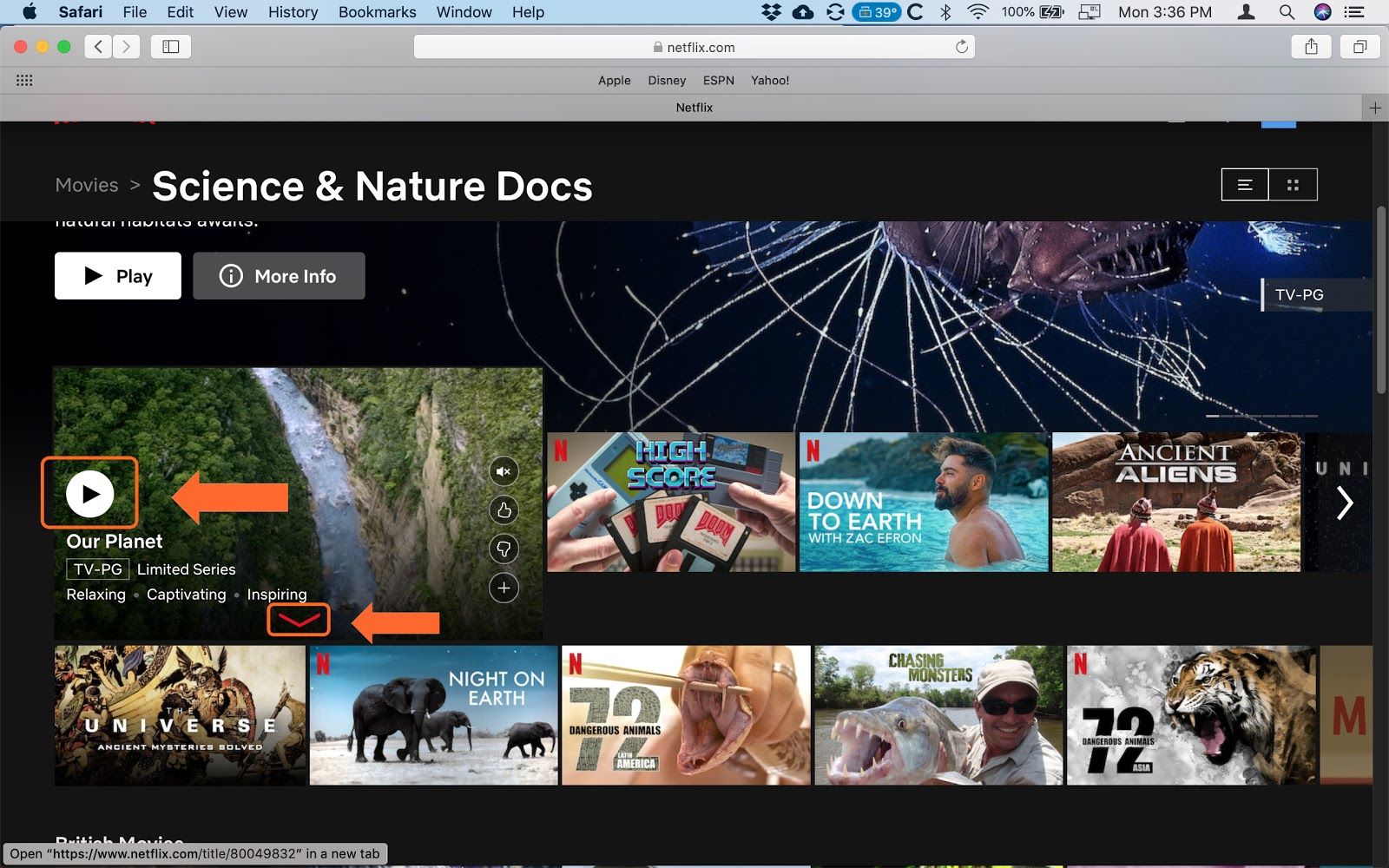
Step 11
Now that your episode is playing let's look at some of the controls. The main ones are indicated below. You will see that the controls disappear after 5 seconds are so. Just move your mouse to bring them back.

Step 12
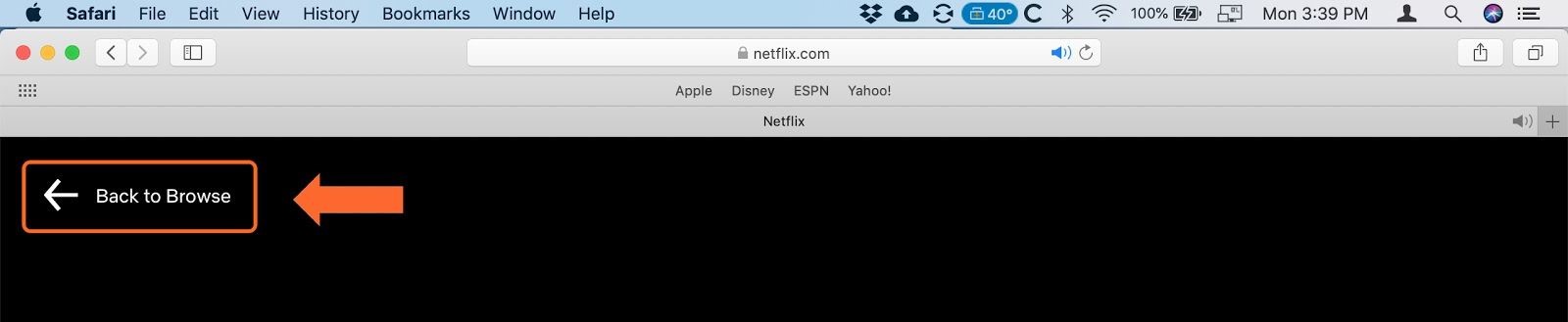
To return to Browse for other shows, click the “Back to Browse” arrow in the upper left corner.
If you need help or have any questions, call us at
646-758-6606 or email support@candootech.com
To download a copy of this guide click below:
Comments
0 comments
Please sign in to leave a comment.