
Candoo How to Use Netflix on Roku
This guide assumes that you have already created a Netflix account and signed in.
Step 1
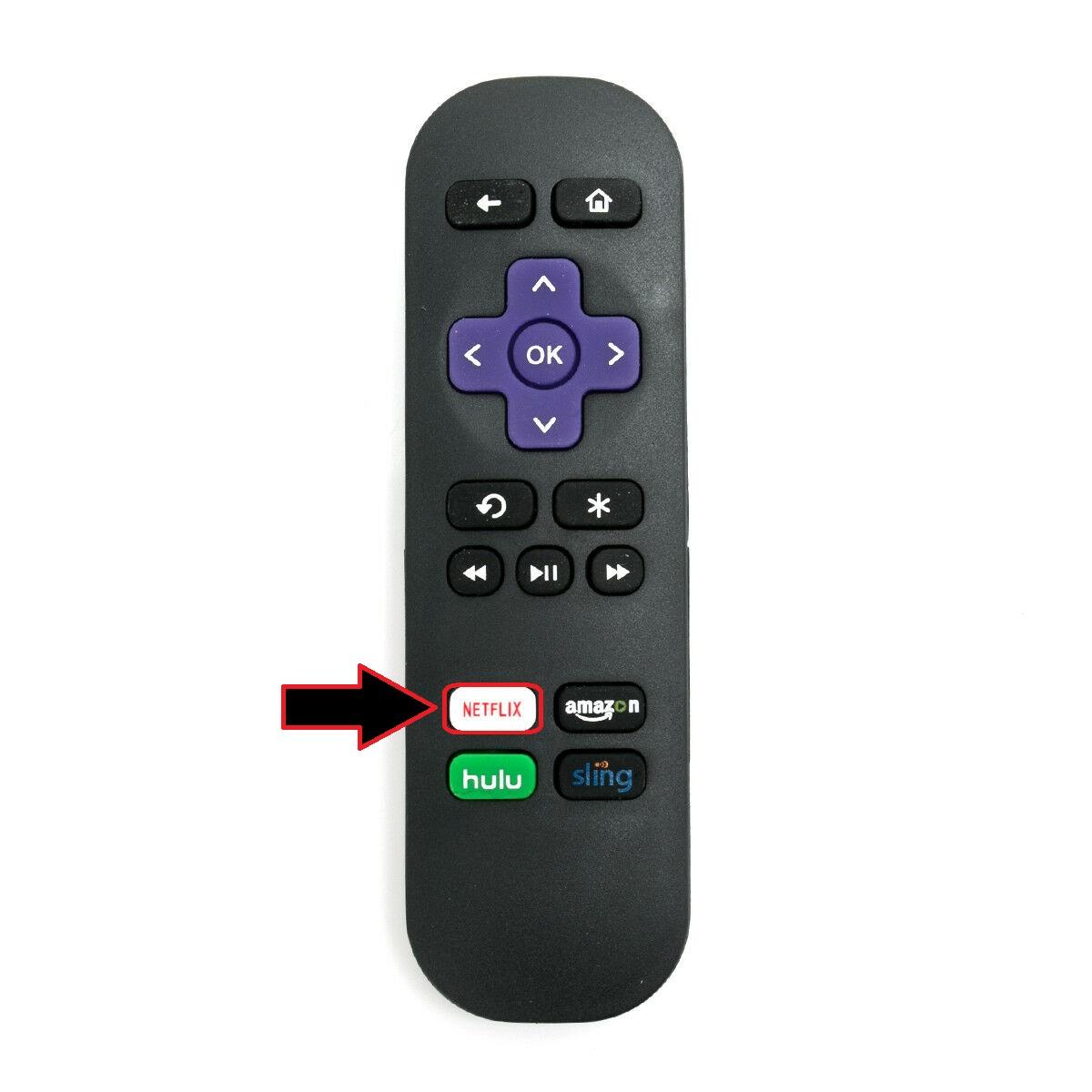
To get started with Netflix, press the Netflix button on your Roku controller. It should be the button that says “Netflix”.
Step 2
Once on Netflix, you will see this screen. This is the main menu for Netflix. On this screen you are able to navigate the rows for what shows to watch.

Each row represents a category/ genre (Comedies, Dramas, TV shows, etc) that Netflix suggests to you based on what you’ve watched.
Step 3
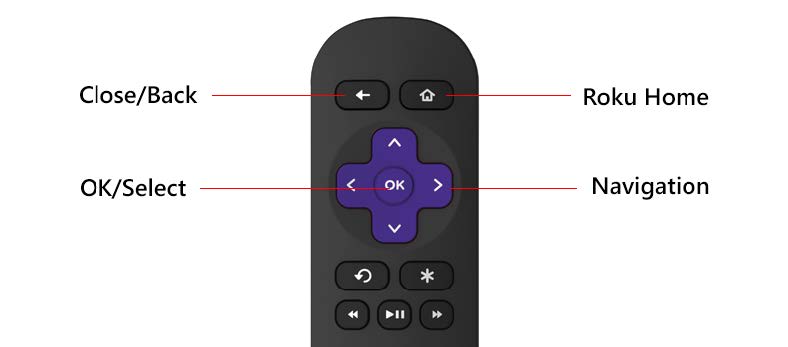
To navigate through the rows, you can press the left or right button on your Roku controller. To change the rows press the up or down buttons.
Step 4
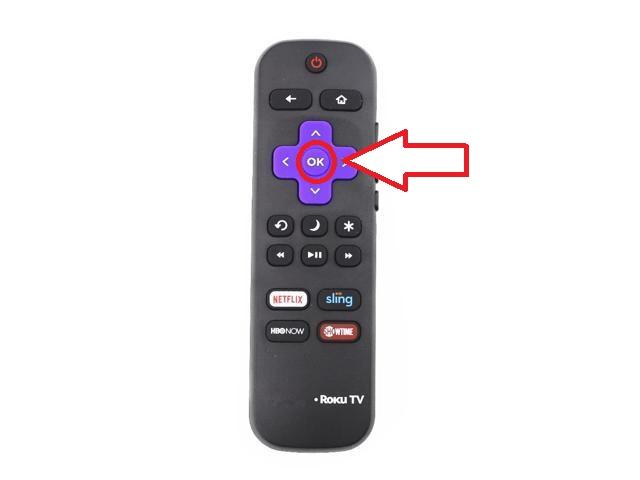
To select the show you want to watch, press the OK button on your Roku controller. From there your show will start playing.
If you need help or have any questions, call us at
646-758-6606 or email support@candootech.com
To download a copy of this guide click below:
Comments
0 comments
Please sign in to leave a comment.