
Candoo How to Use Advanced Features on YouTube
How to Share a Video
Step 1
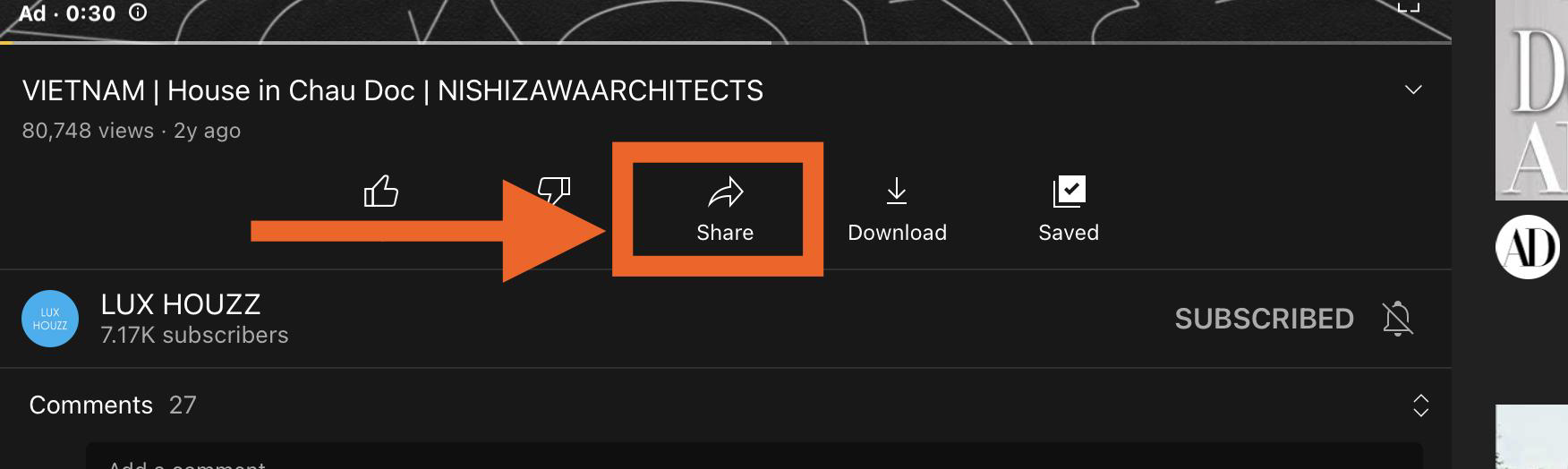
While watching a video tap on the share button underneath the video.
Step 2
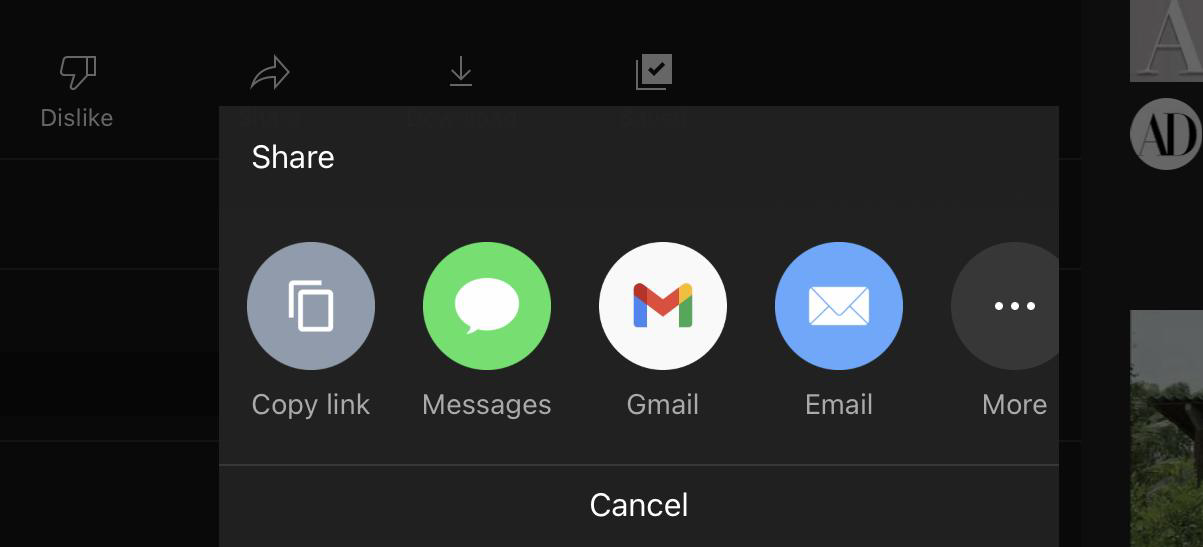
Choose the form of communication you desire to send the video. In this example, we will send the video as a text message. Tap on the messages app icon.
Step 3
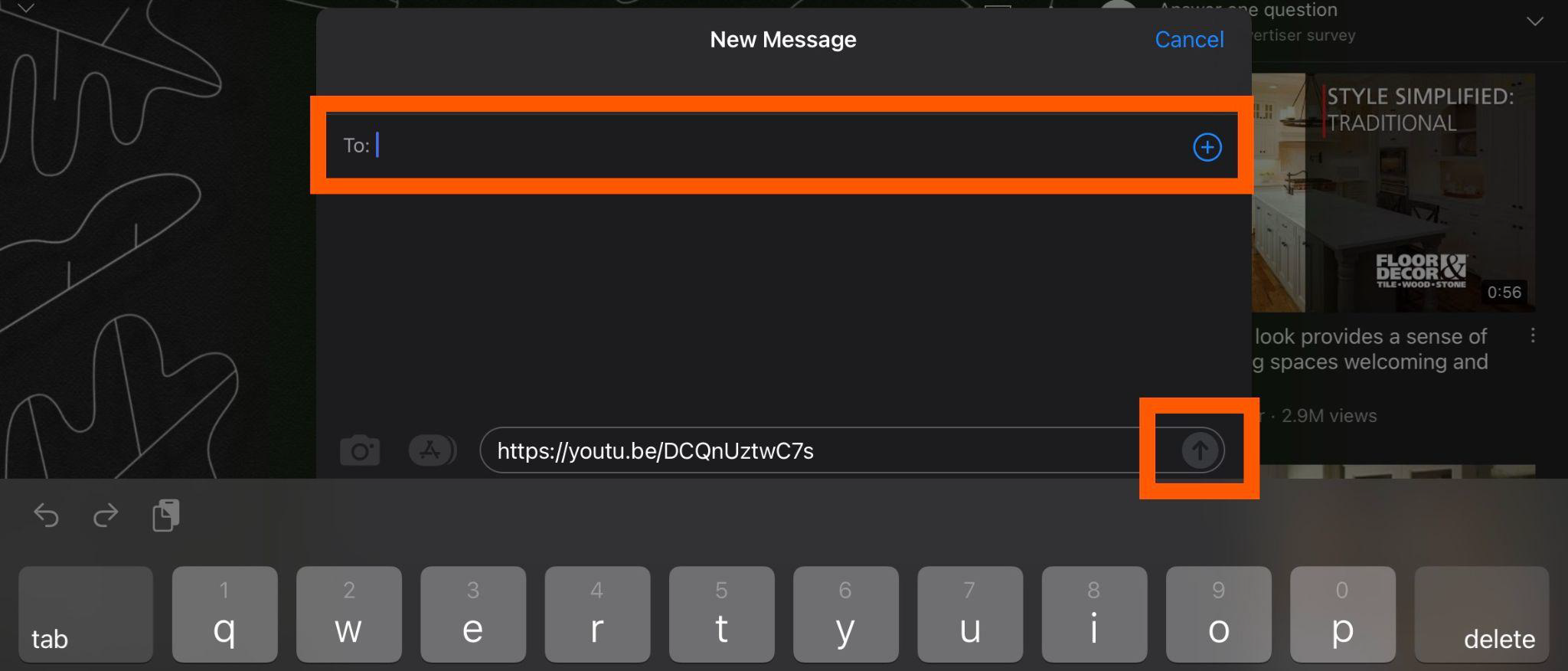
Type in the name of your contact or email address if you choose to send the video by email. Then press the up arrow in the bottom right corner to send the message shown in the example below.
How to Create a Playlist
Youtube has an option to save videos to a playlist. Saving videos to a playlist allows you to reference any videos of interest at a later time. Youtube creates a playlist called ‘Watch Later’ This feature is only accessible when signed into an account. You can sign in with an already existing Google or Gmail account.
Step 1
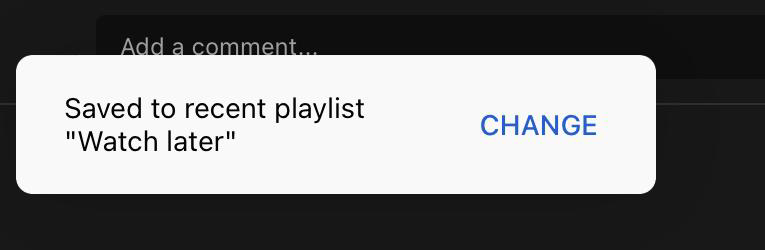
While watching a video you prefer to view at a later time tap on the save button underneath the video.
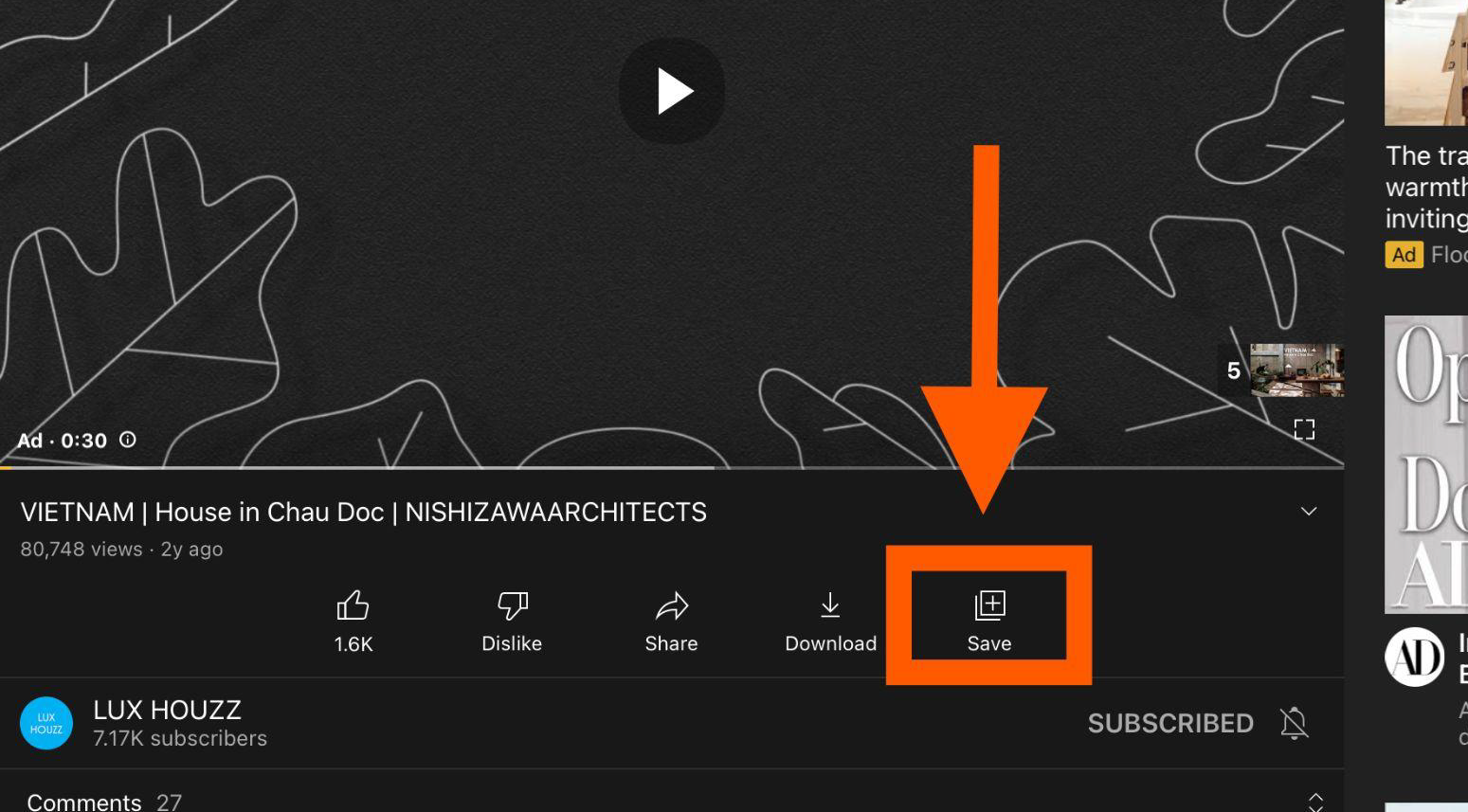
You’ll receive a quick notification in the bottom left corner that the video was saved to your playlist.
Step 2
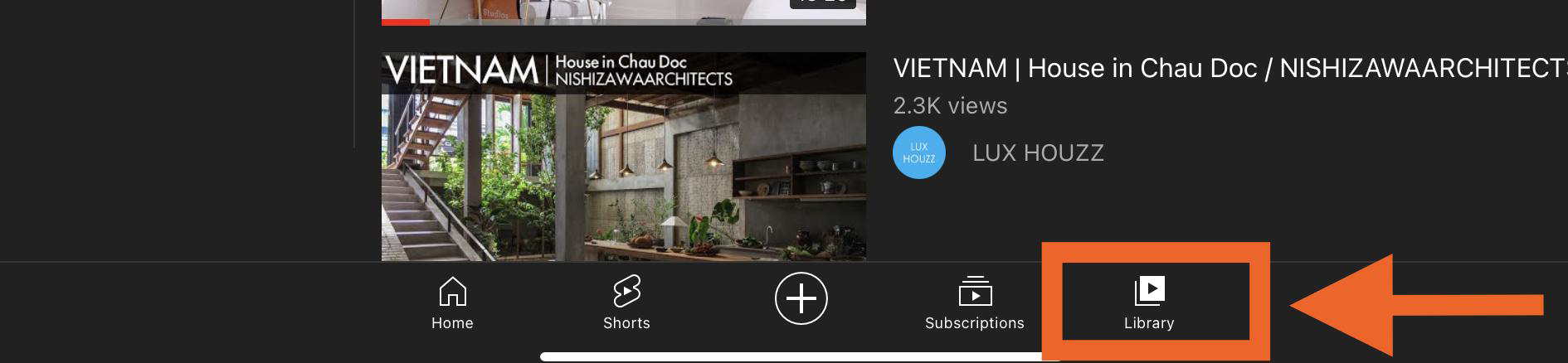
To go watch the videos saved to your playlist click on the library icon in the bottom right corner of the navigation bar.
Step 3
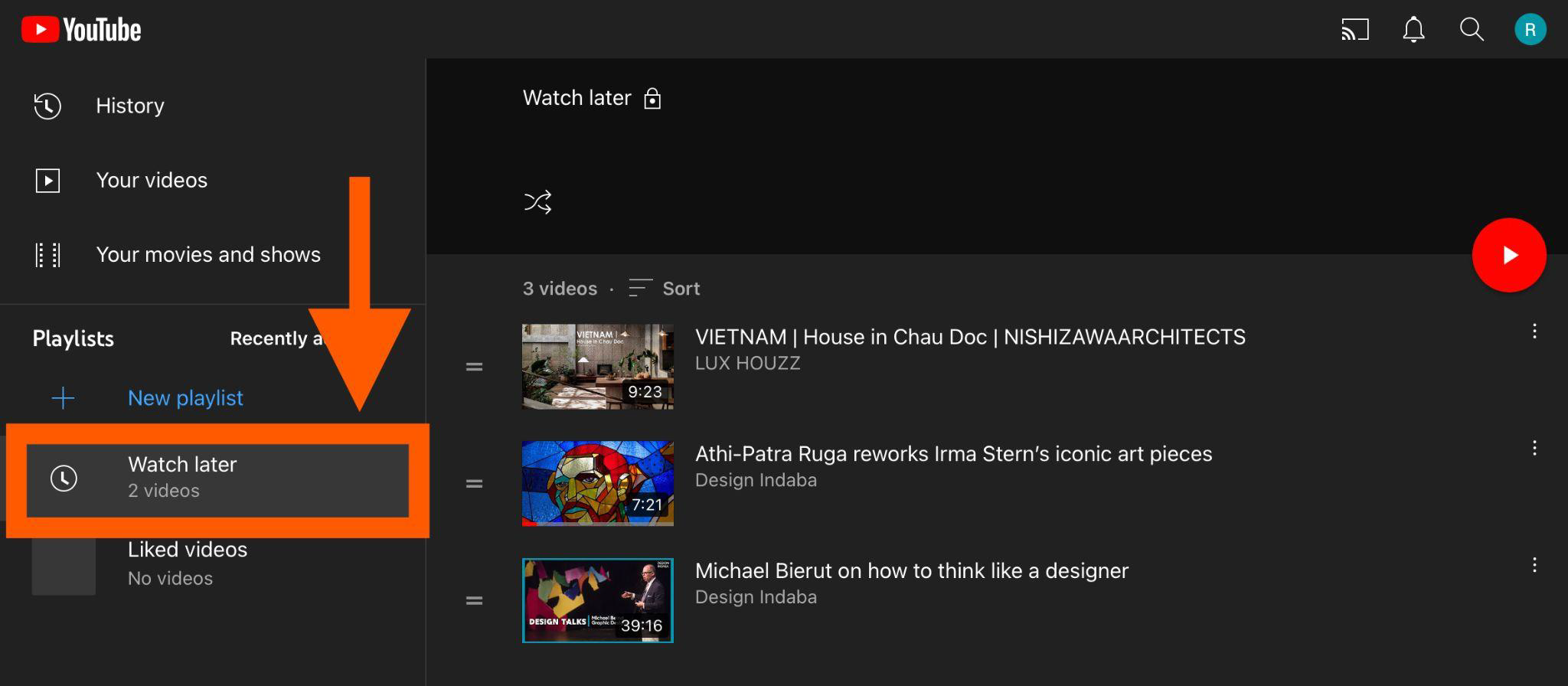
On the right side of the screen tap on ‘Watch Later’
Step 4
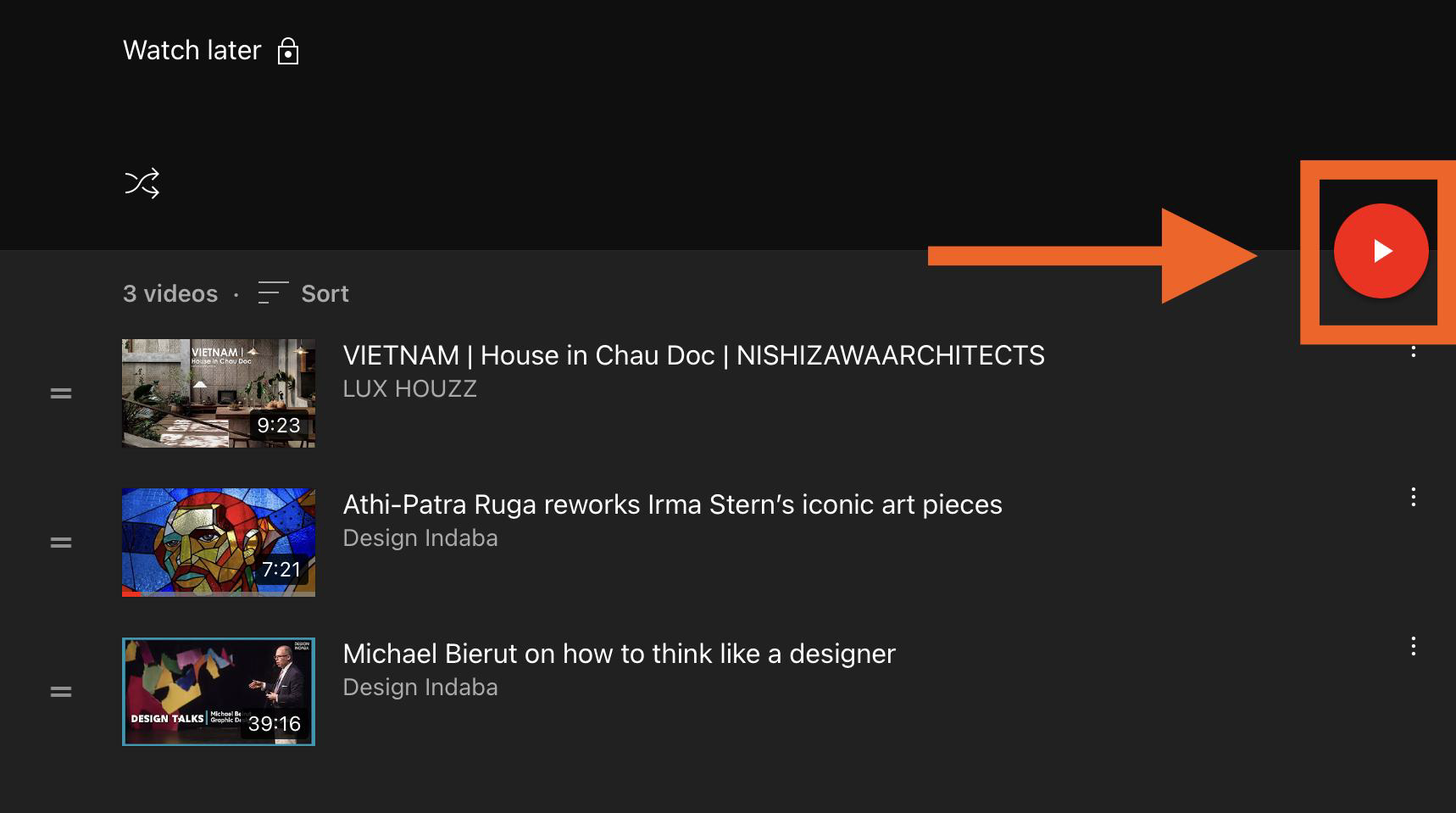
The right side of the screen will display the list of videos you’ve saved. Click on the red play button to play the playlist in order. You can also click on the individual video if you prefer to watch them one at a time.
How to View your History
Youtube offers a feature called History that allows you to view the history of previously watched videos. This allows you to reference any video you’ve watched before.
Step 1
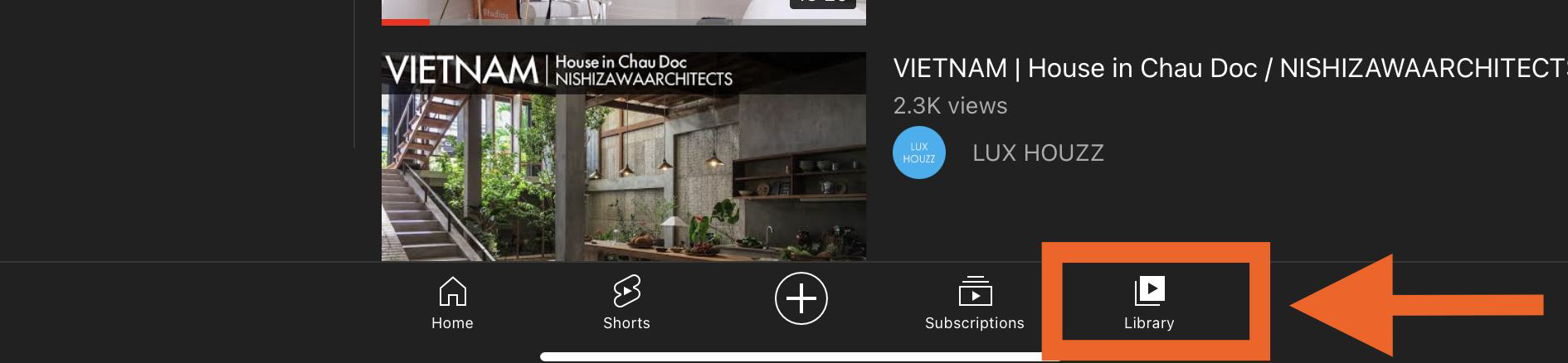
To view your video history click on the library icon in the bottom right corner of the navigation bar.
Step 2
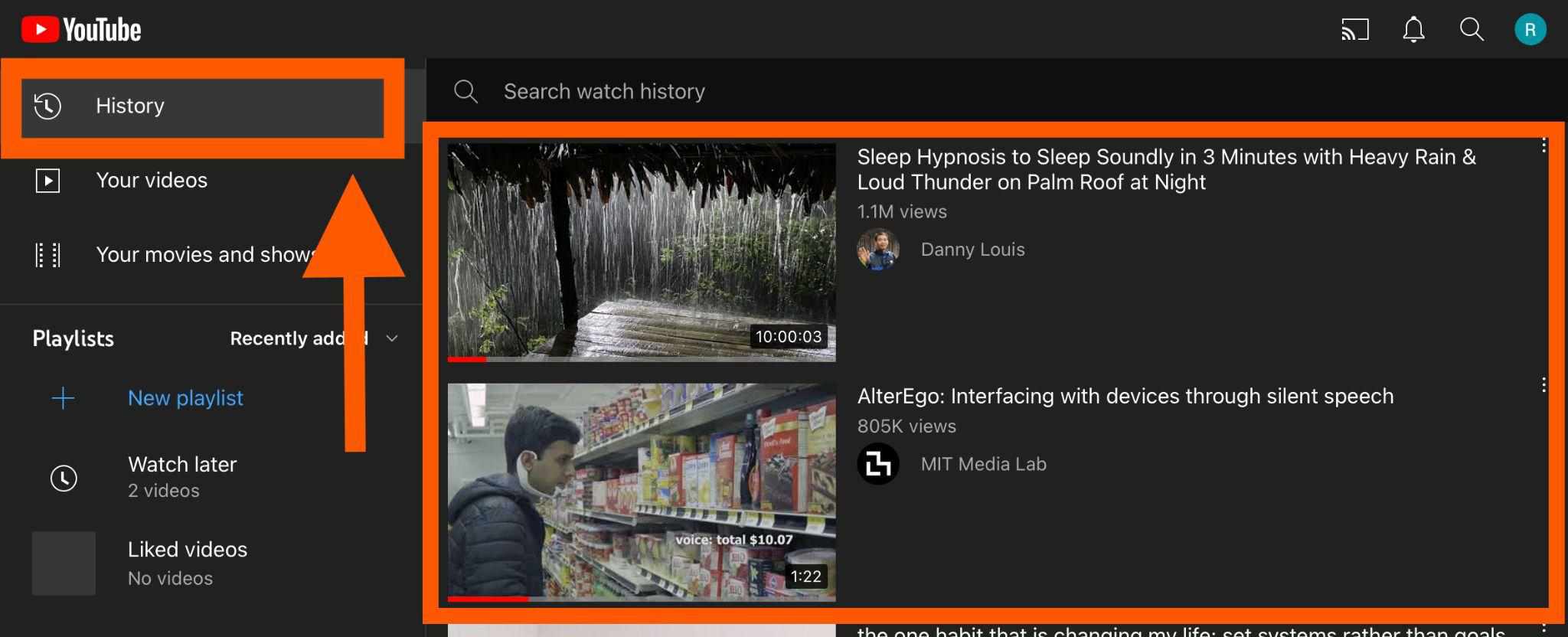
Tap on the history tab in the top right corner. Your history will display on the right-hand side of the screen. The latest video you’ve watched will display at the top and the oldest at the bottom.
If you need help or have any questions, call us at
646-758-6606 or email support@candootech.com
To download a copy of this guide click below:
Comments
0 comments
Please sign in to leave a comment.