
Candoo How to Disney+
How to Sign up for Disney+
Step 1
Open a new browser window (Chrome, Safari, Firefox, or Edge), and type in disneyplus.com
By clicking "Sign up for Disney+ only" You can subscribe to Disney+ for $7.99 per month
OR
By clicking the Blue "Get The Disney Bundle" you can get a package which includes Disney+, ESPN+, and Hulu for $13.99 per month

Step 2
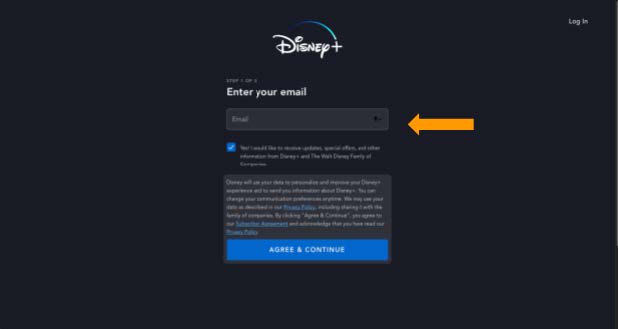
Type your email address into the box. Click “Agree & Continue”.
Step 3
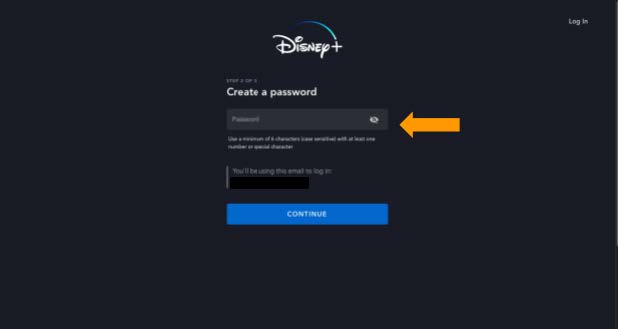
Create a password. Try to use something you will remember. Click “Continue”.
Step 4
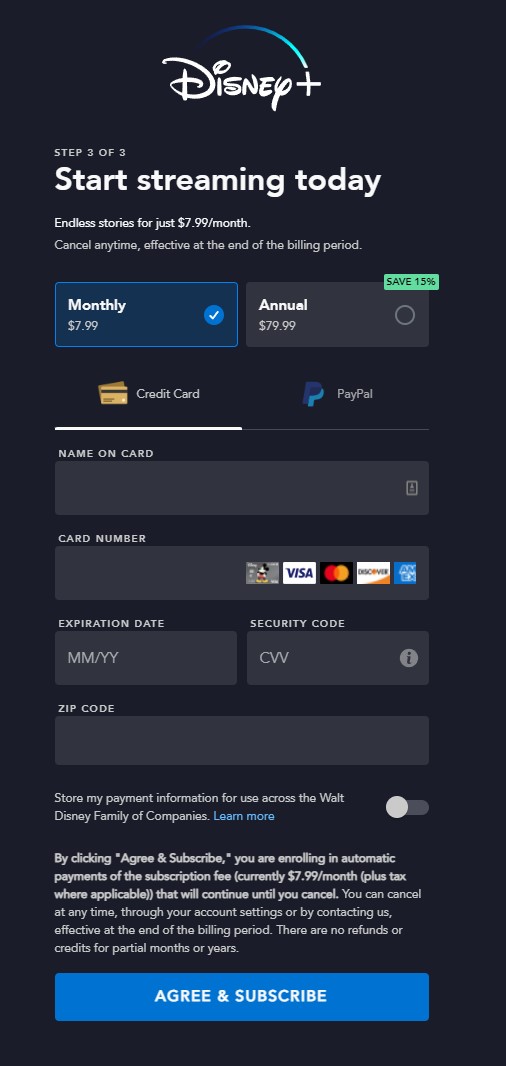
Choose if you want to pay $7.99 per month (you can cancel at any time) or $79.99 annually. Fill in your name, credit card information and click on “Agree & Subscribe”.
Step 5
You are all set! Click on “Start Streaming Disney+” to begin watching!

Navigating Disney+
At the Top of the screen is the Navigation Bar which includes:

Home
Shows "Recommendations for you" based on what you've watched before. This page also shows new and trending movies and series.

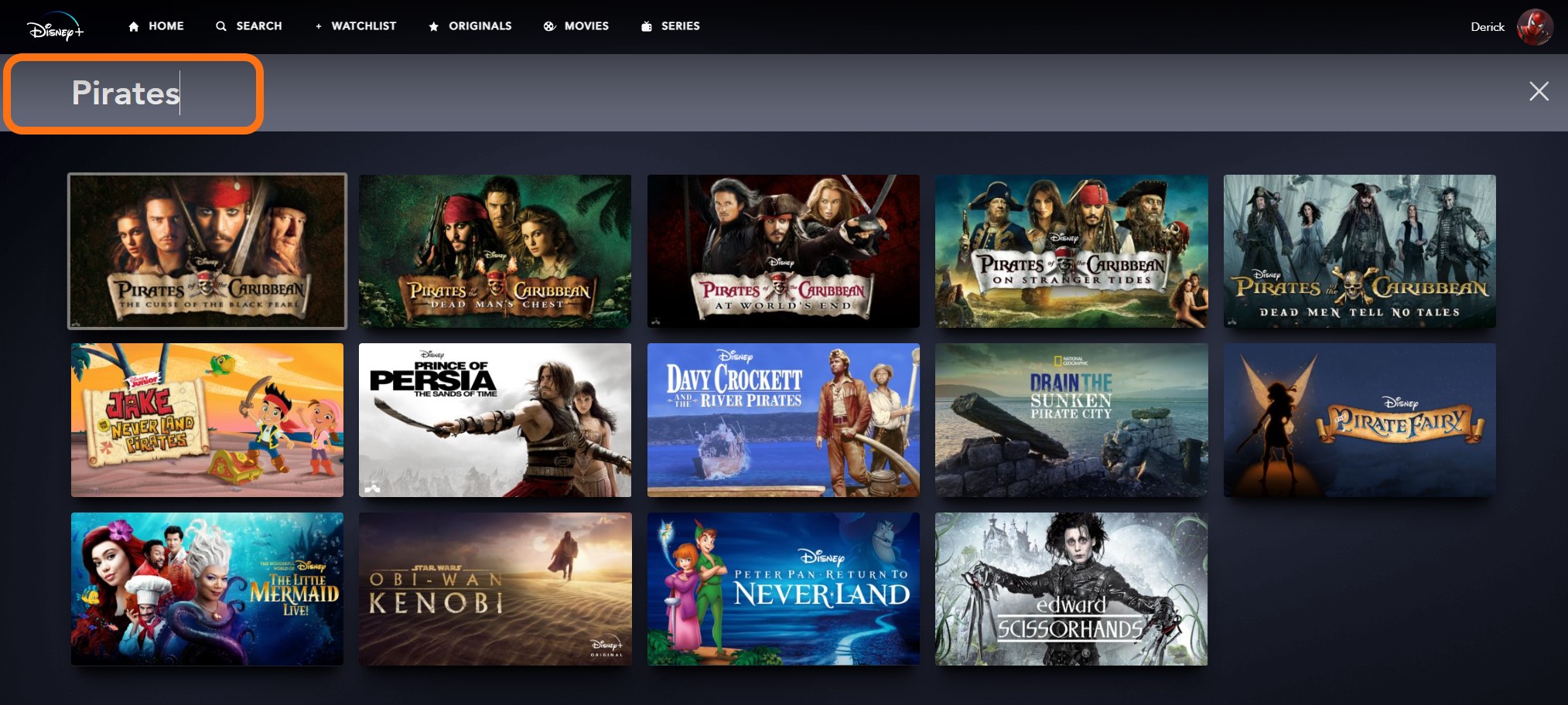
Search
Allows you to search for series/movies by title, character, or genre.
Watchlist
Allows you to see content that you have added to your watchlist.

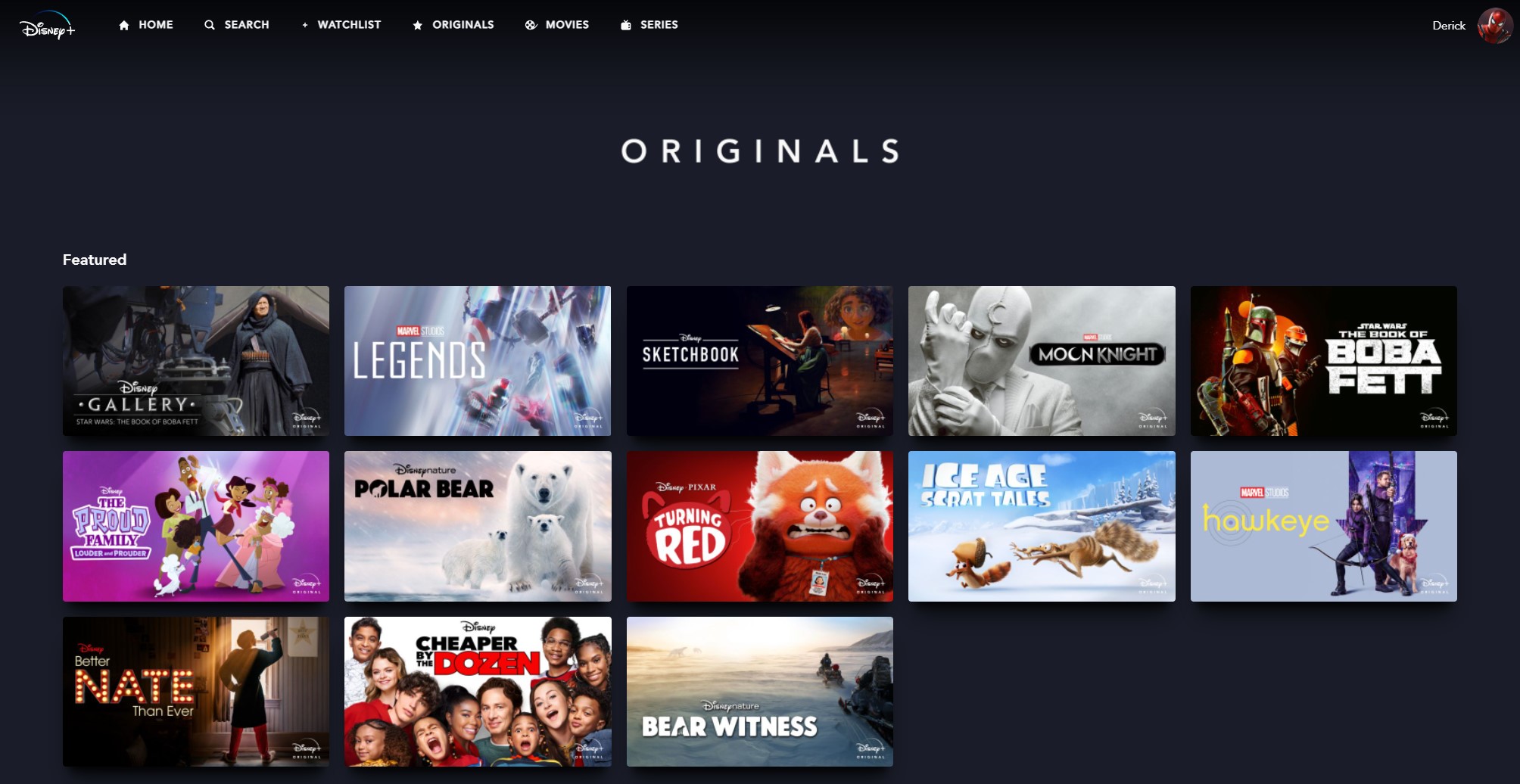
Originals
All movies and shows that were created exclusively for Disney+
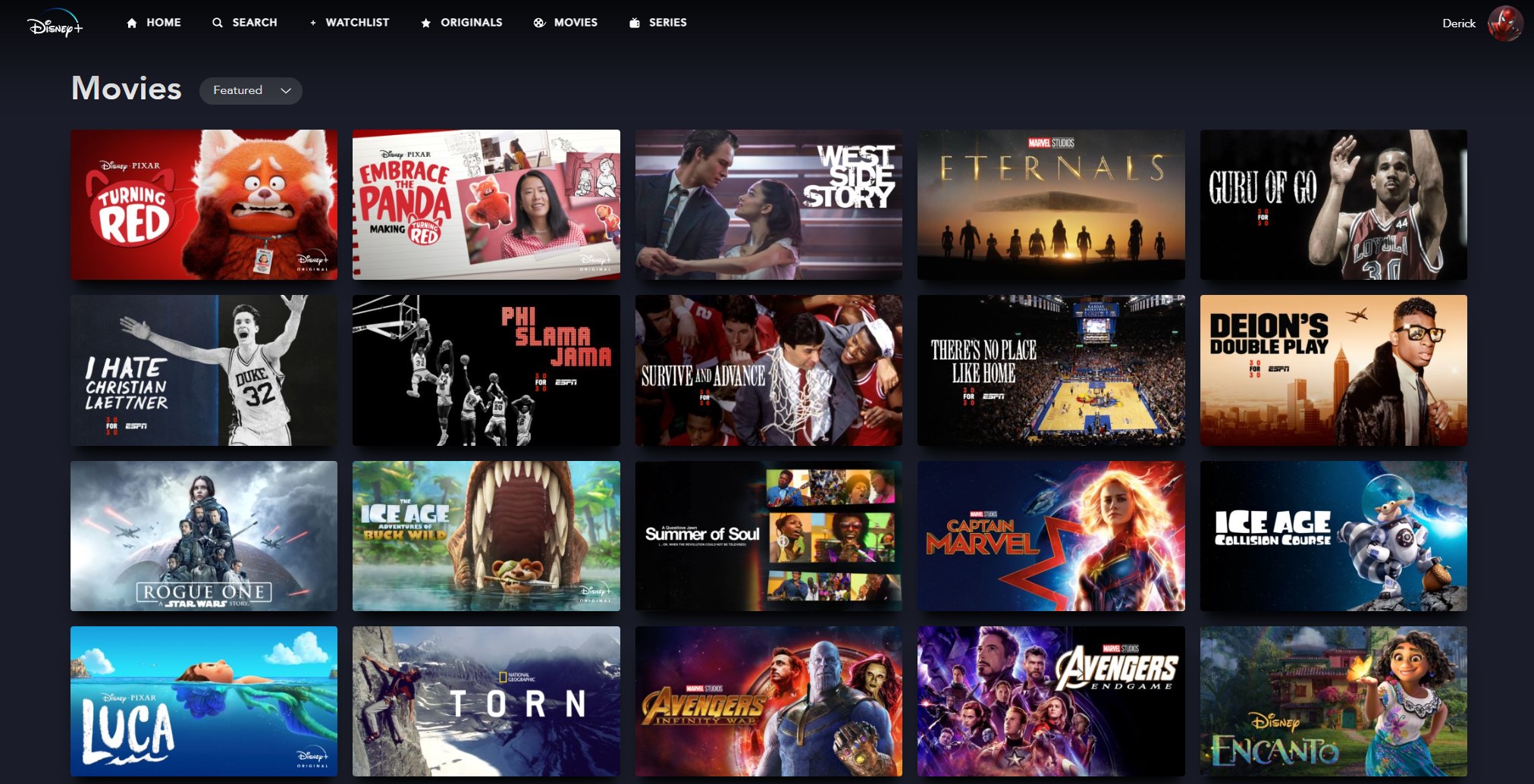
Movies
List of all Movies currently available on Disney+
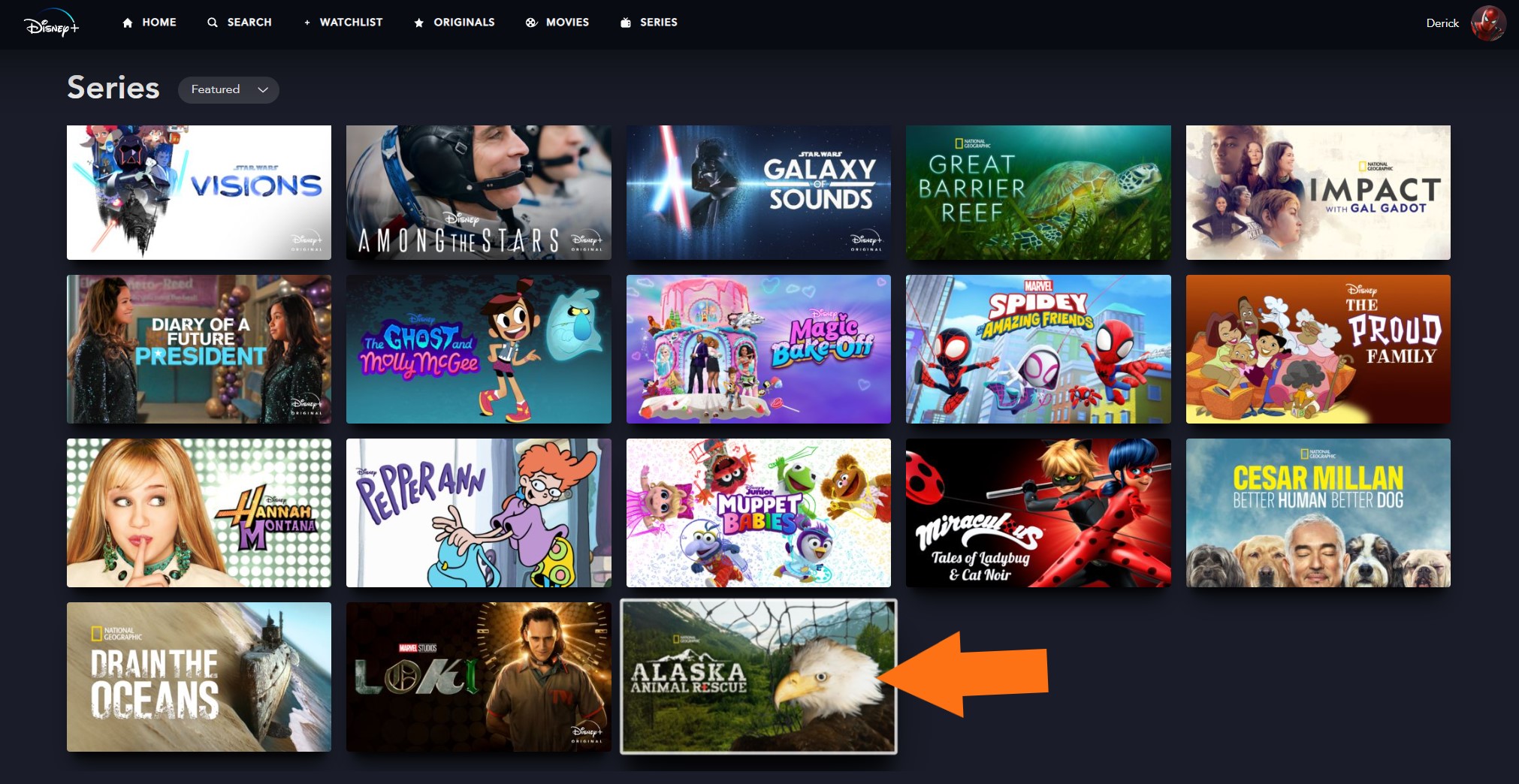
Series
List of all Shows currently available on Disney+

Watch something on Disney+
Step 1
Find what you want to watch and click on the image.
Step 2
To start watching simply press the "Play" Button.

If its a series, you can start watching a specific season and episode by clicking on it at the bottom of the screen.

To watch it at a later time you can also add the movie/series to your watchlist by clicking the '+' sign.

Closed Captions
Step 1
Remember, you can add closed captioning. Click on the small square on the top right of the screen after your movie/series starts playing.

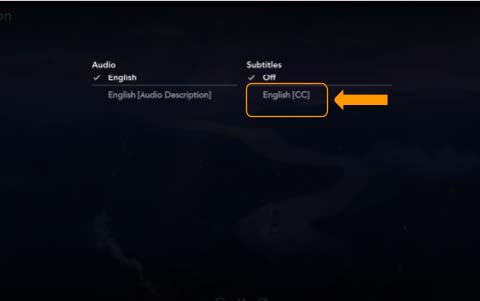
Step 2
On the options that appear, select “English (CC)”
If you need help or have any questions, call us at
646-758-6606 or email support@candootech.com
To download a copy of this guide click below:
Comments
0 comments
Please sign in to leave a comment.