
Candoo How to Uber & Lyft
Use Uber:
Step 1
Select the Uber app.

Step 2
Type a Pickup Location and a ‘Where to?’ (Destination)

Step 3
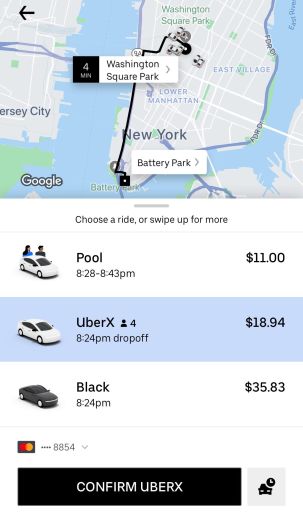
Choose the Uber vehicle type of preference
● UberPOOL is a shared ride with another Uber user heading in a similar direction as you.
● UberX seats 4 passengers. UberX cars are typically regular sedans like the Toyota Prius, and Honda Accord.
● UberBLACK is Uber’s luxury service. Commercially registered and insured livery vehicles, typically a black SUV or luxury sedan. Black is the most expensive Uber service.
Use Lyft:
Step 1
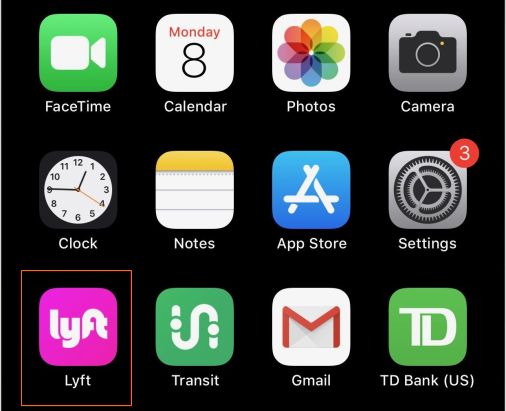
Select Lyft.
Step 2
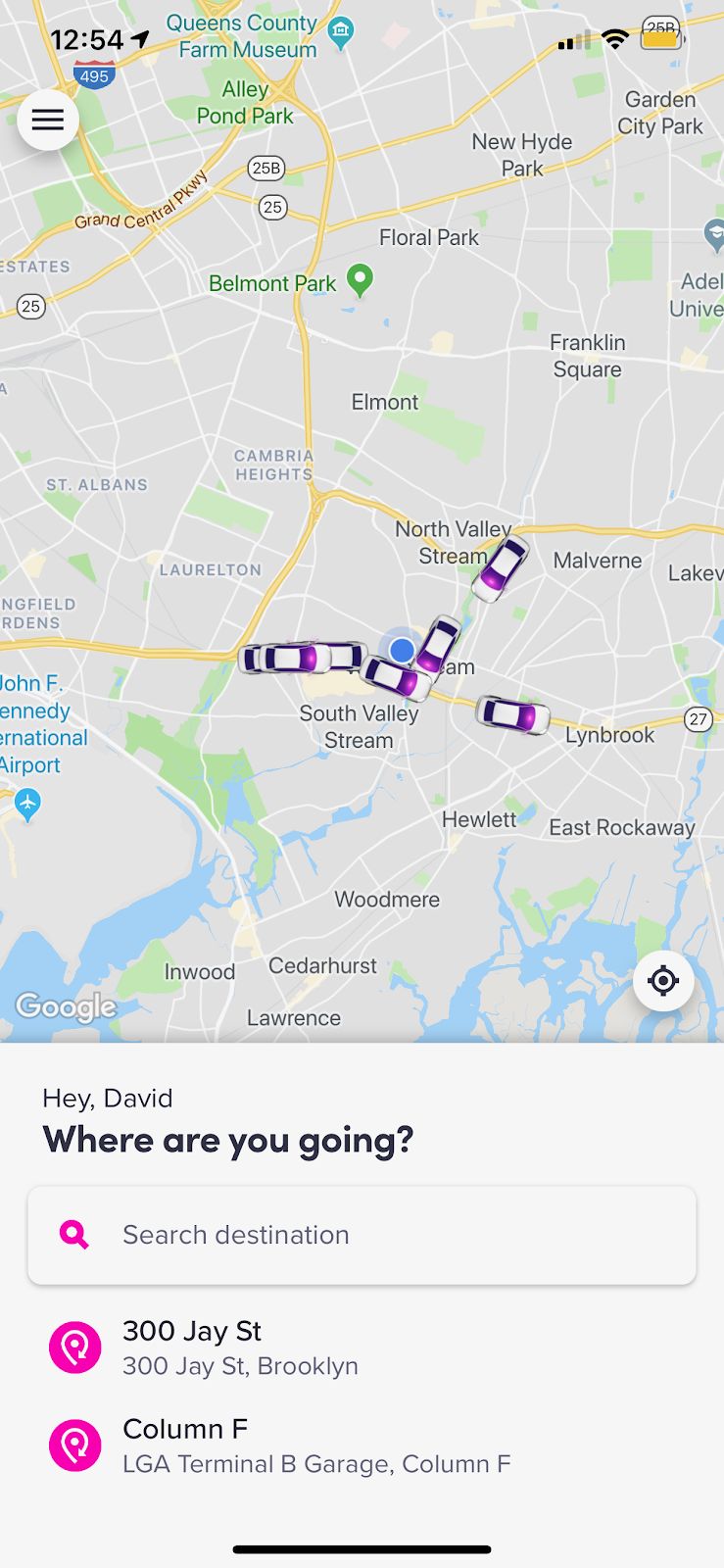
Tap ‘search destination’ to begin typing an address, restaurant, or public place such as a park.
Step 3
Type the address in the pickup area to tell the driver where you are located and a drop-off location which is your destination.

Step 4
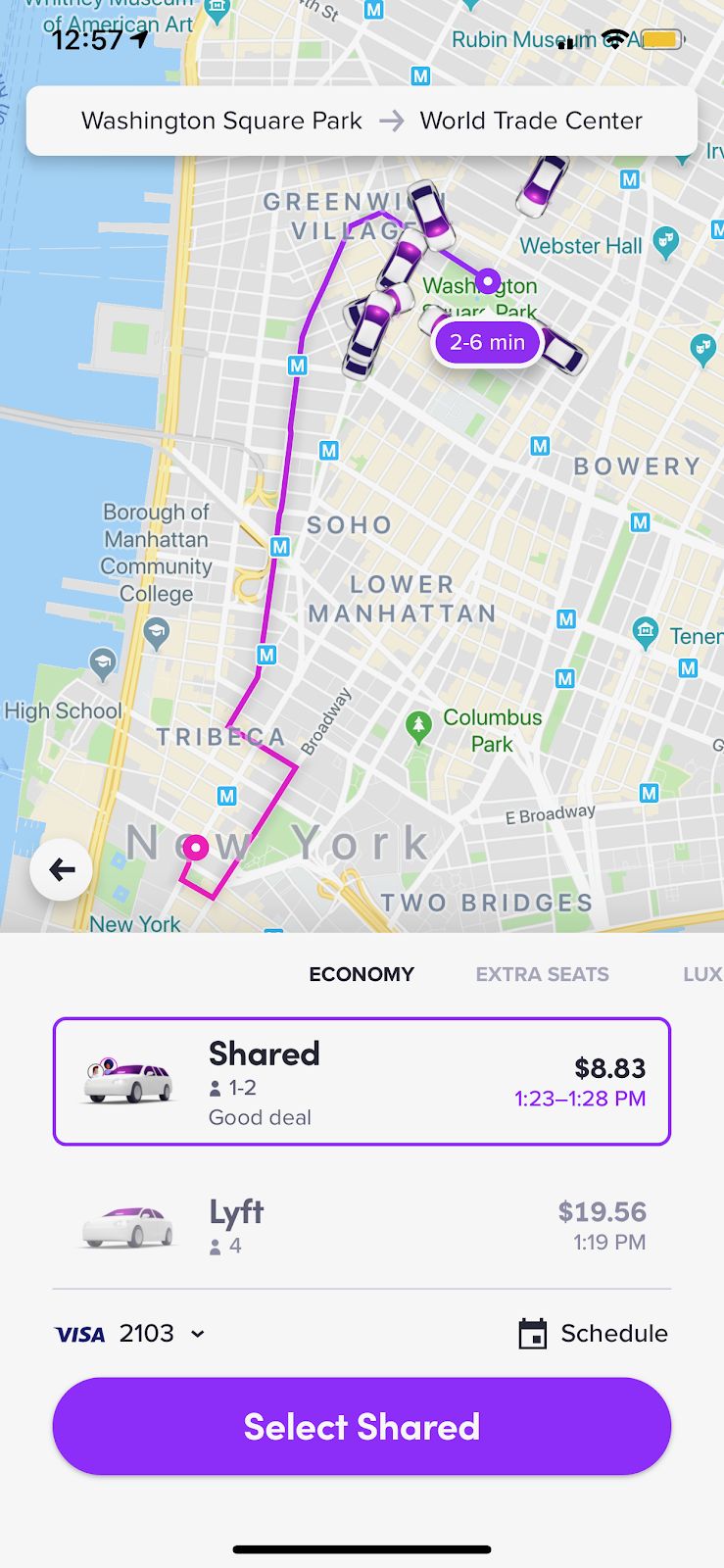
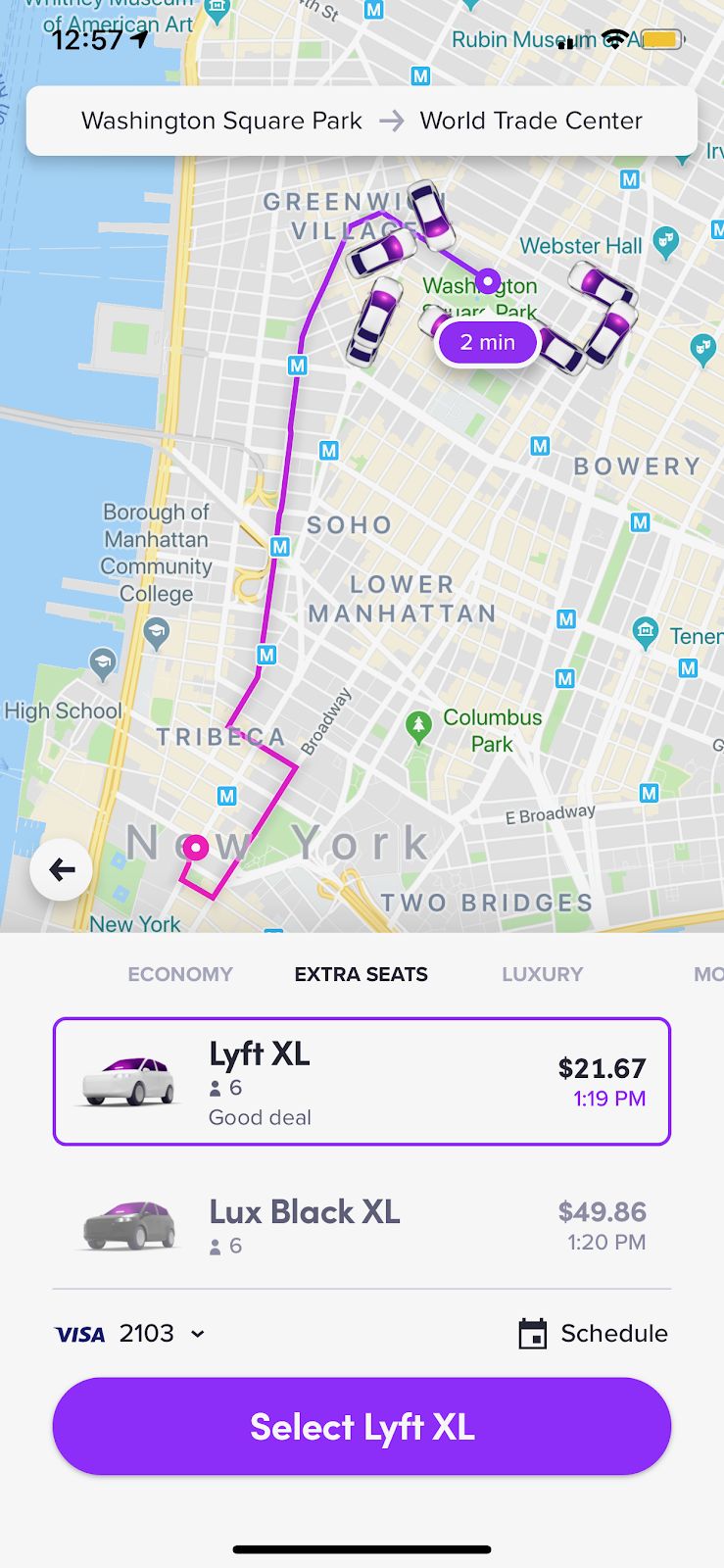
Choose the Lyft vehicle type of preference:
- Lyft Shared is a shared ride with another Lyft user heading in a similar direction as you.
- Lyft XL seats 6 passengers. Lyft XL cars are typically larger
- Lux Lyft is Lyft’s luxury car service.
If you need help or have any questions, call us at
646-758-6606 or email support@candootech.com
To download a copy of this guide click below:
Comments
0 comments
Please sign in to leave a comment.