
Candoo How to Create a Calendar Event - iPad & iPhone
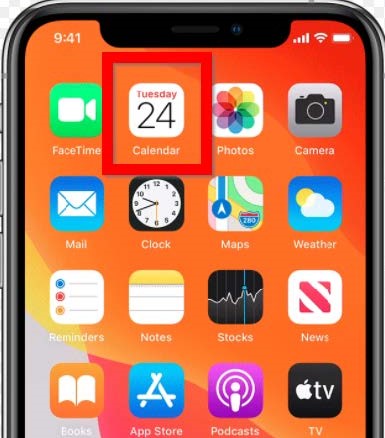
Step 1
From the home screen open the Calendar app.
Step 2
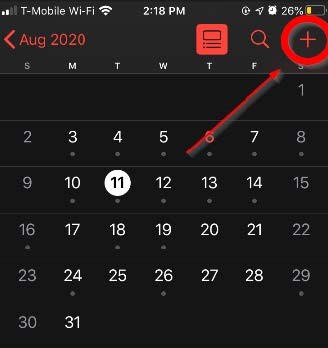
Select the date you want to add an event to and then hit the + icon at the top right of the screen.
Step 3
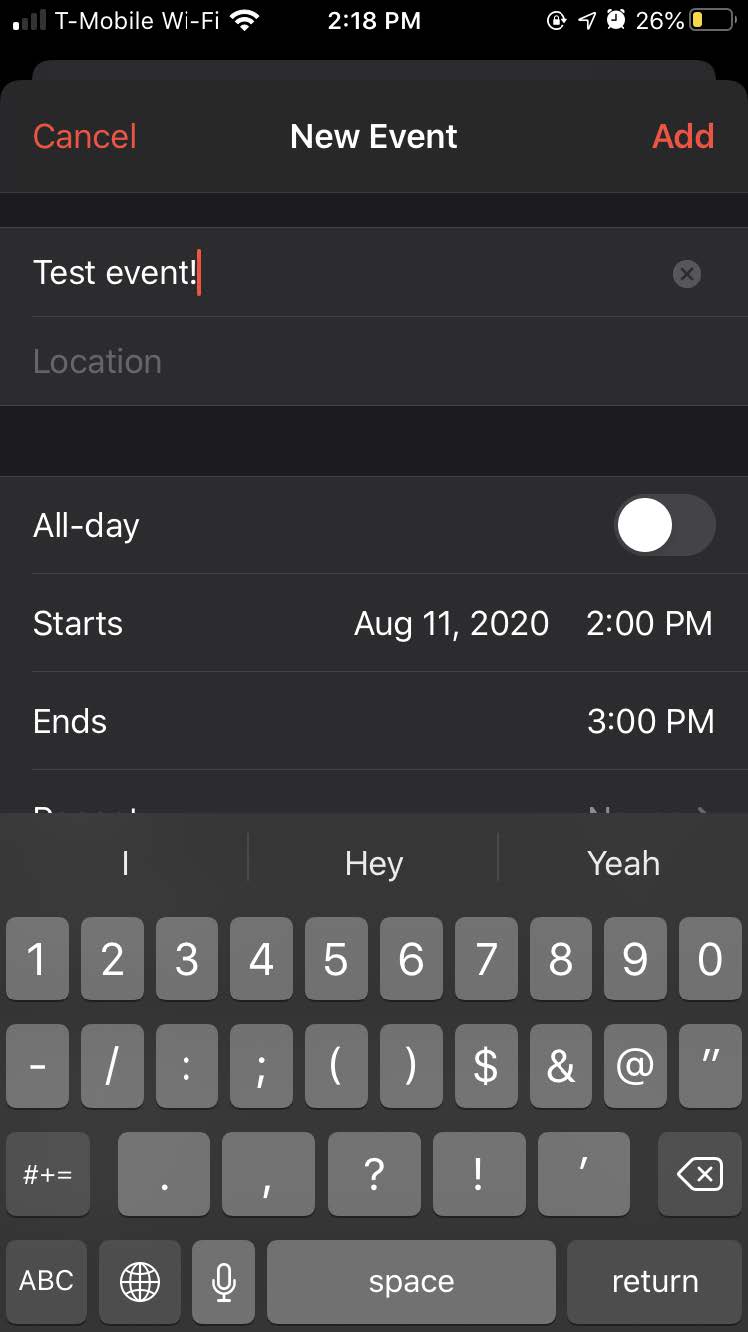
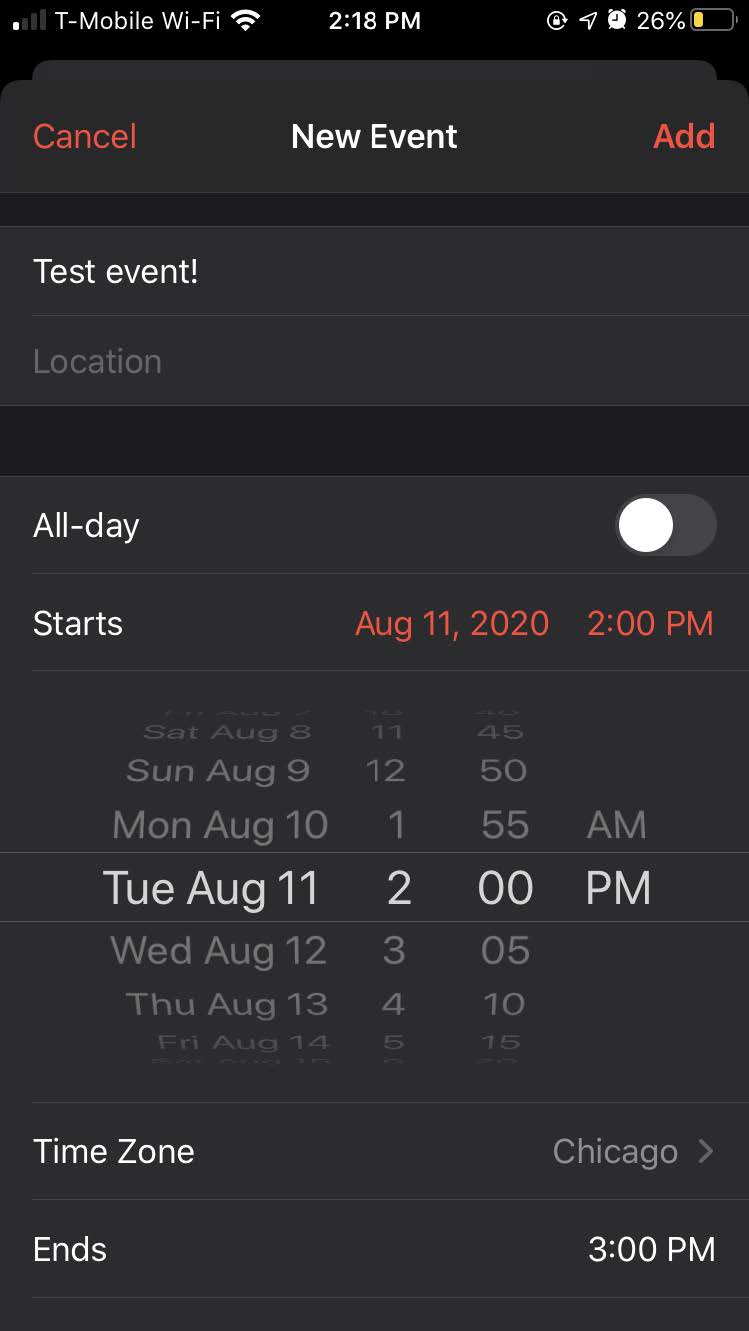
The New Event page will open, and you can add a name for your event.
Step 4
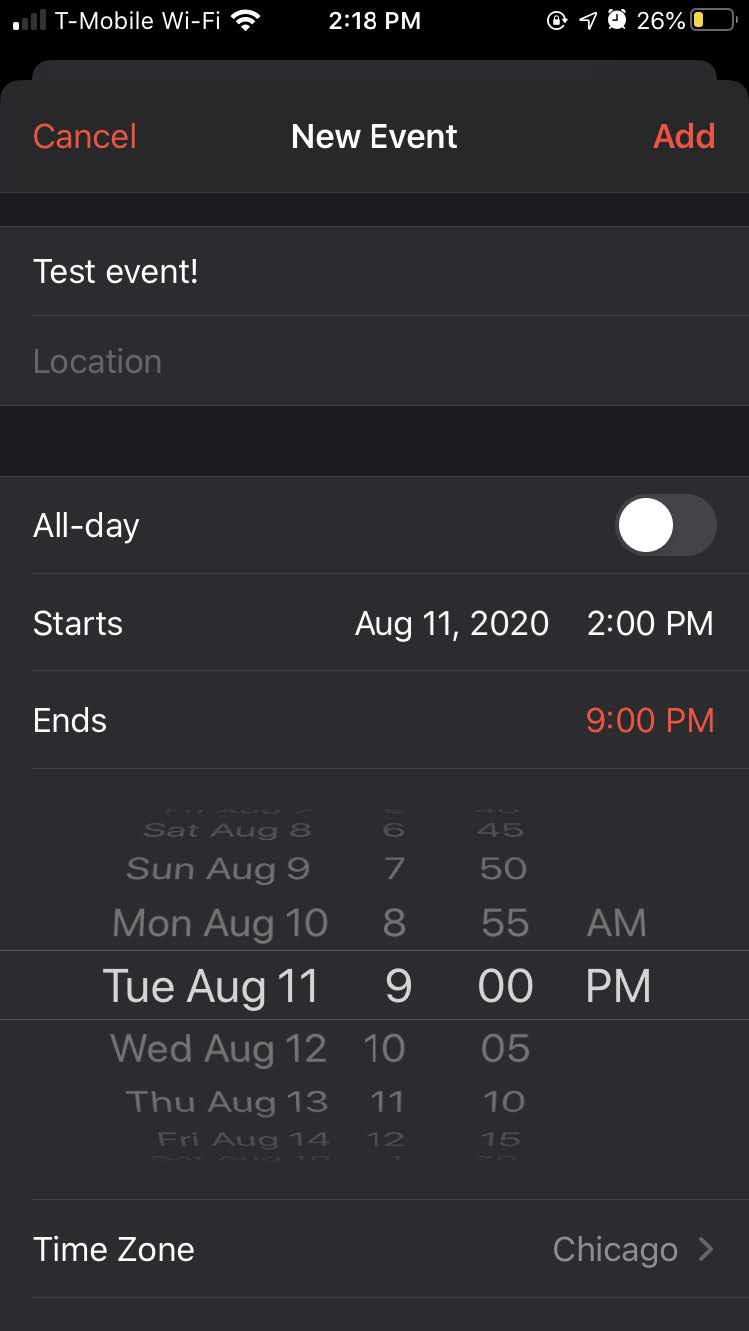
Add your start and end times. You can move the date, and time like a rolodex!
Step 5
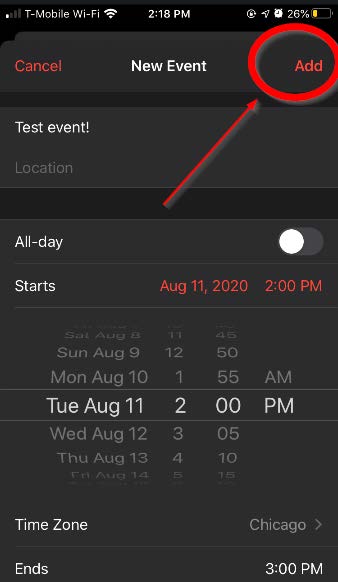
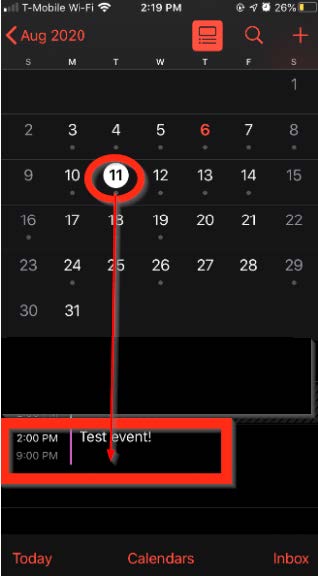
Finally, hit the Add button on the top right of the screen, and you are done! You should be able to see your event in the month view for that date.
If you need help or have any questions, call us at
646-758-6606 or email support@candootech.com
To download a copy of this guide click below:
Comments
0 comments
Please sign in to leave a comment.