
Candoo How to Use Google Maps on a Mobile Device
How to use Google Maps on an iPad, iPhone, Android Tablet or Android phone
Step 1
Select Google Maps.
Step 2
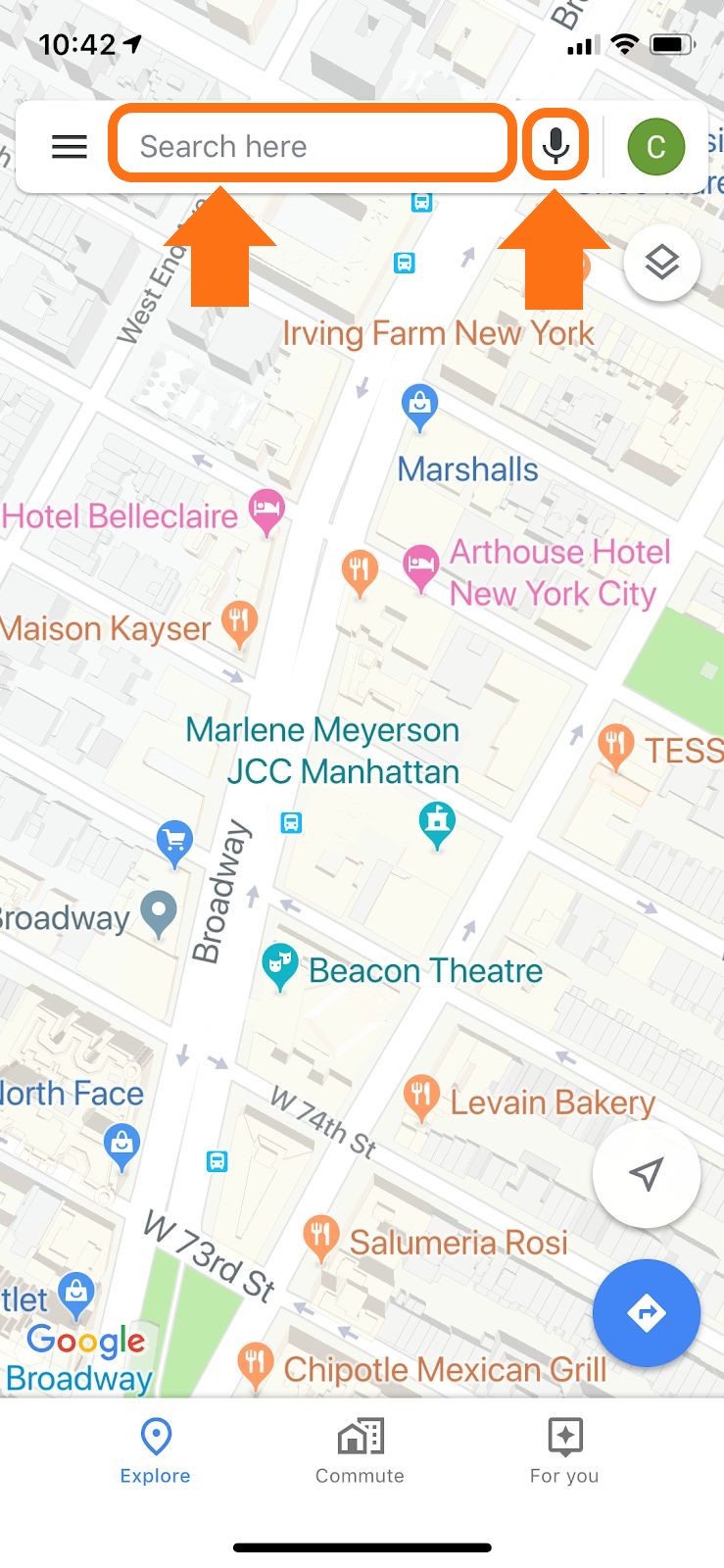
Tap ‘search here’ to begin typing an address, name of a destination (i.e. restaurant, or public place such as a park.) Another option is to tap the Microphone icon and say the name of your destination.
Step 3
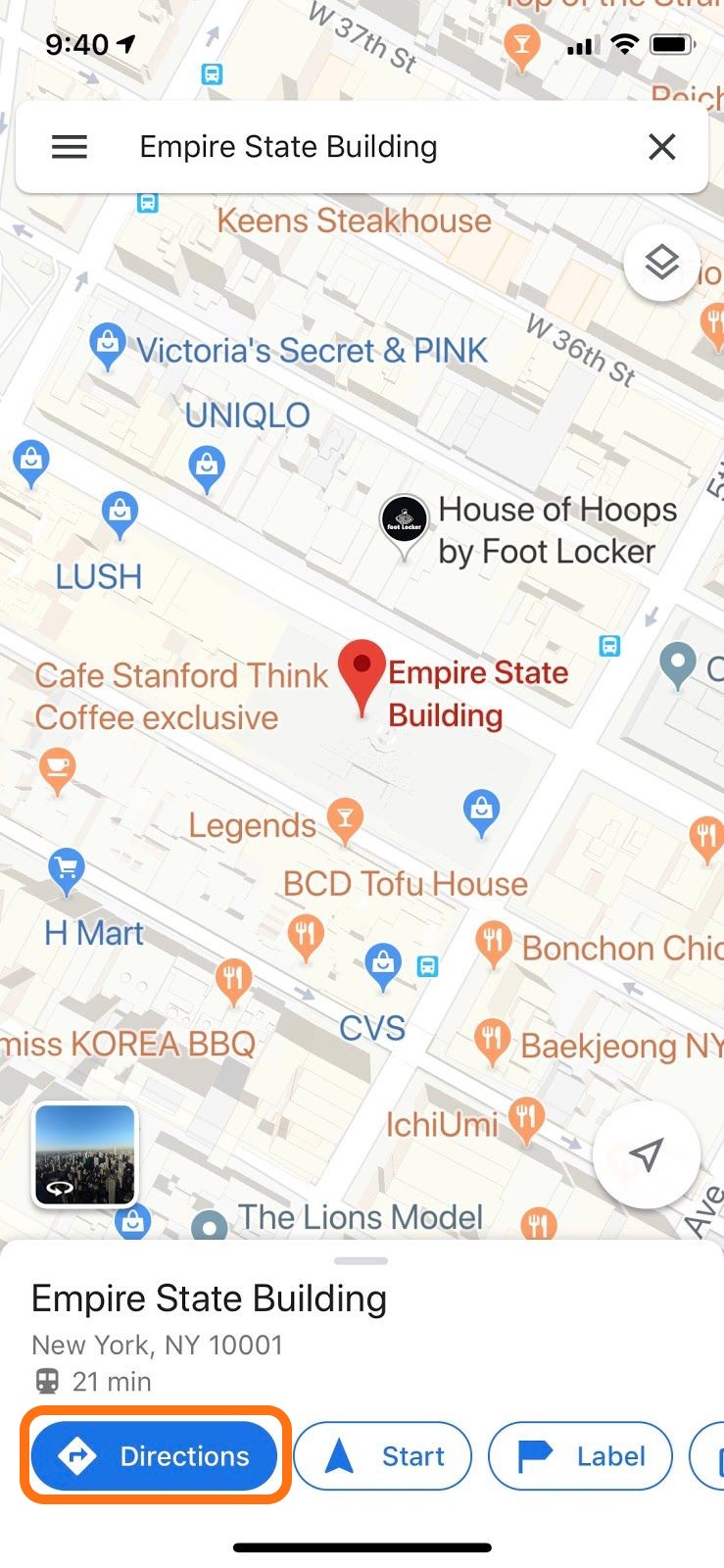
After selecting a location, tap ‘directions’
Step 4
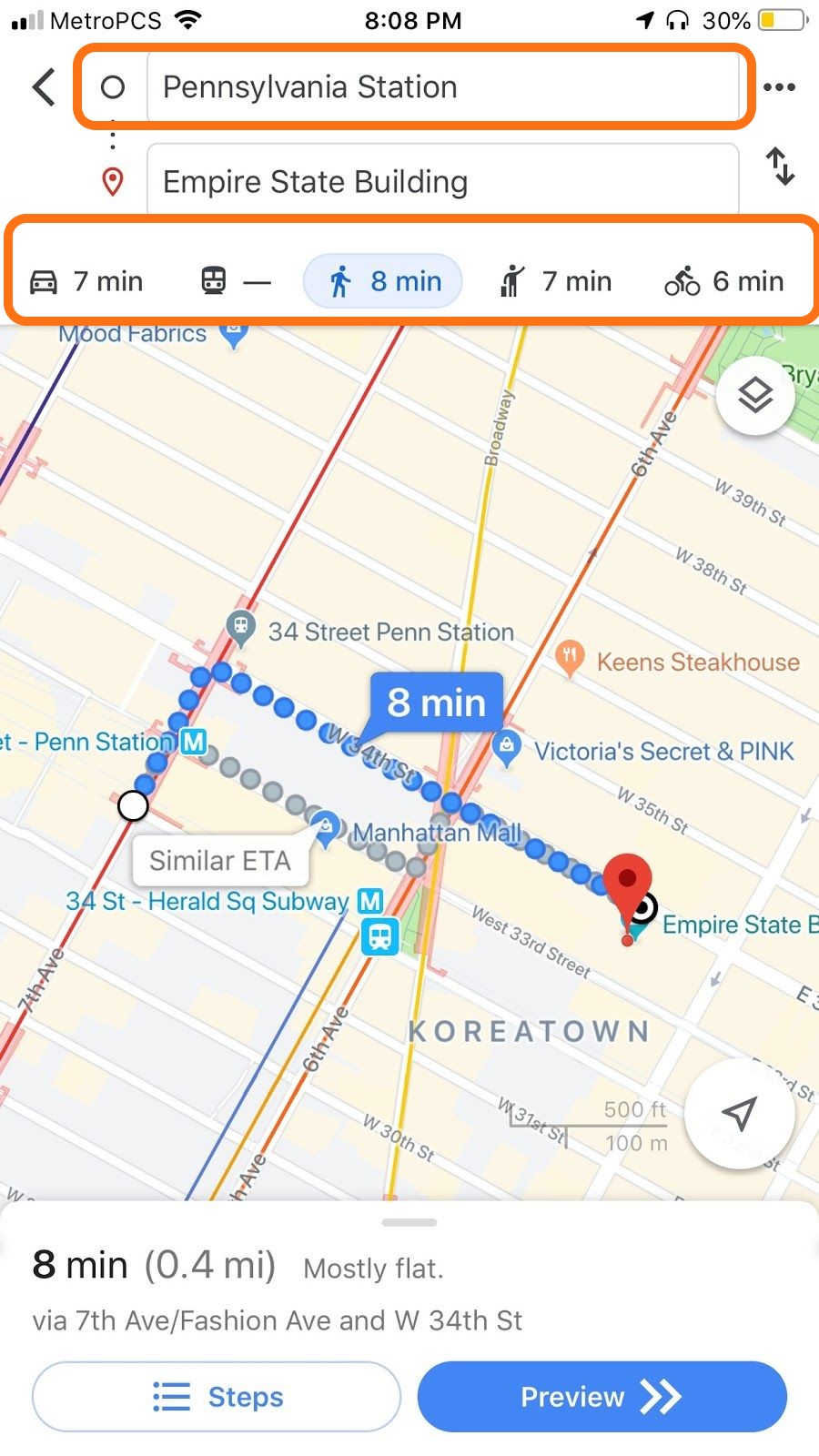
The starting point location by default will be your current location to change it tap on it and type a new address. Then select a travel method, from left to right: Car, public transport, walking, rise share, bicycle.
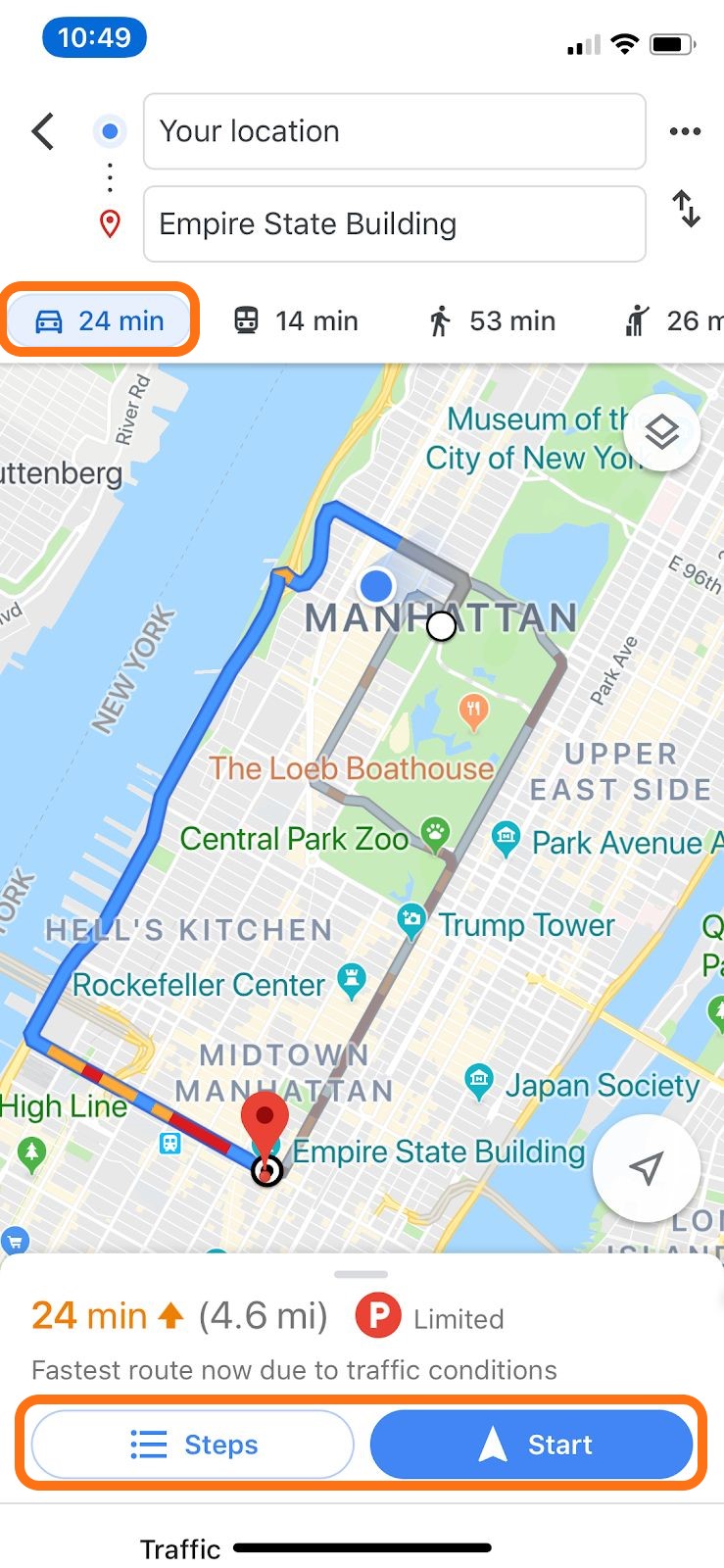
If you select “car”, you will see this. Push “start” and get step-by-step driving directions with voice instructions. If you want to see an overview before you start, click “steps”
If you select 'Public Transportation', you will see this. Tap on the route you would like to take, then click Start.
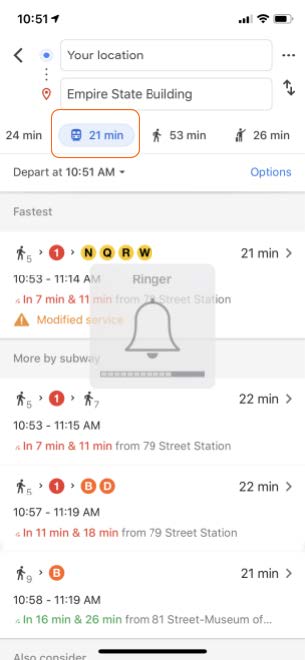
if you select 'Walk', tap start to get step-by-step walking directions with voice instructions. If you want to see an overview before you start, click “steps”
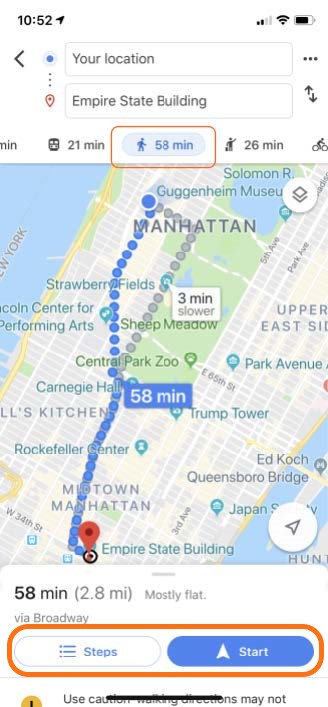
Step 5
When you click Start, you will get step-by-step instructions including voice prompts.
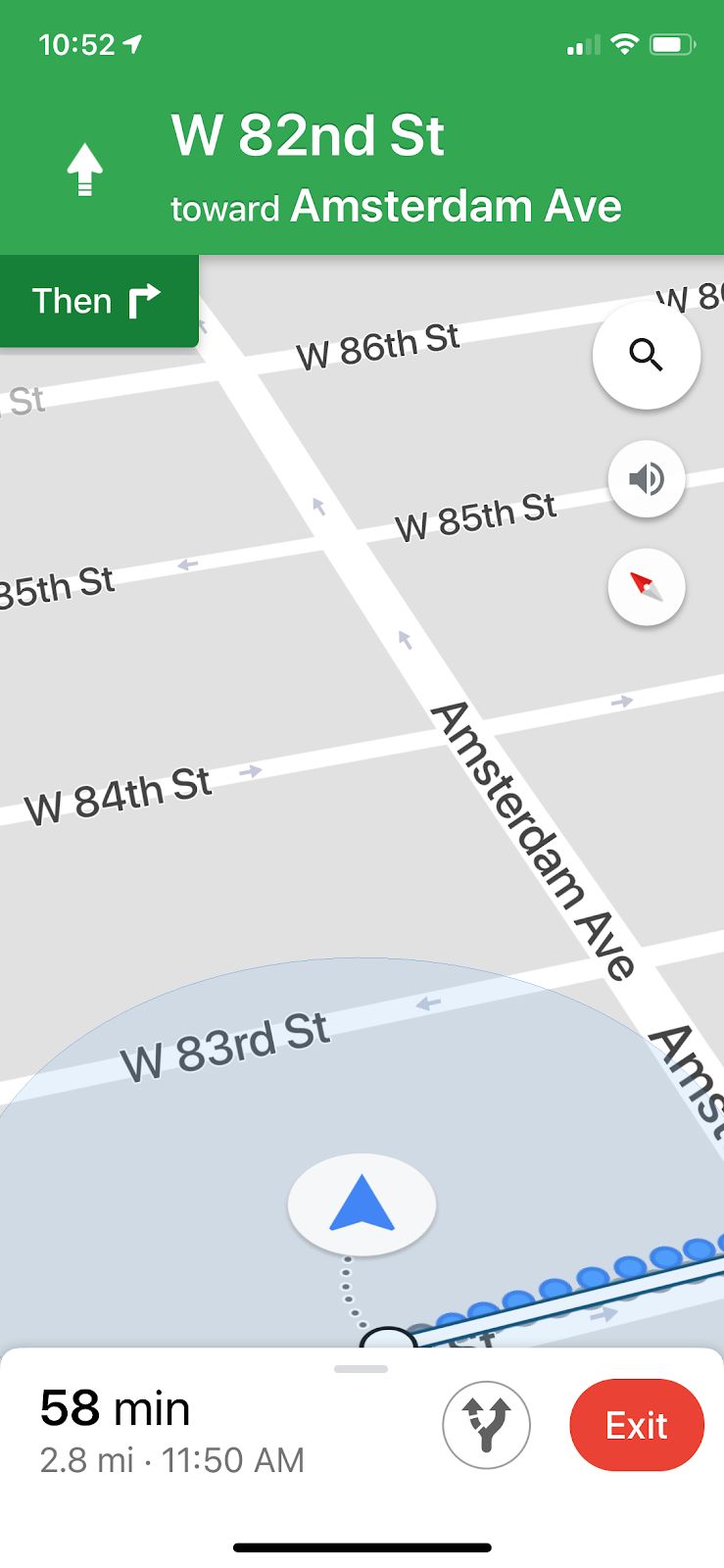
Tap the red 'Exit' button to end navigation.
If you need help or have any questions, call us at
646-758-6606 or email support@candootech.com
To download a copy of this guide click below:
Comments
0 comments
Please sign in to leave a comment.