
Candoo How to Spotify on an iPhone/ iPad
Spotify is an app that plays music, playlists, and podcasts.
Table of Contents
- How to Create a Spotify Account
- How to Use the Home Screen
- How to Search for Music
- How to Search for Podcasts
- How to Use your Library
- How to Make a Playlist
- How to Understand Spotify Premium
How to Create a Spotify Account
Step 1
Tap the Spotify App on your iPad

Step 2
If you’ve logged on in the past, it will automatically sign you in and take you to your Home Screen. If so, please skip ahead to:
Home Screen (Click here).
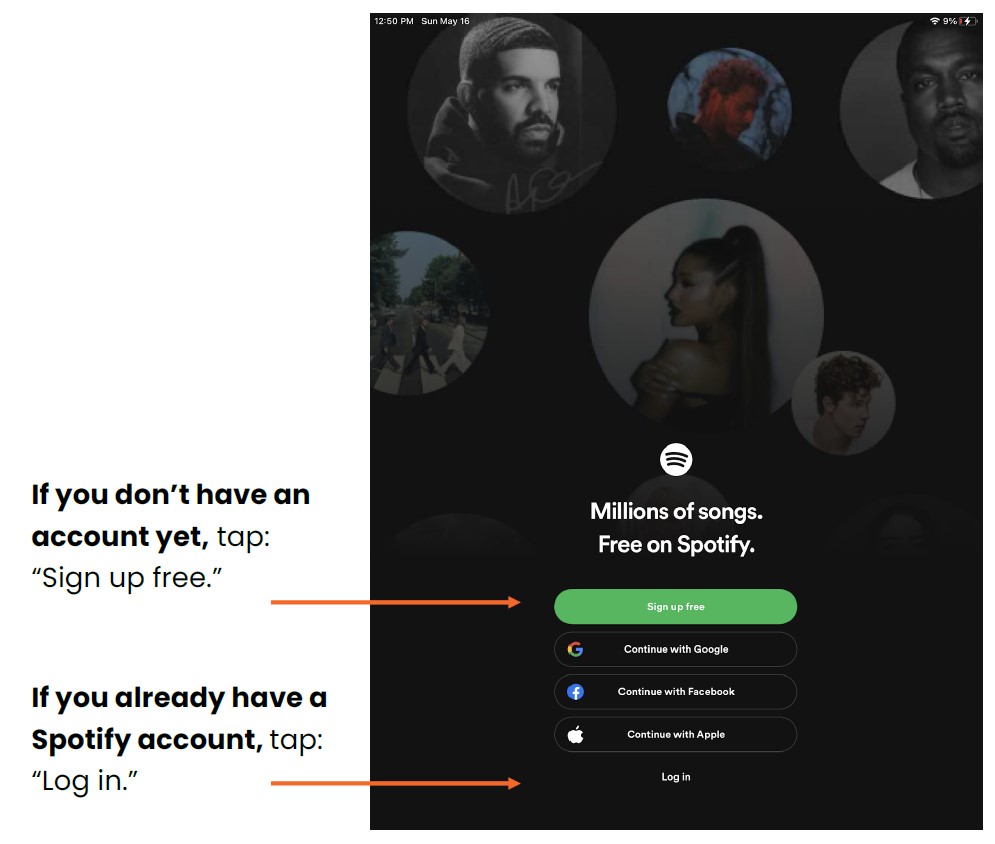
However, if you have not logged in before, you will see this screen:
Step 3
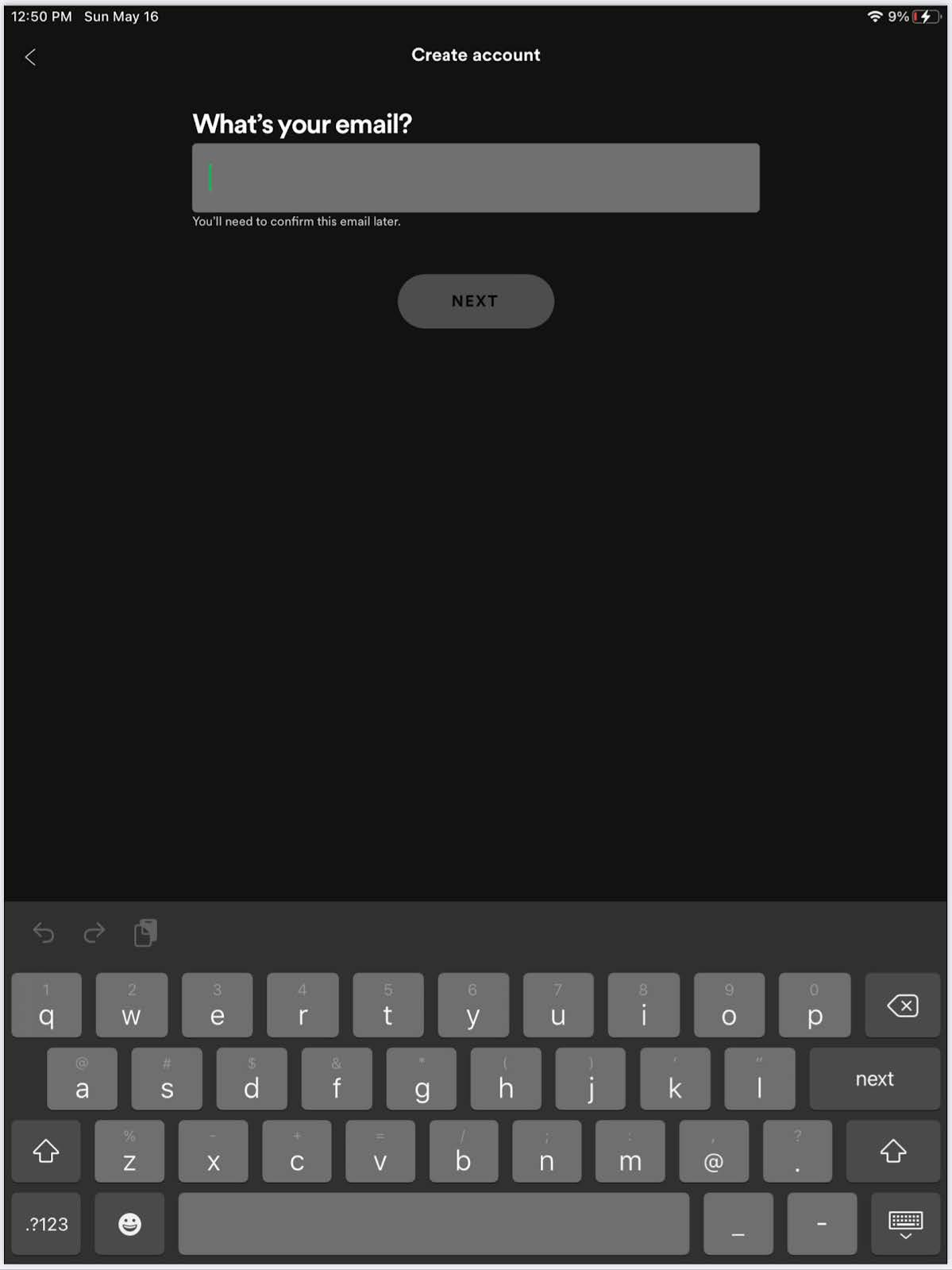
If you are signing up for the first time, it will ask you to enter your email address and create a password. Type these in, and tap "Next"

Step 4
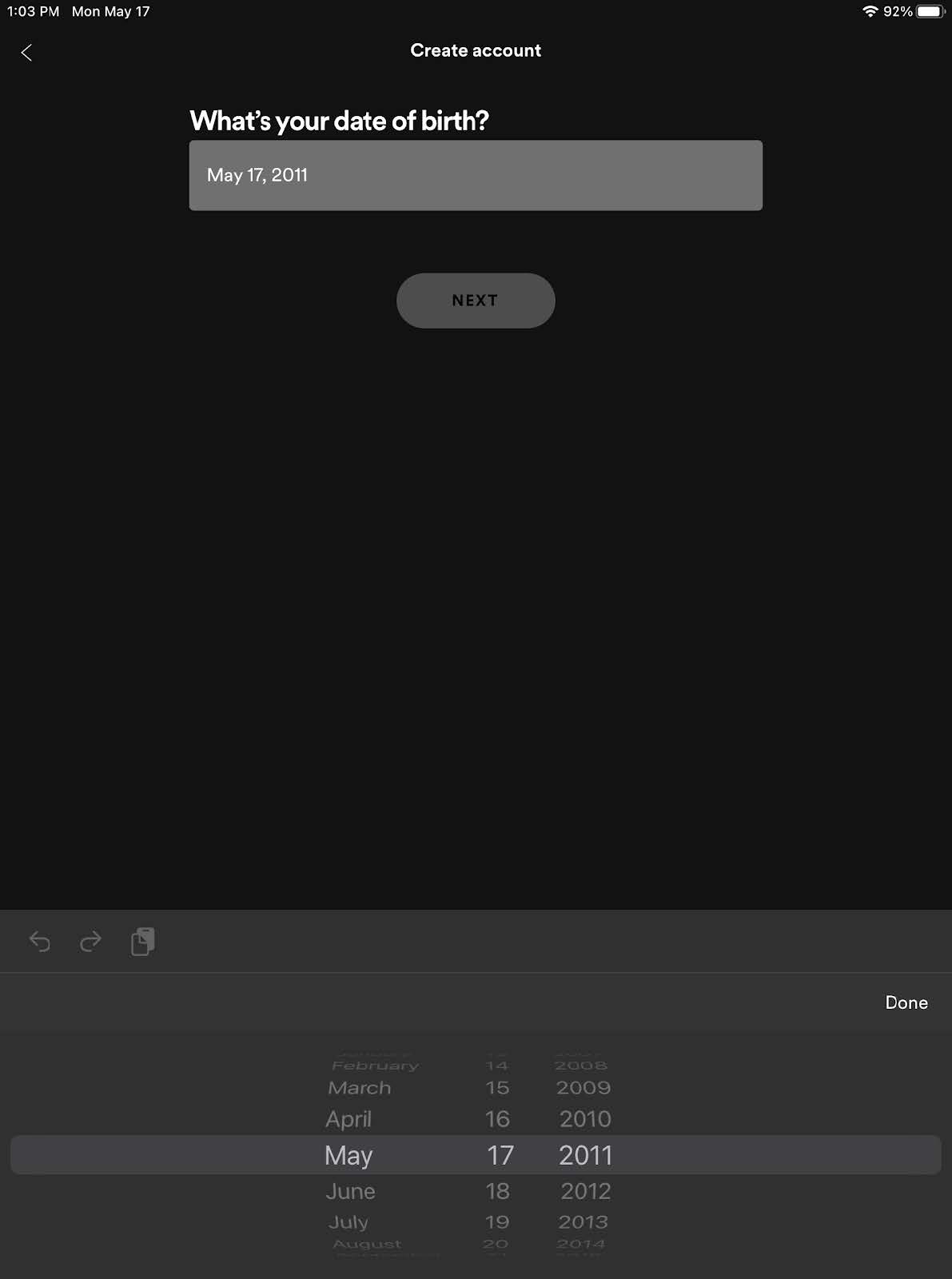
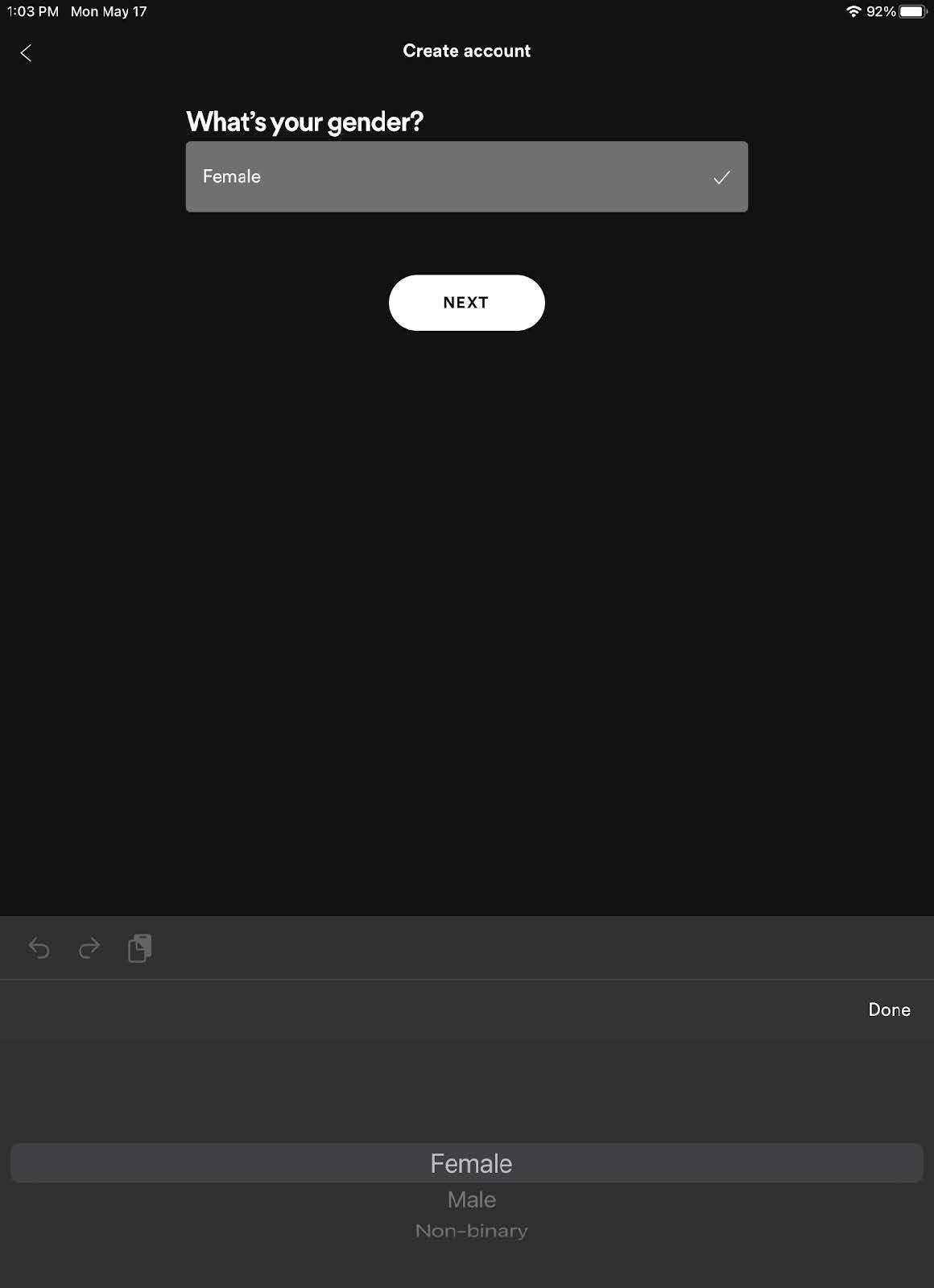
Next, Spotify will ask you some questions about yourself, like your date of birth, gender, and name. Tap “Next” after answering each question.
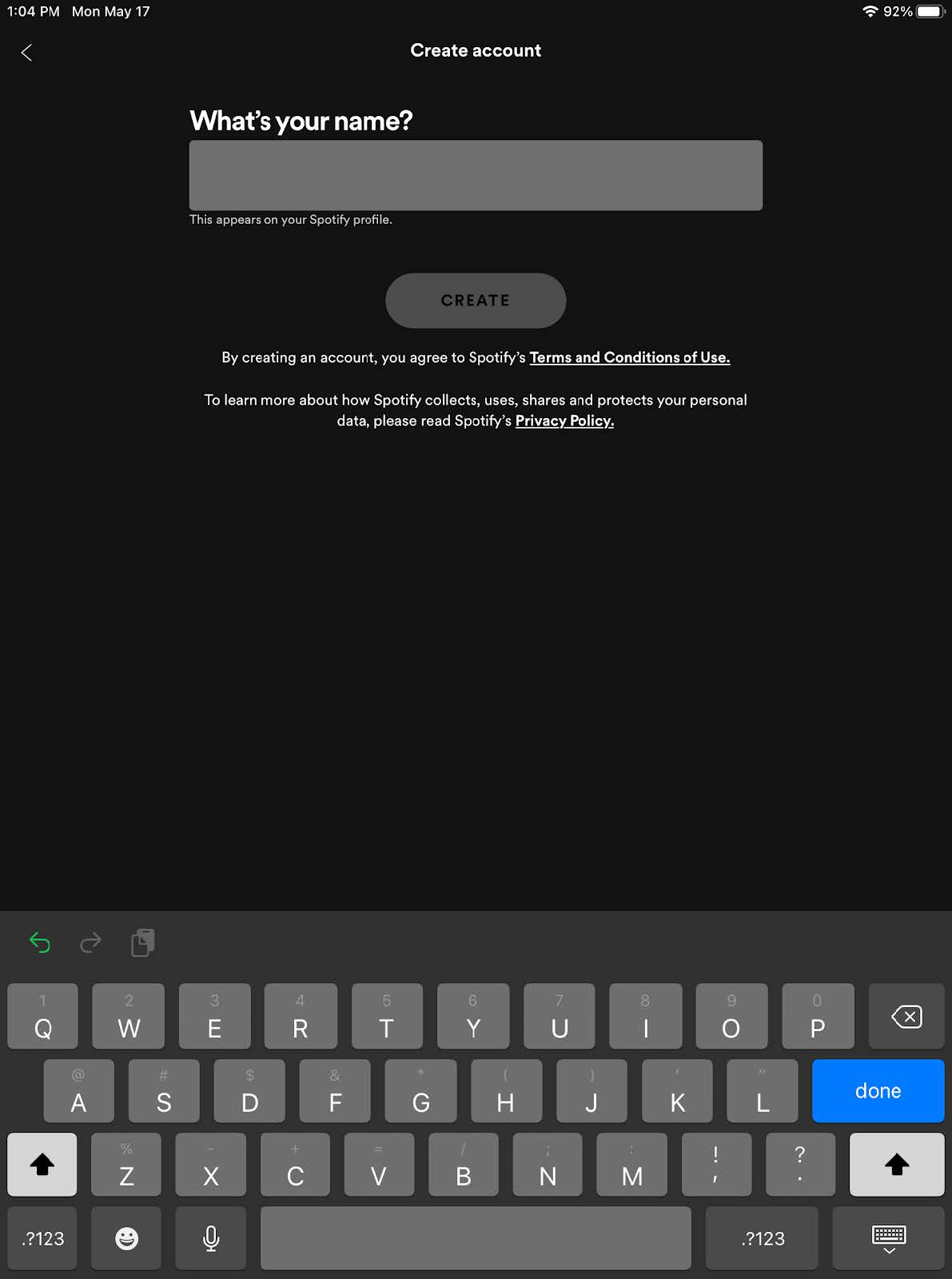
Step 5
Finally, it will ask you to select at least 3 artists you like to listen to.
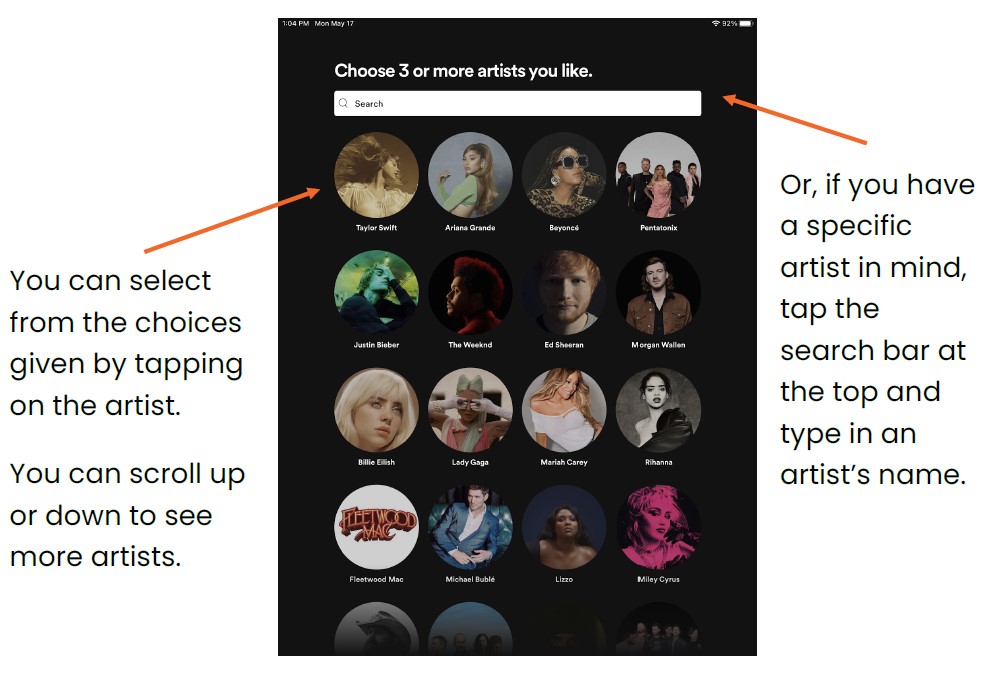
Spotify will use these artists to automatically create playlists for you and recommend other artists you may like.
Step 6
Once you have selected at least 3 artists, you can either tap the word “Done” or select “Choose Podcasts,” if you’re interested in listening to podcasts as well.
If you tap “Choose Podcasts,” you will see this screen. Select your podcasts in the same way you selected your favorite artists.
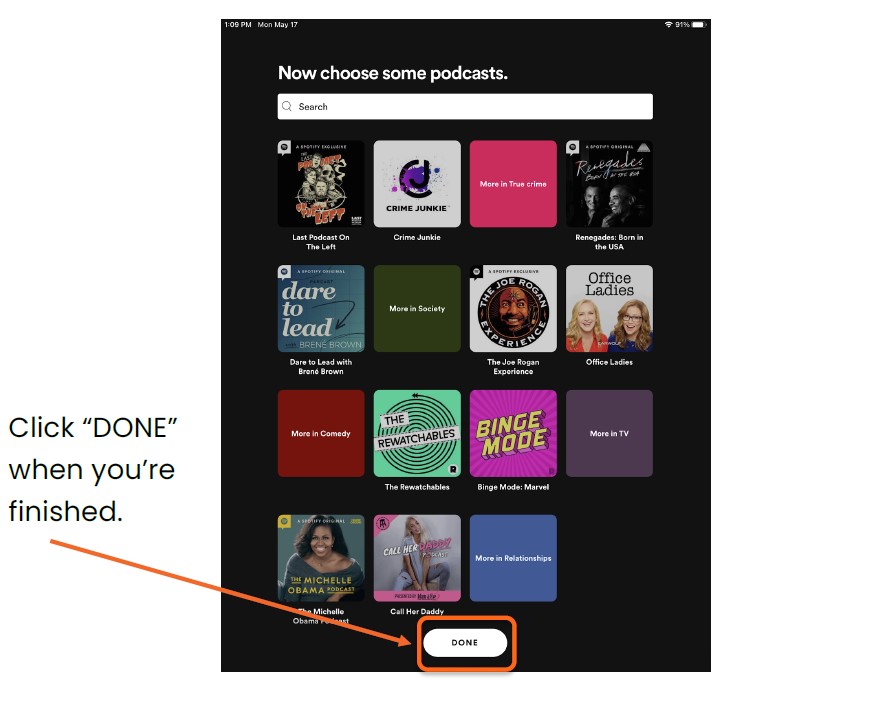
You can always edit or add to your list of artists or podcasts at a later time.
How to Use the Home Screen
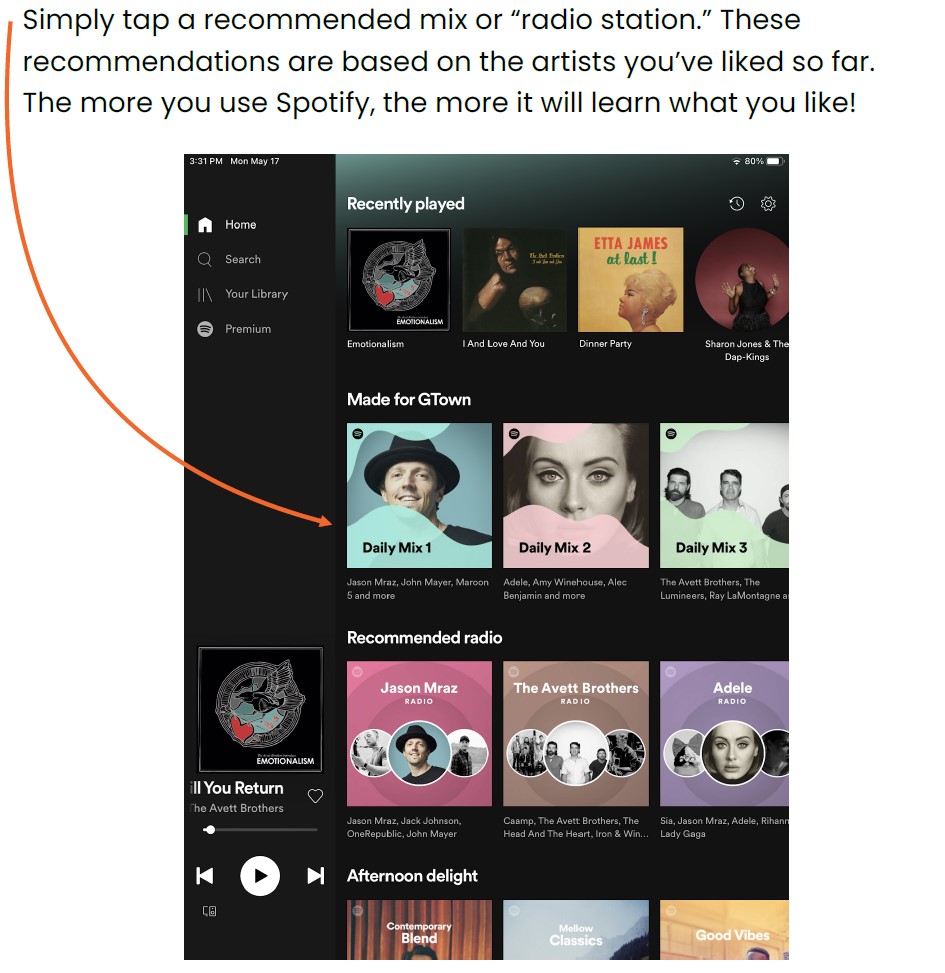
Welcome to your Home screen! This is where Spotify provides suggestions for music you’ll like, based on the artists you’ve added as favorites so far. Let’s take a moment to understand the layout.
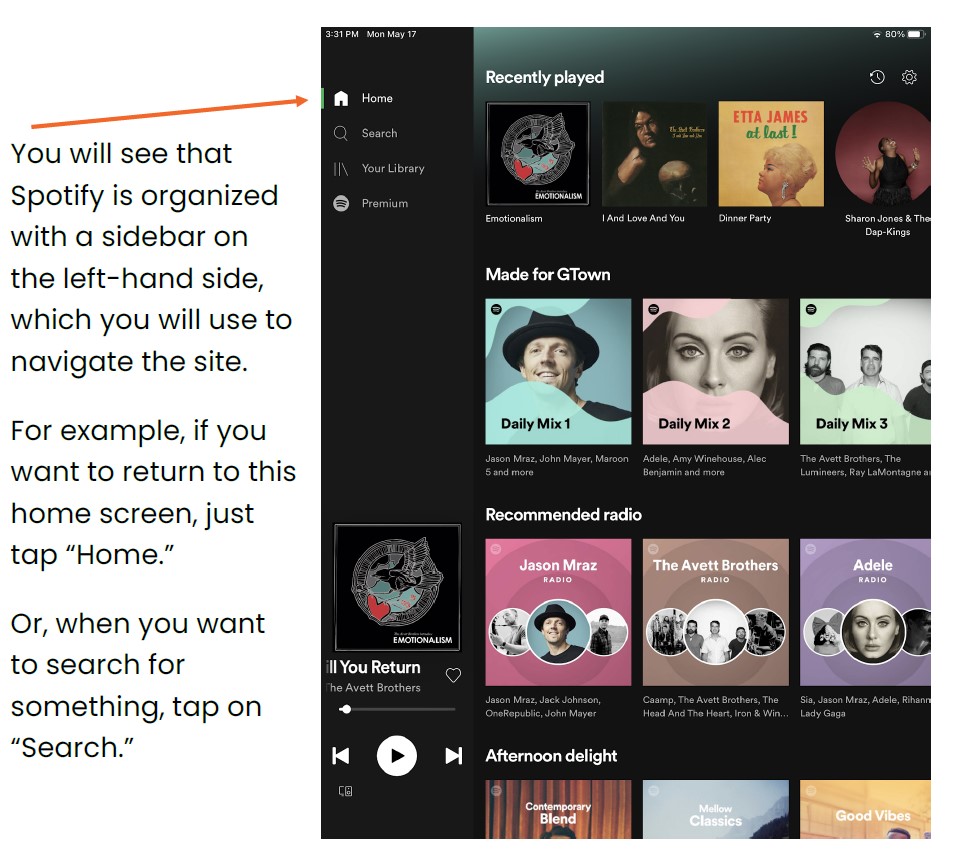
If you want, you can start playing music from your Home screen right away!
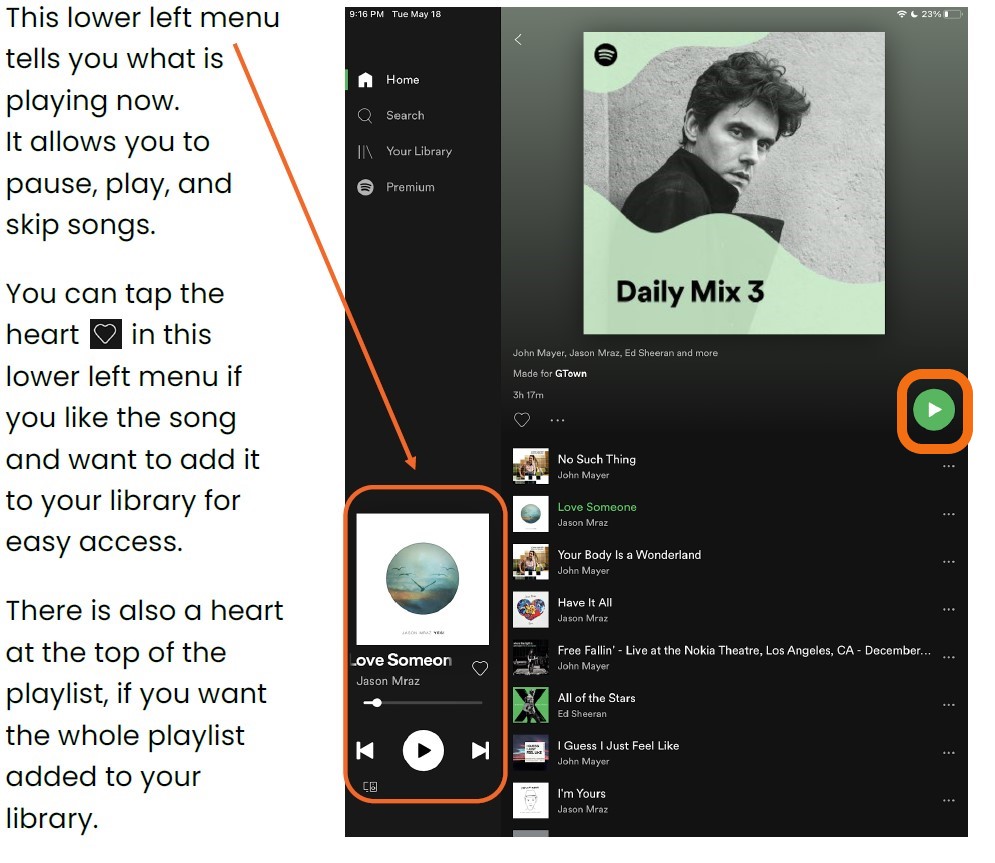
To play music, tap the green play button for the music to start.
To pause music, tap the white Pause button on the left corner.
How to Search for Music
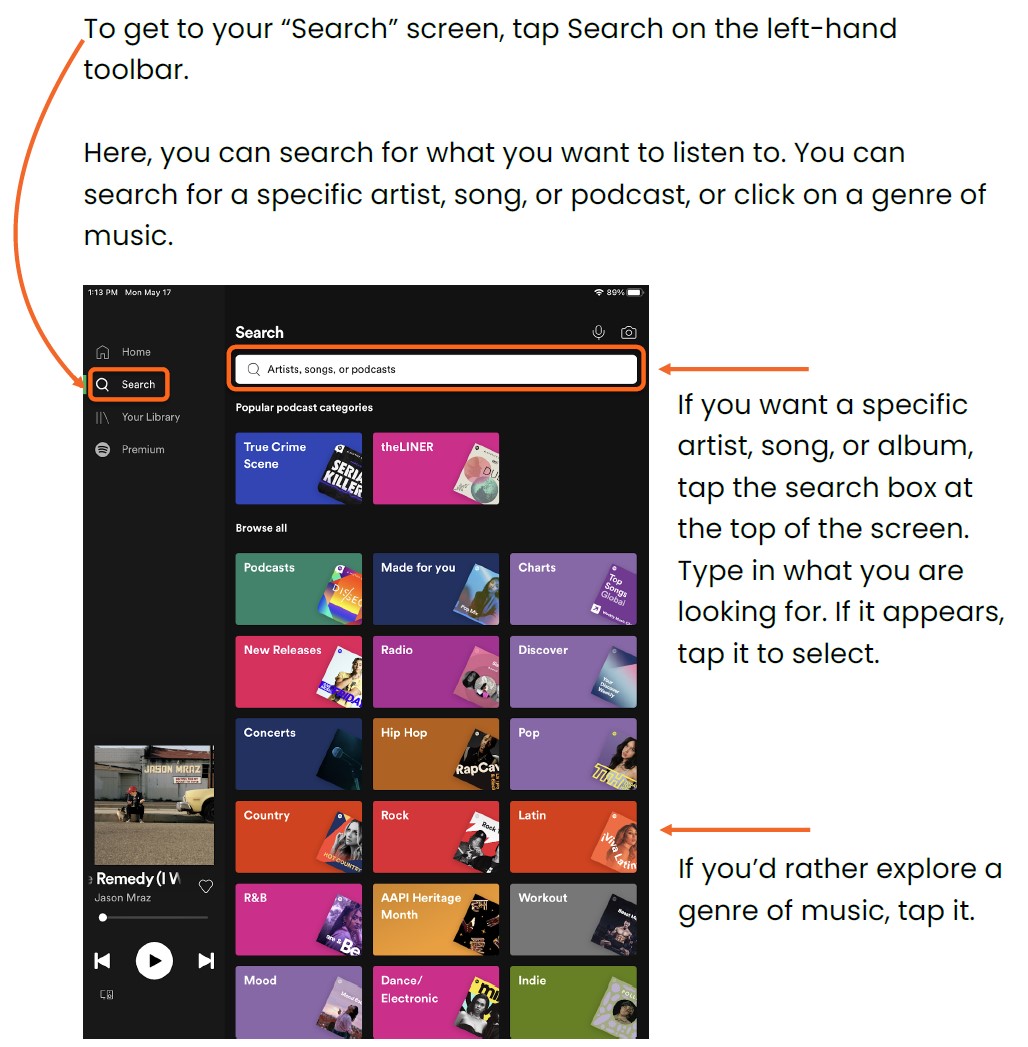
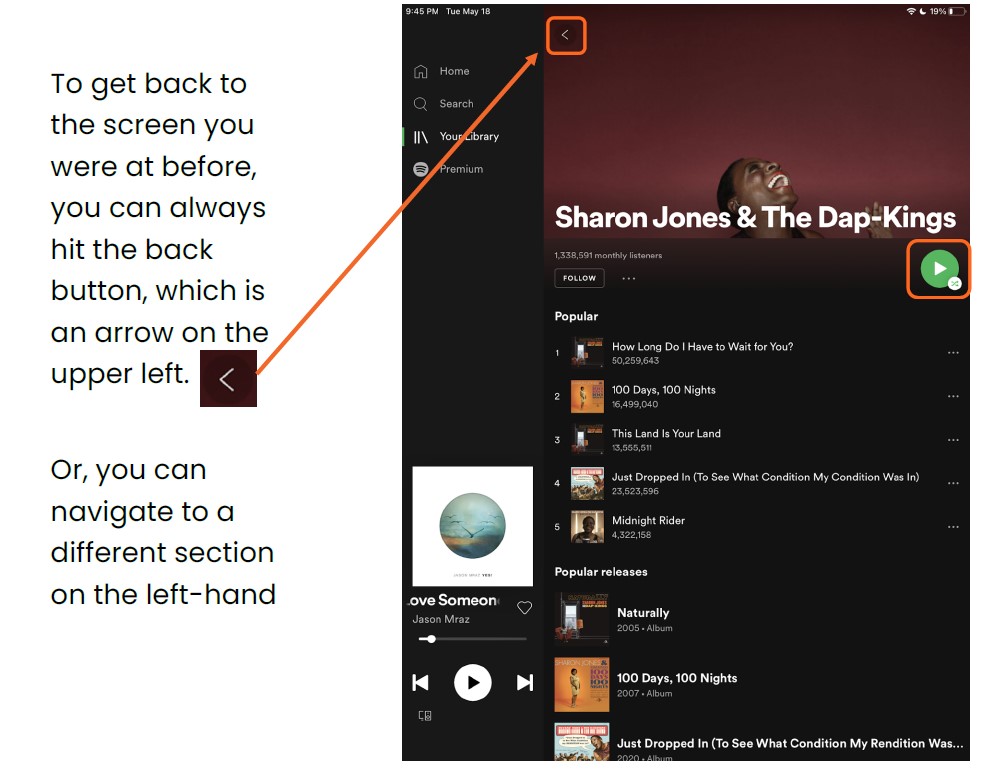
For example, typing in the artist “Sharon Jones & The Dap Kings” brought me to this screen:
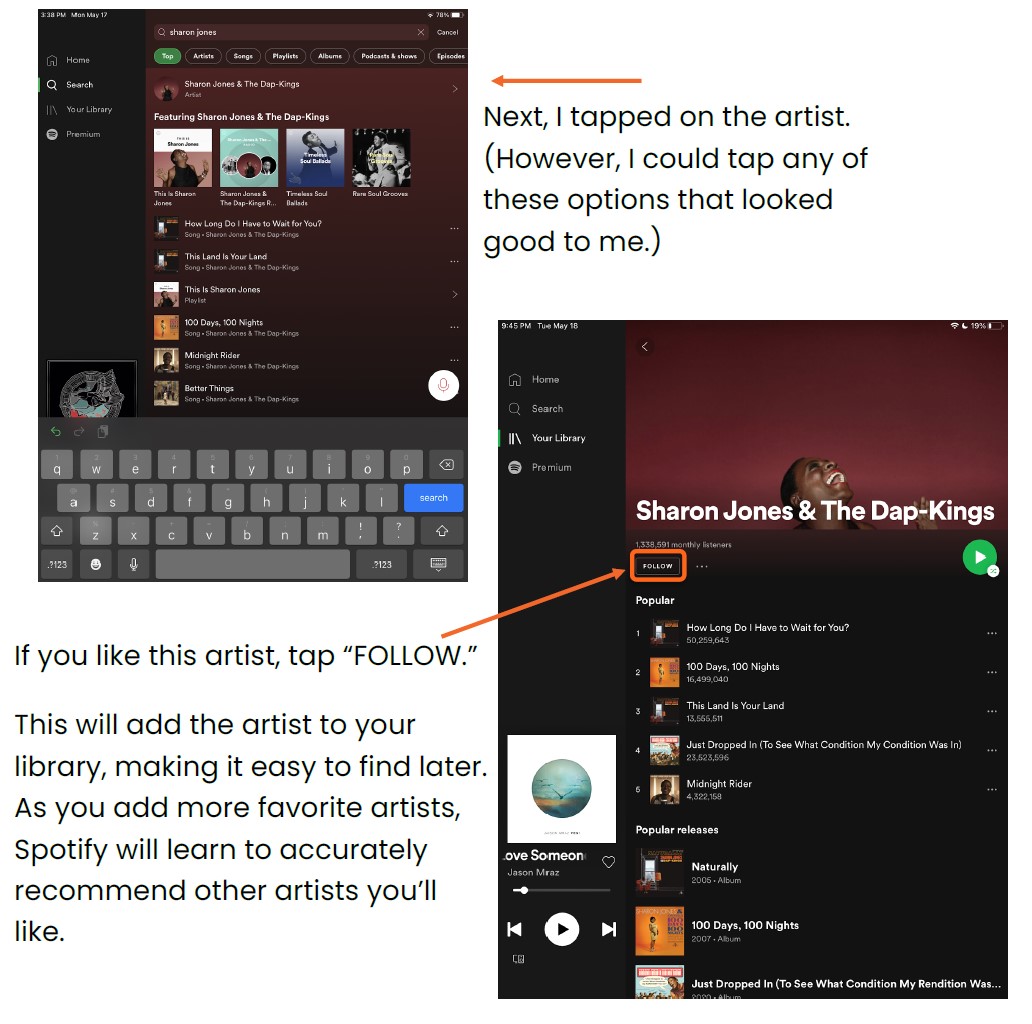
If you’d like, you can start playing the artist’s songs directly from this search. Just tap on any song to start playing, or tap the green play button.
How to Search for Podcasts
To search for Podcasts, tap Search on the left-hand menu.
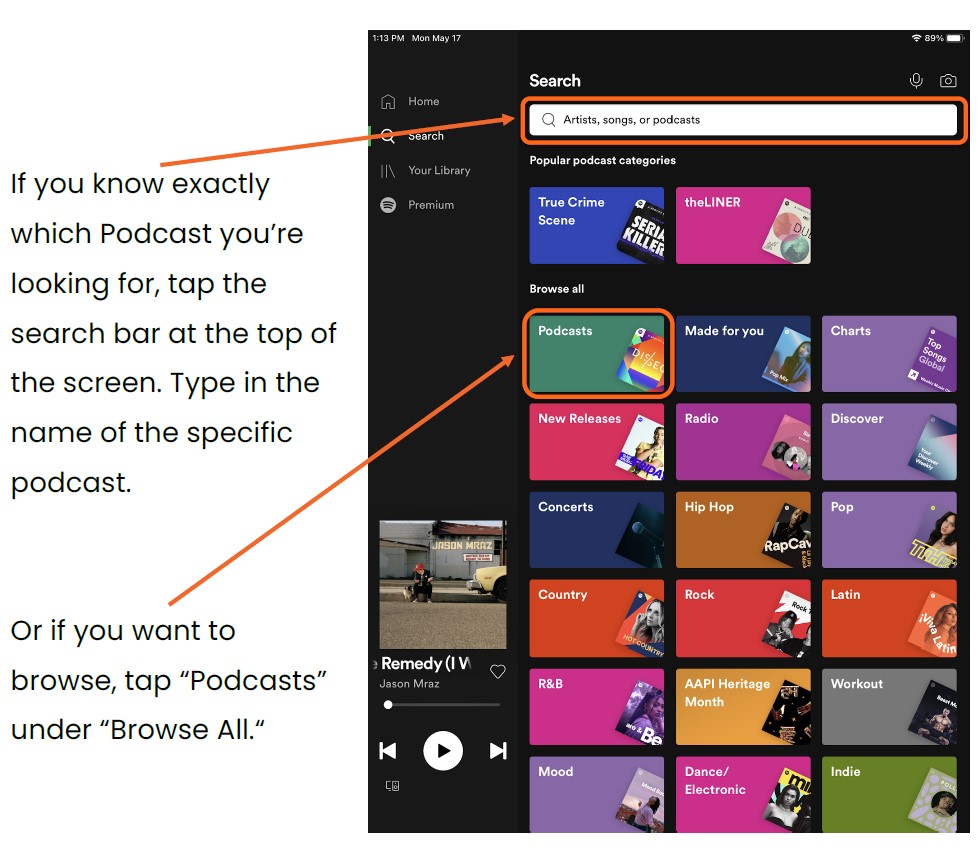
To search for Podcasts, tap Search on the left-hand menu.
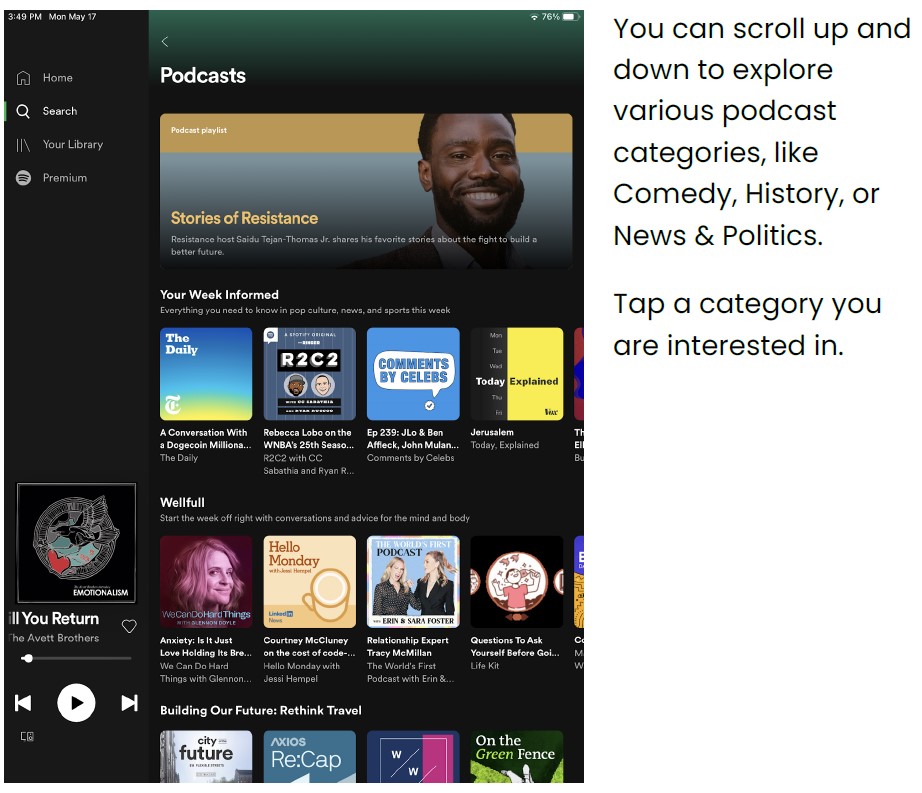
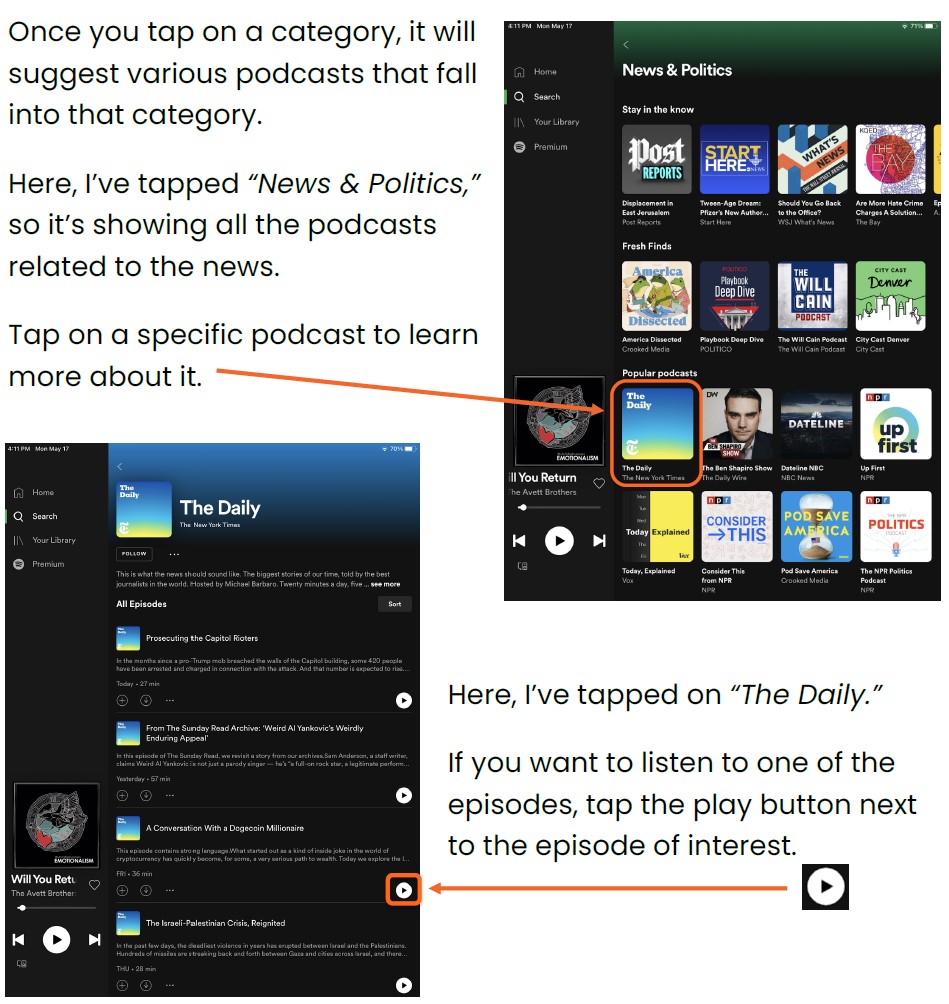
Just like your music, you can tap “Follow” at the top. This will add the podcast to your library for easy access.
How to Use your Library
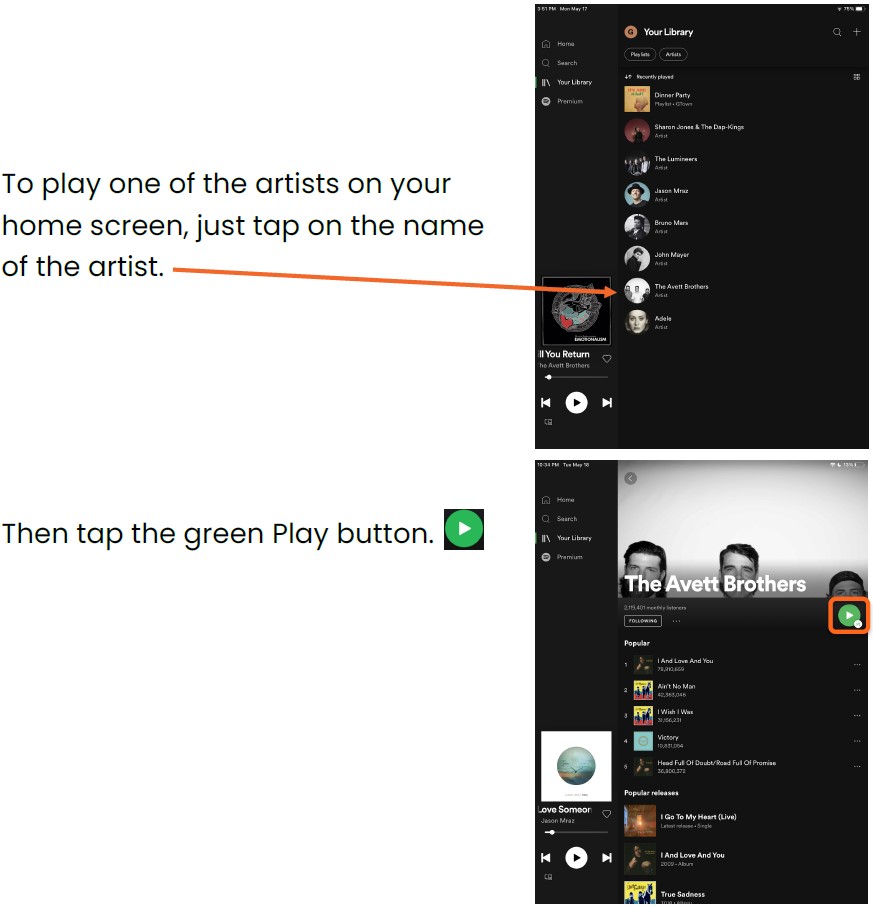
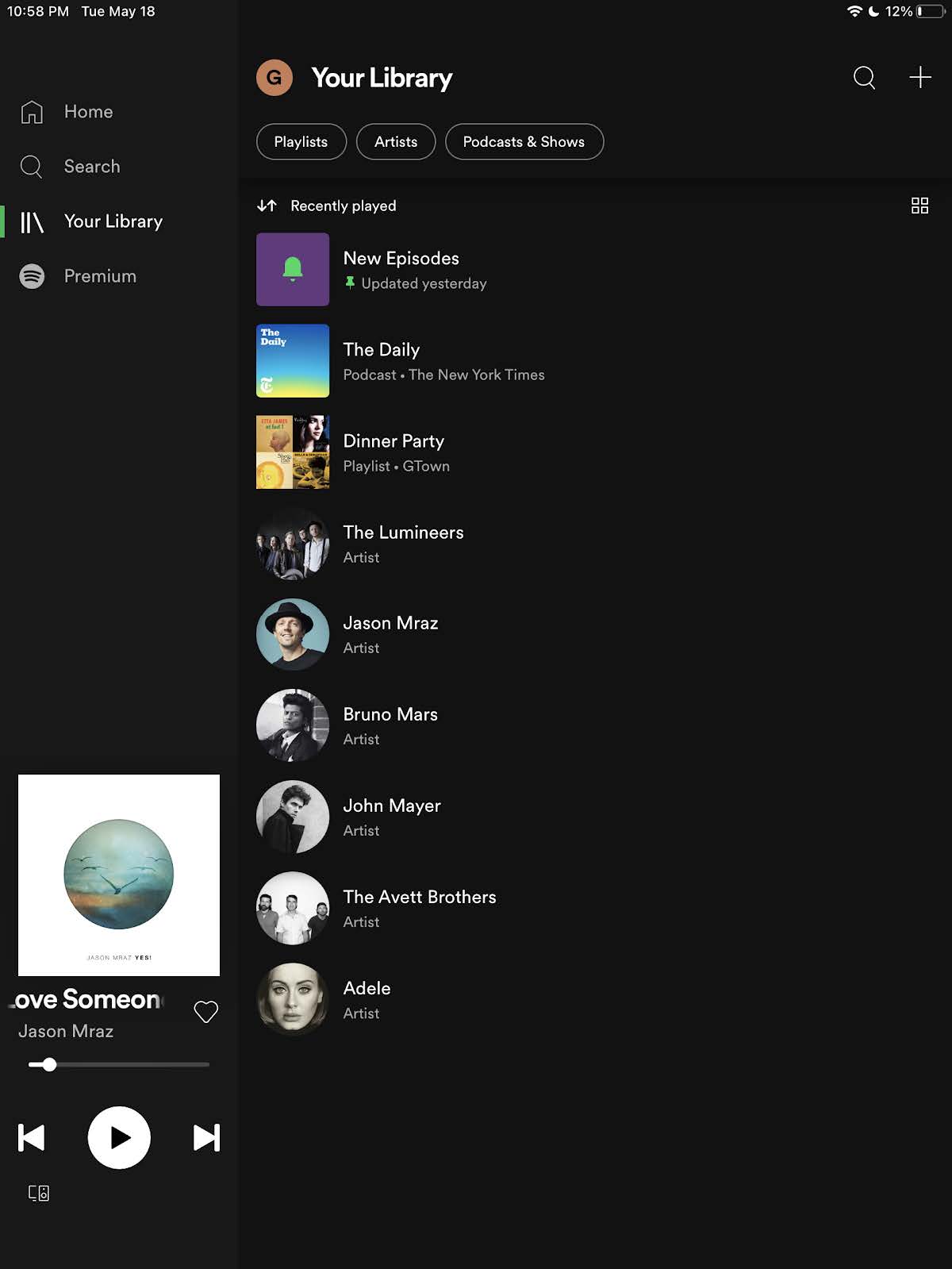
Tap “Your Library” on the left-hand menu. This brings you to your library. You will be able to see music you’ve recently played, as well as the music and podcasts you’ve marked as your favorites.
How to Make a Playlist
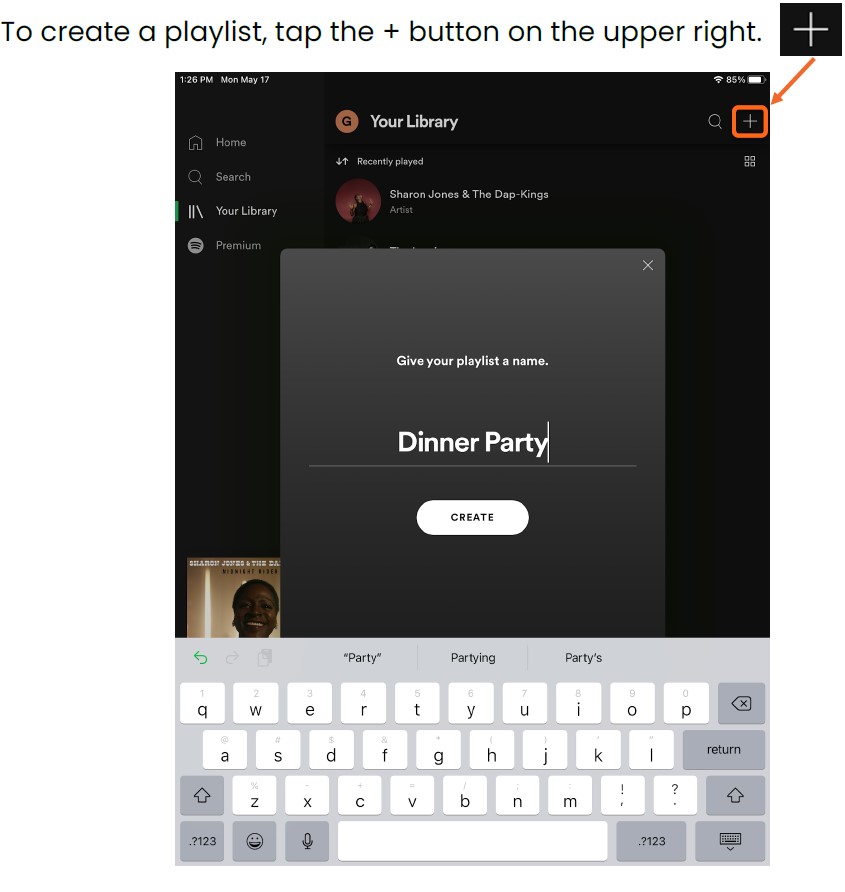
Give your playlist a name (I called mine “Dinner Party”). Then tap “Create.”
Spotify will automatically suggest songs to add to your playlist, based on the title of your playlist and the artists you’ve added to your library.
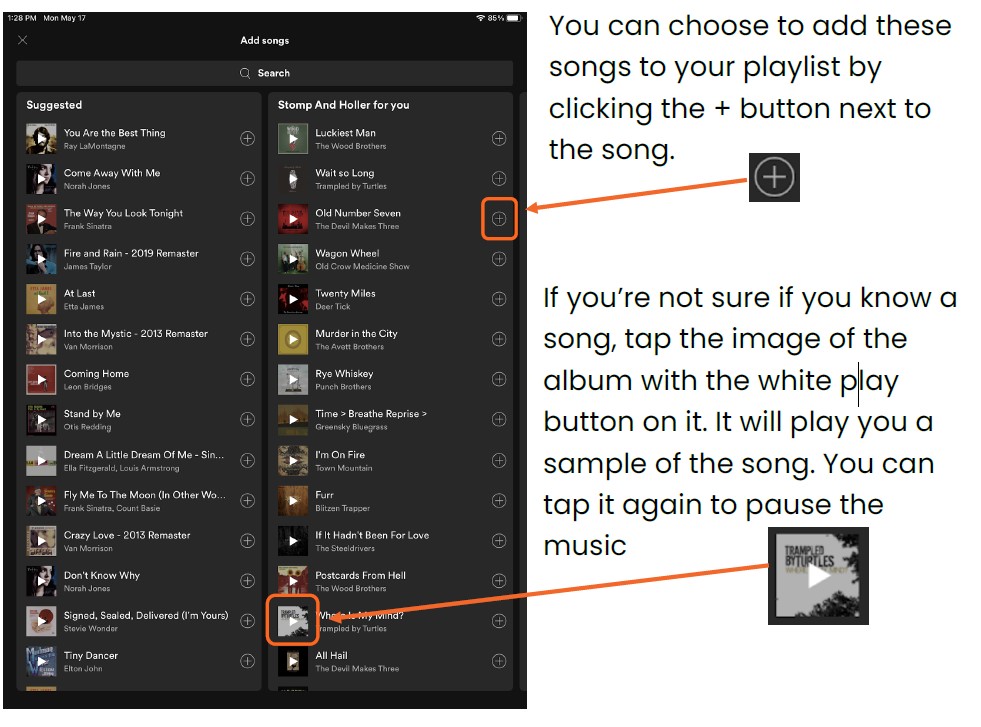
You can also search for specific songs or artists to add to your playlist by tapping the search bar at the top of your screen.
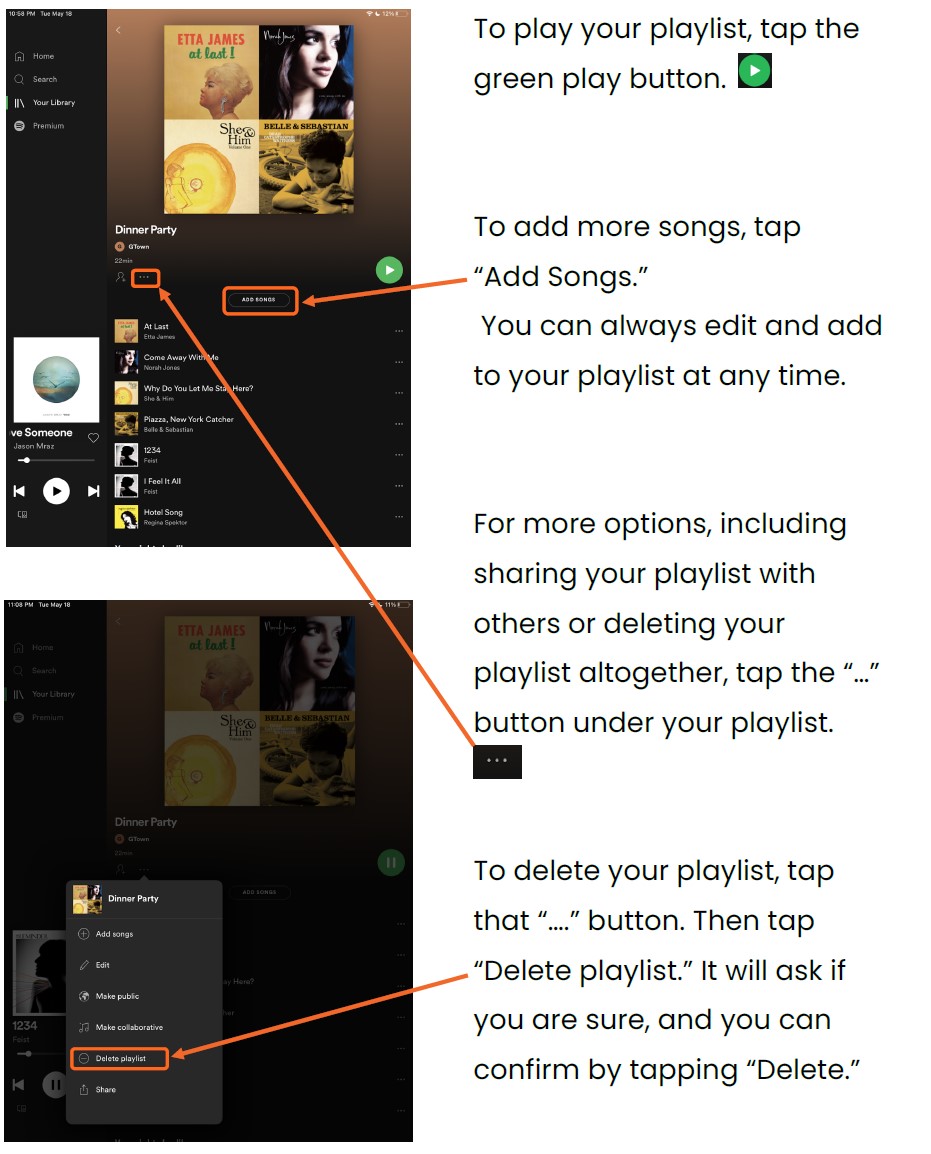
To play or edit your playlist, tap “Your Library” on the left-hand side. Tap your Playlist
How to Understand Spotify Premium
If you need help or have any questions, call us at
646-758-6606 or email support@candootech.com
To download a copy of this guide click below:
Comments
0 comments
Please sign in to leave a comment.