
Candoo How to Order Groceries Using Instacart
Step 1
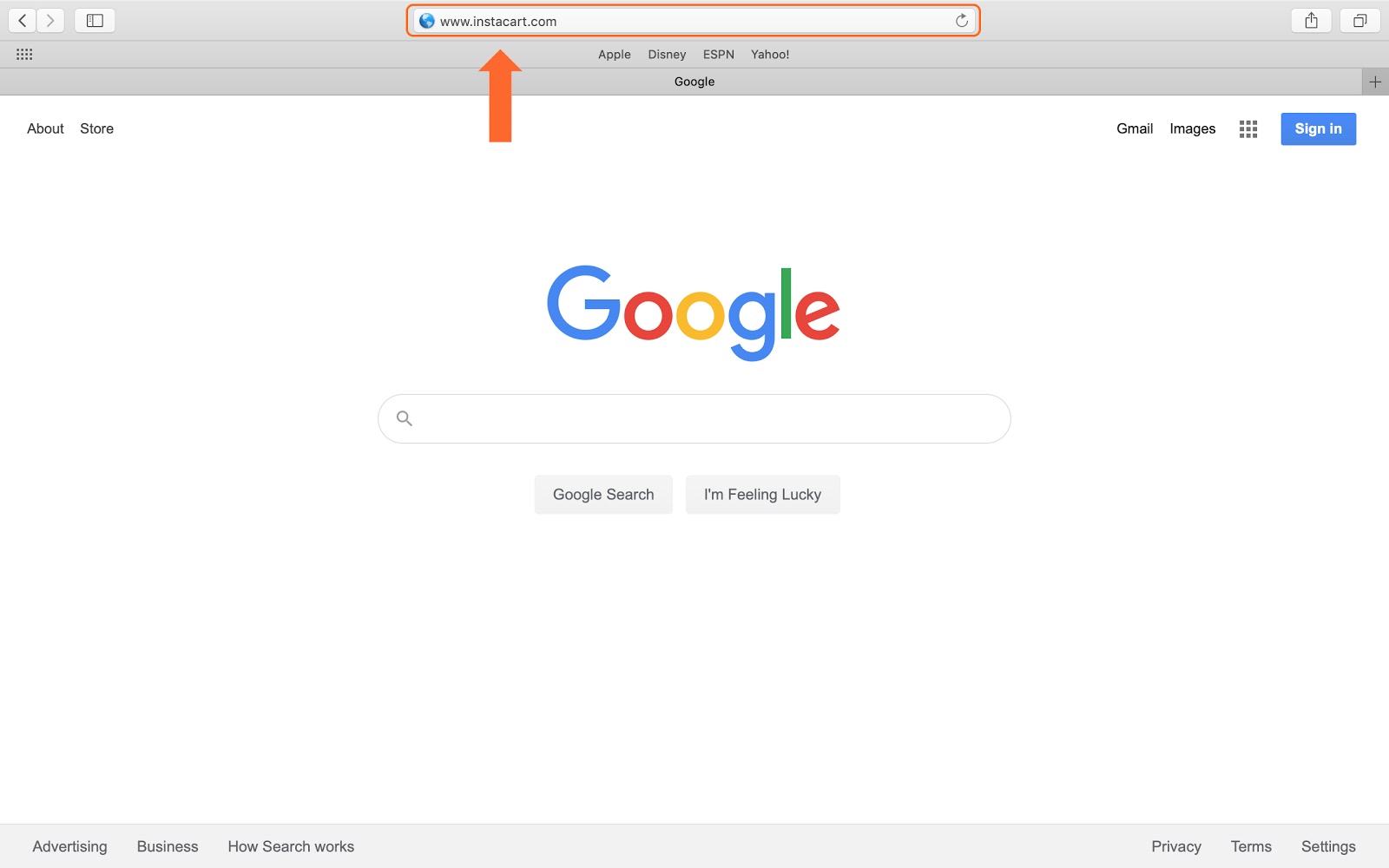
To open a new browser window (Safari, Chrome or Firefox), go to one of these images on your computer and hit enter.

Open a Web Browser and type www.instacart.com into the search bar.
Step 2
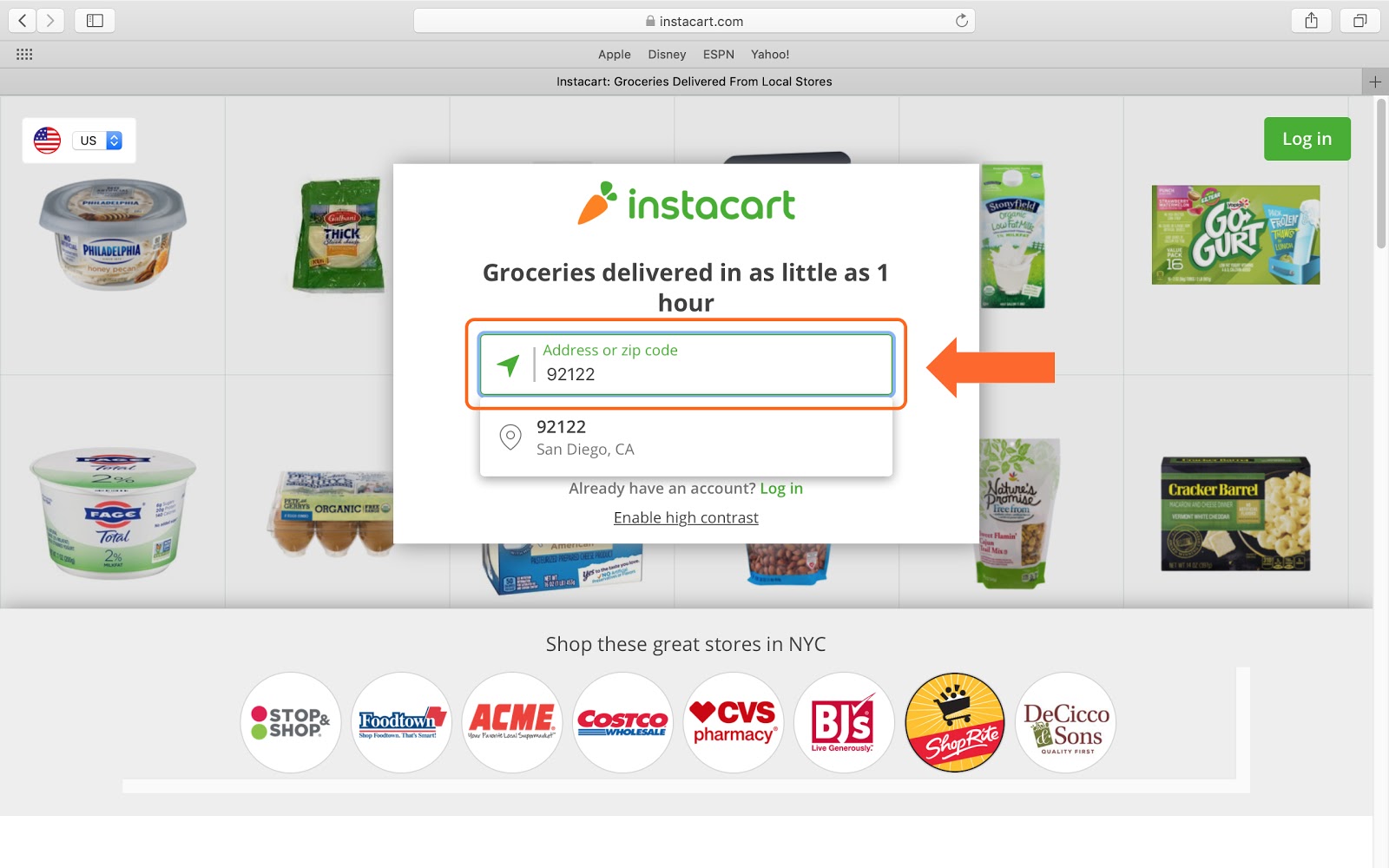
Enter your Zip Code to see what stores are available in your area.
Step 3
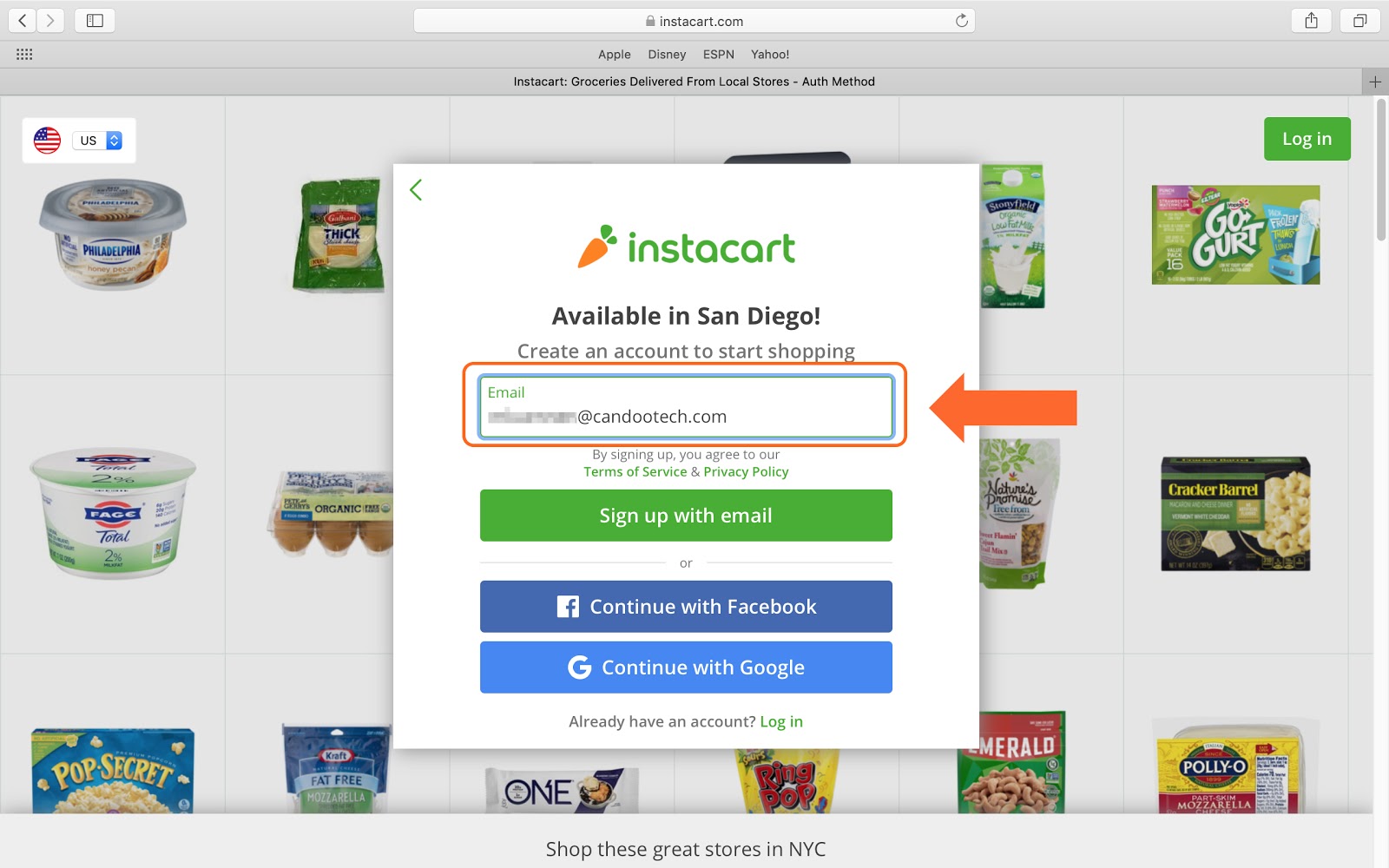
Enter your email address to create an account and start shopping.
Step 4
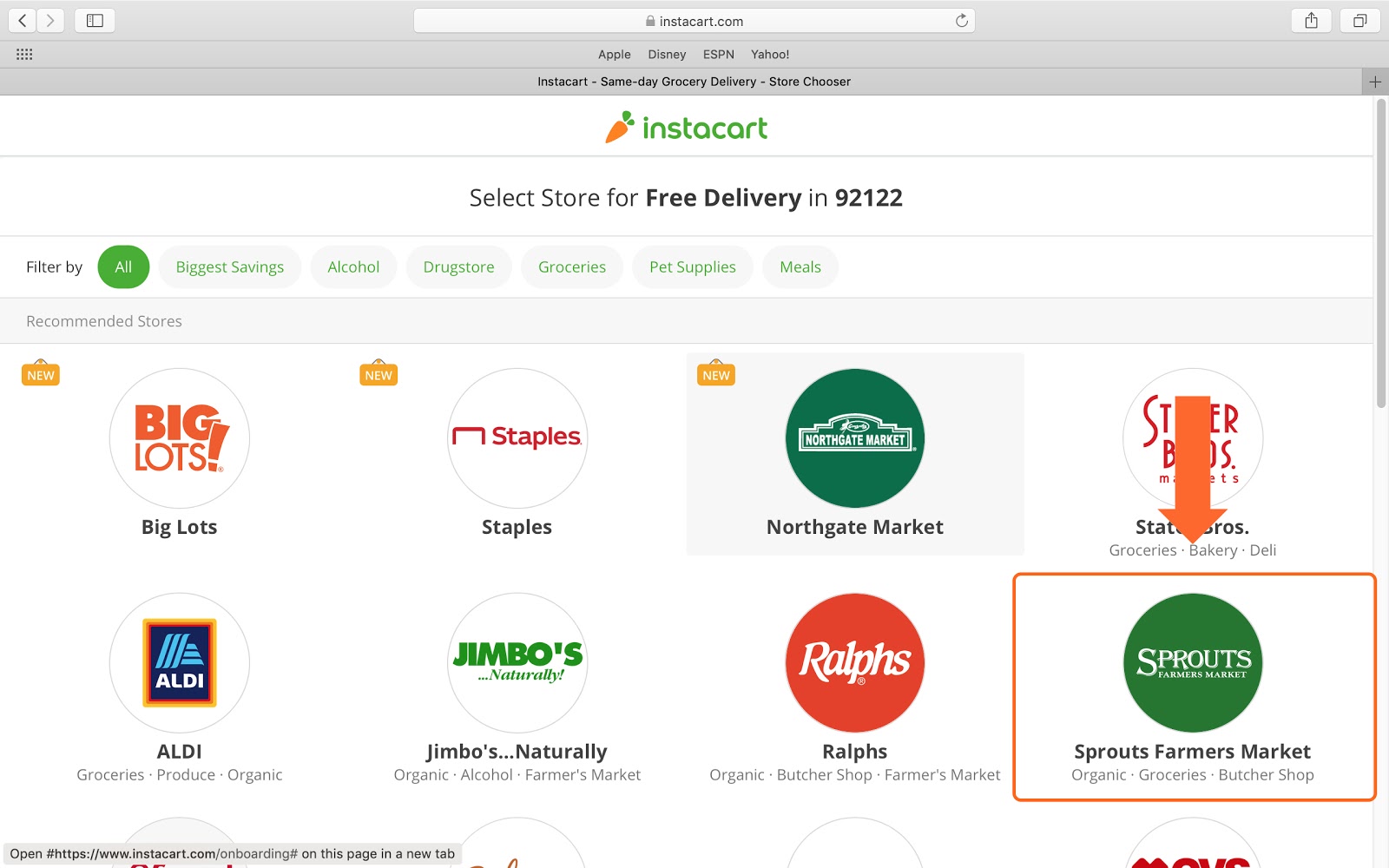
Select the store you would like to shop.
Step 5
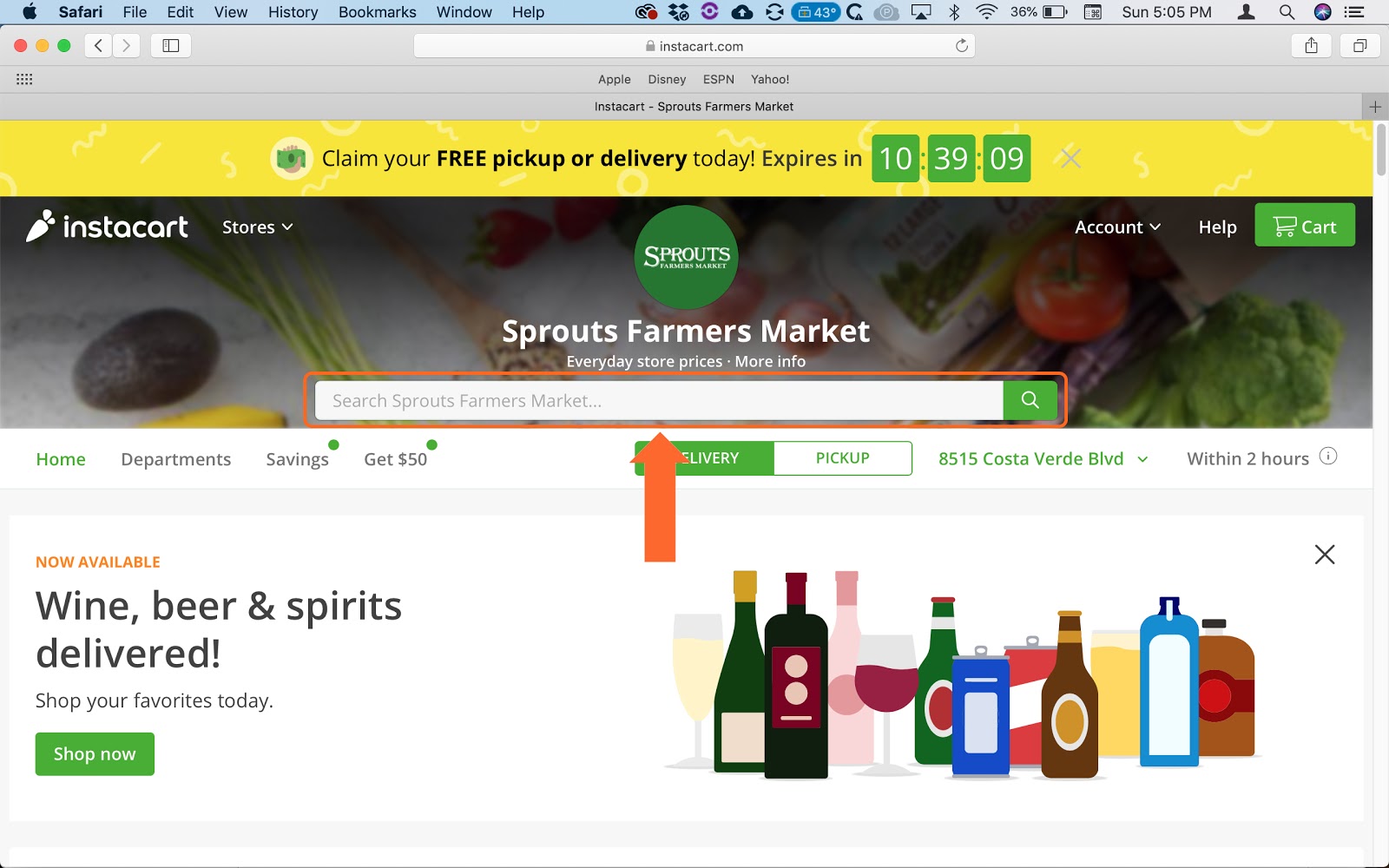
To search for an item, enter the name or type of product in the Search Bar.
Step 6
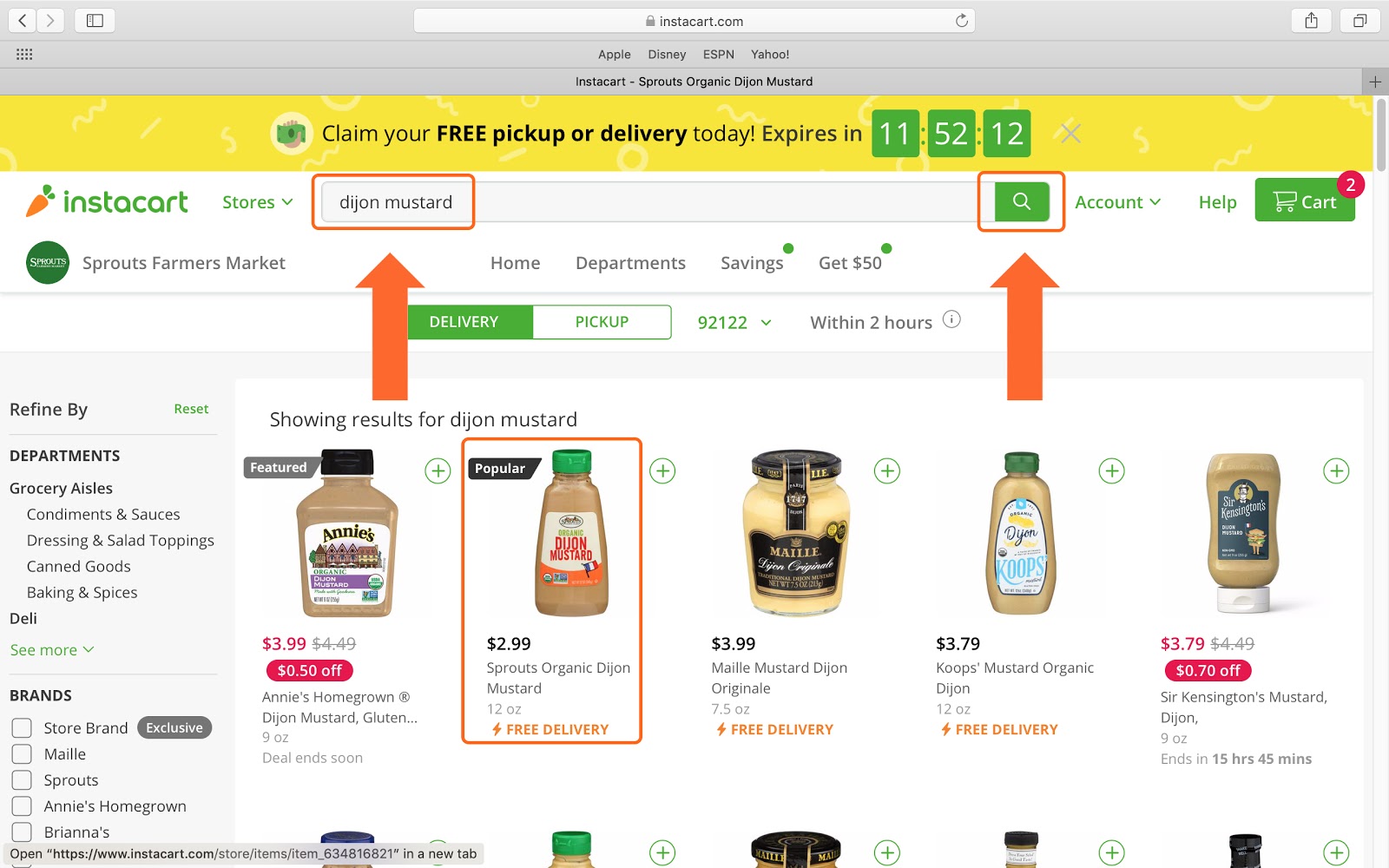
Let’s search for “Dijon Mustard”. Enter it into the search bar and click on the green search button. Then click on the mustard you would like that appears in the results.
Step 7
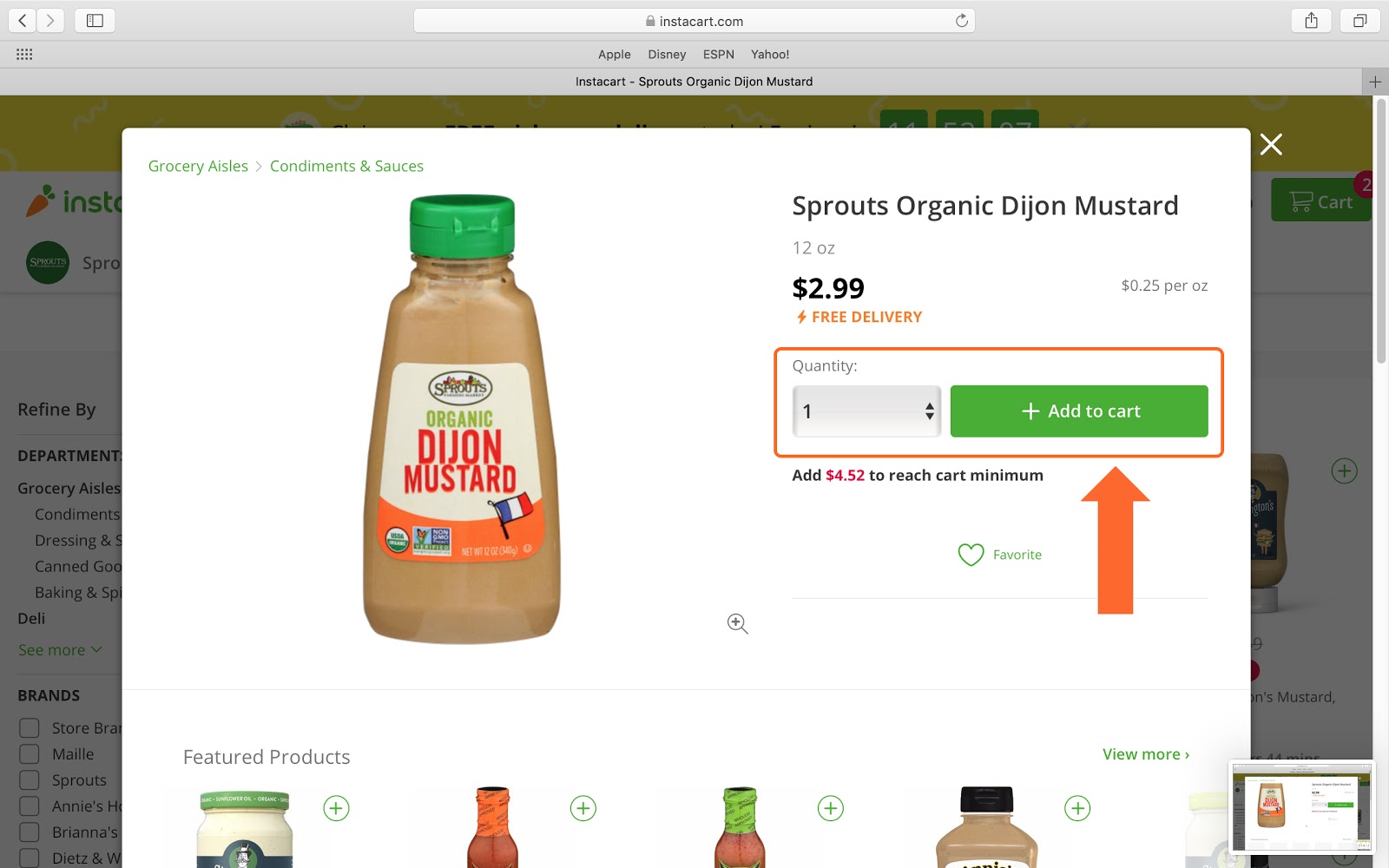
Choose your Quantity and then click “Add to cart”
Step 8
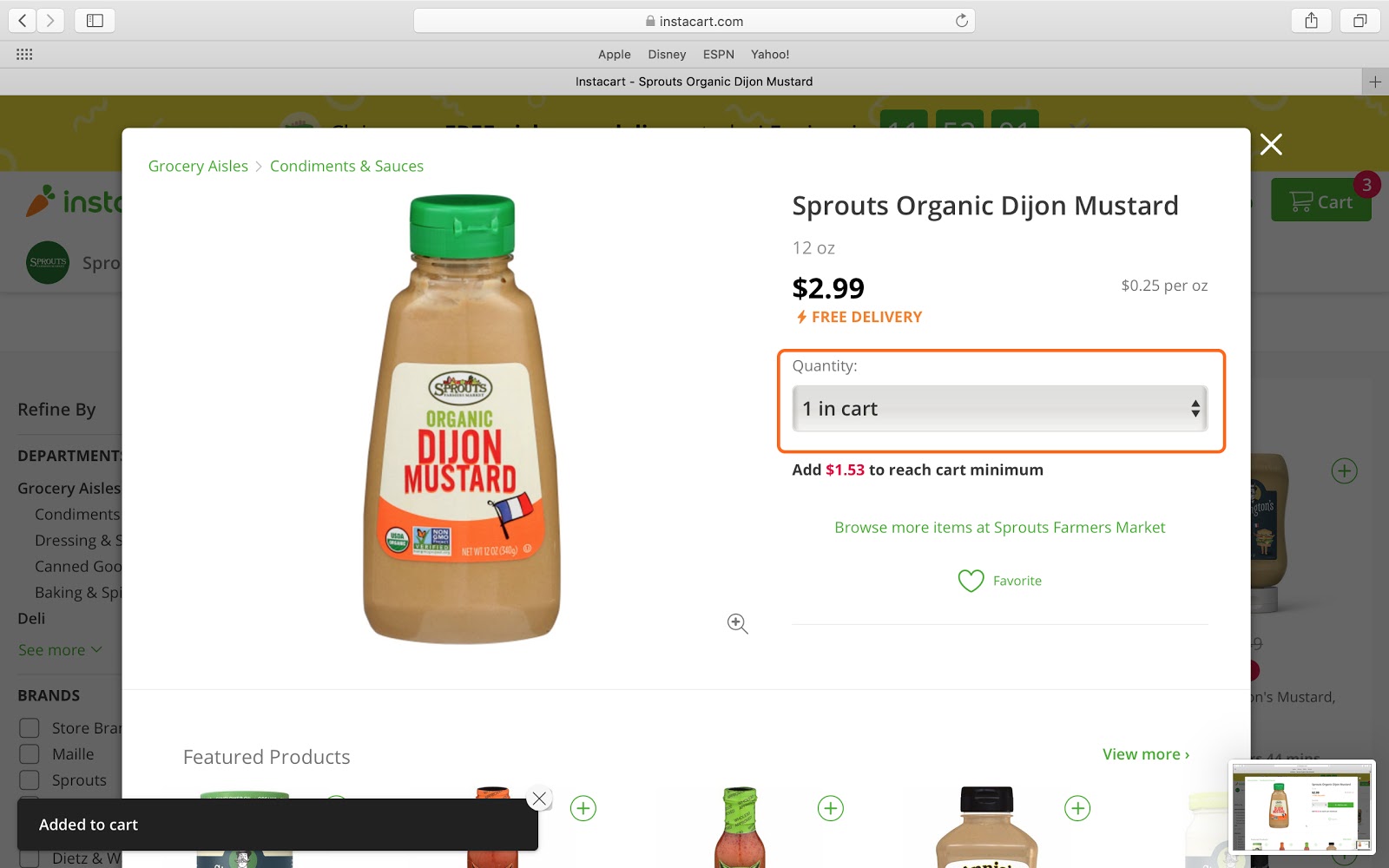
You now have Dijon Mustard in your cart.
Step 9
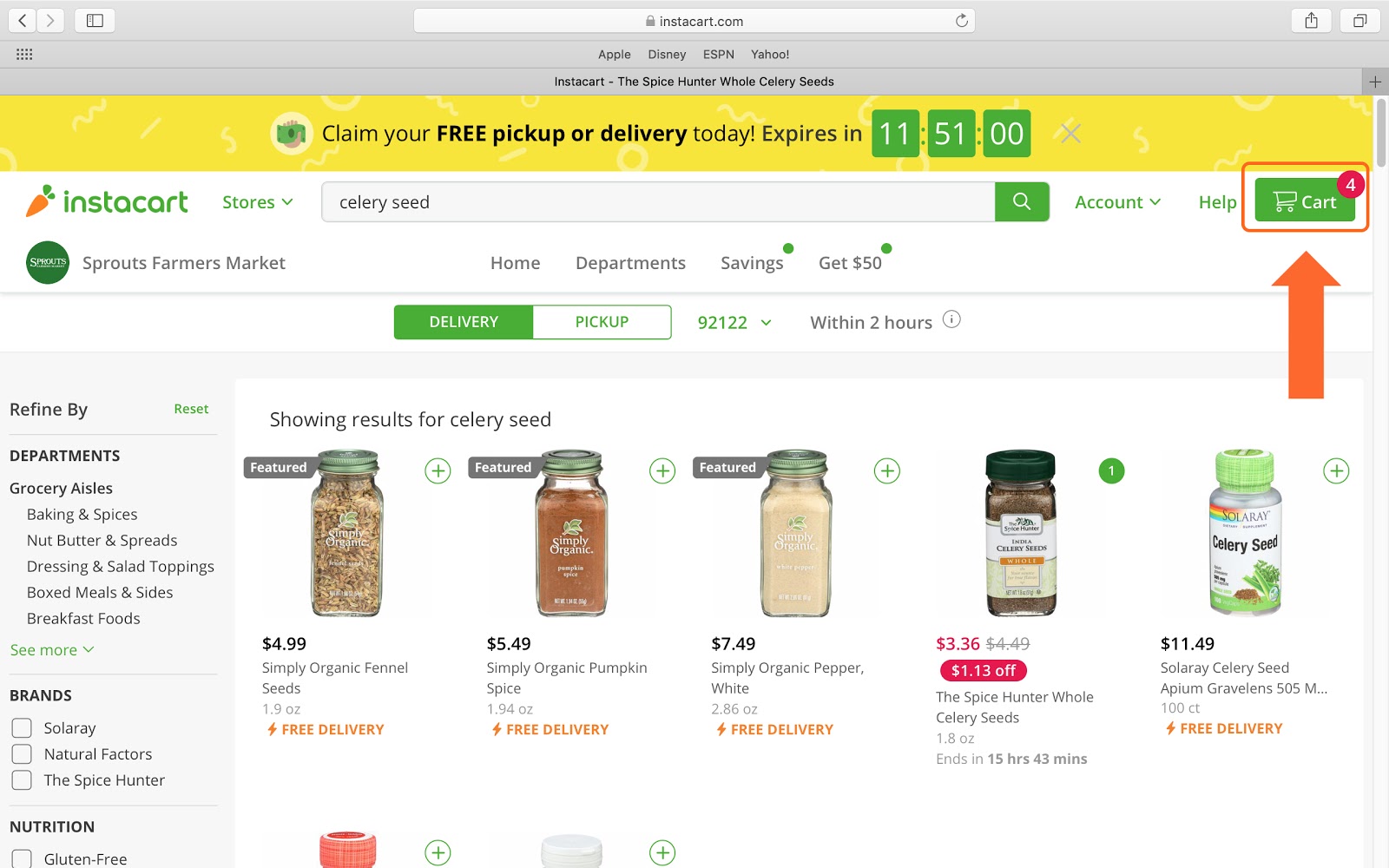
When you are done shopping, click the green “Cart” button to view your items.
Step 10
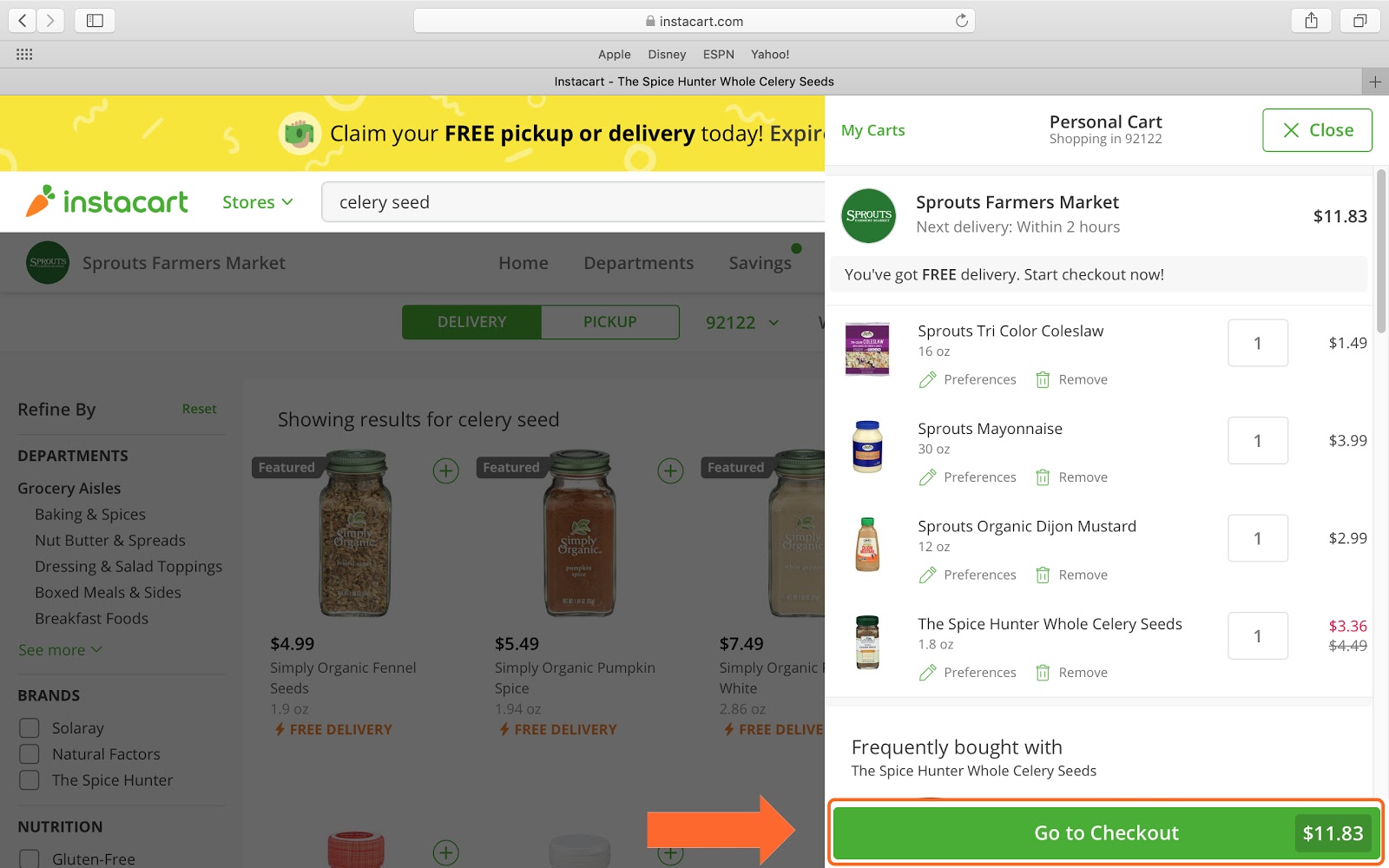
Look over the items you selected and if you are ready to proceed, click the green “Go to Checkout” button.
Step 11
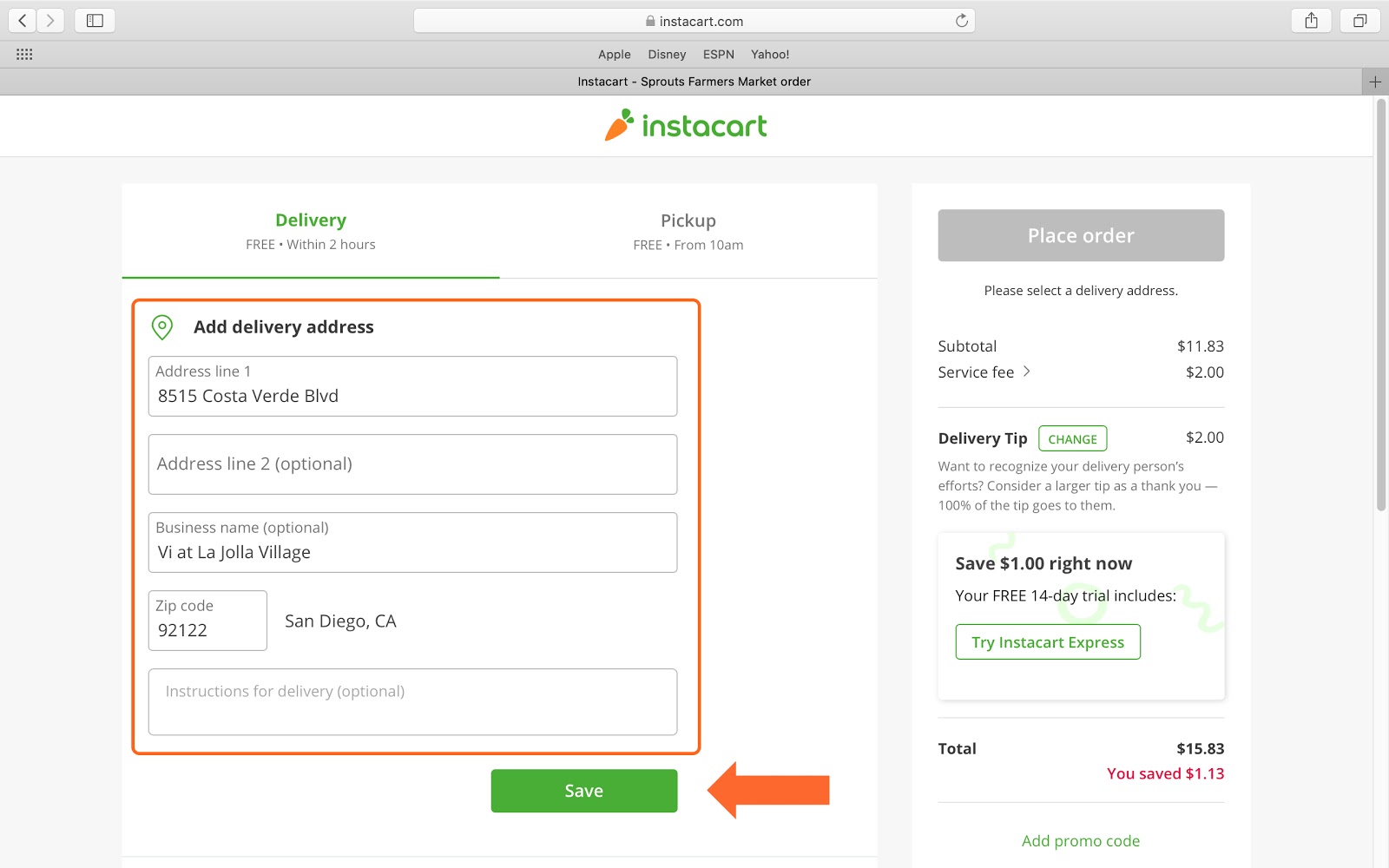
You will then add the address you would like your items delivered to.
Step 12
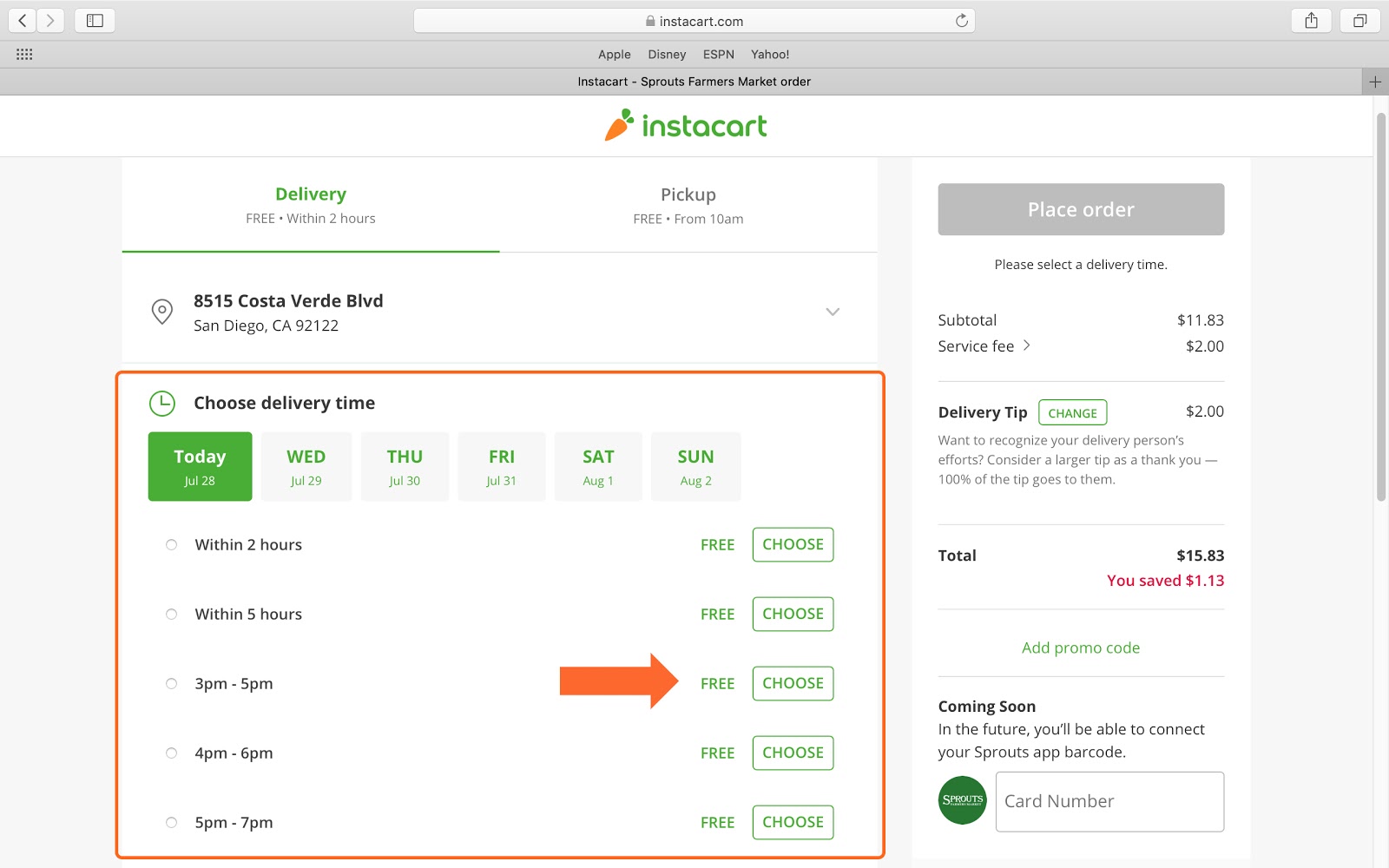
And then pick a time for your delivery.
Step 13
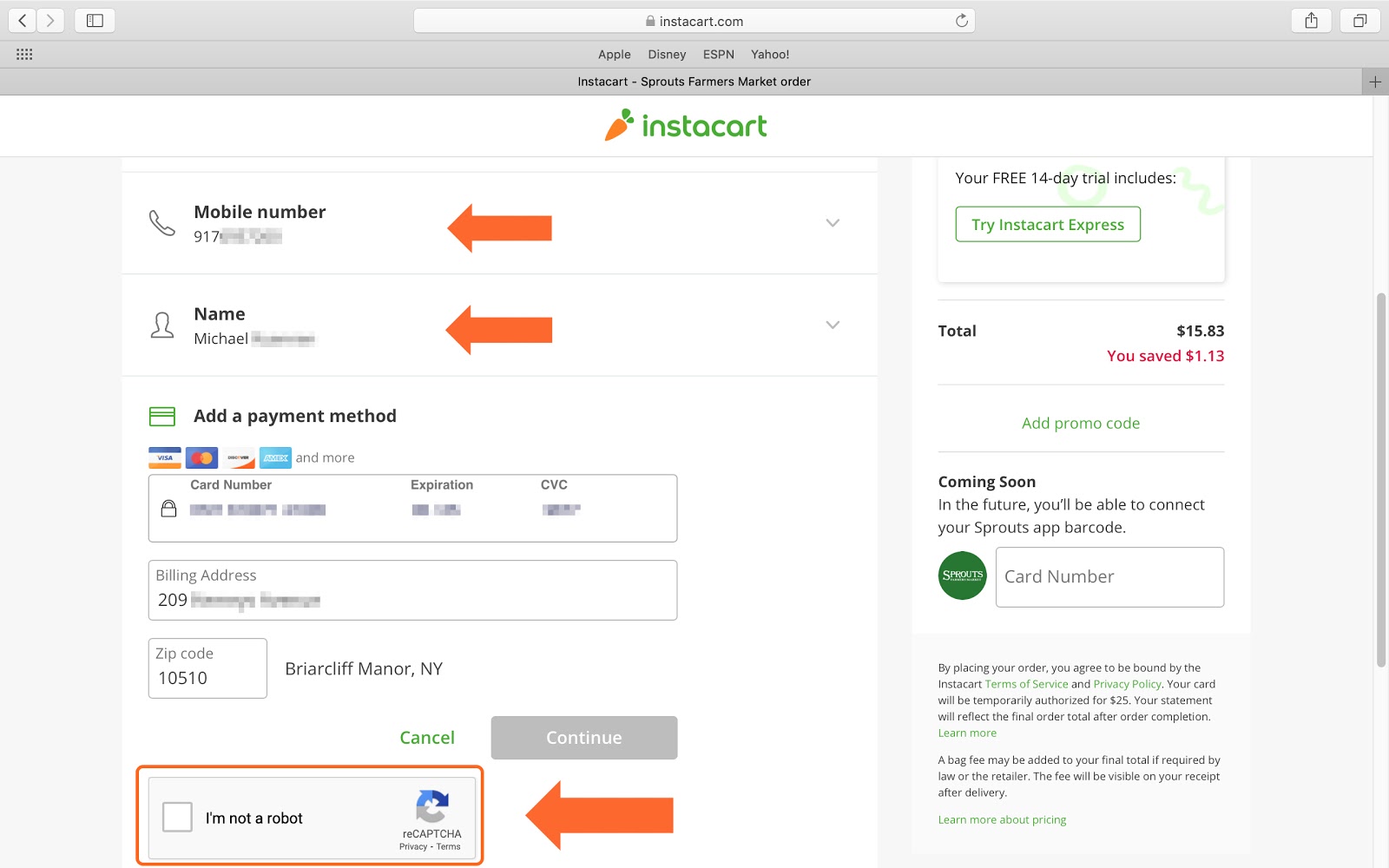
You will then enter your contact info and payment information. And then click on the “I’m not a robot” button.
Step 14
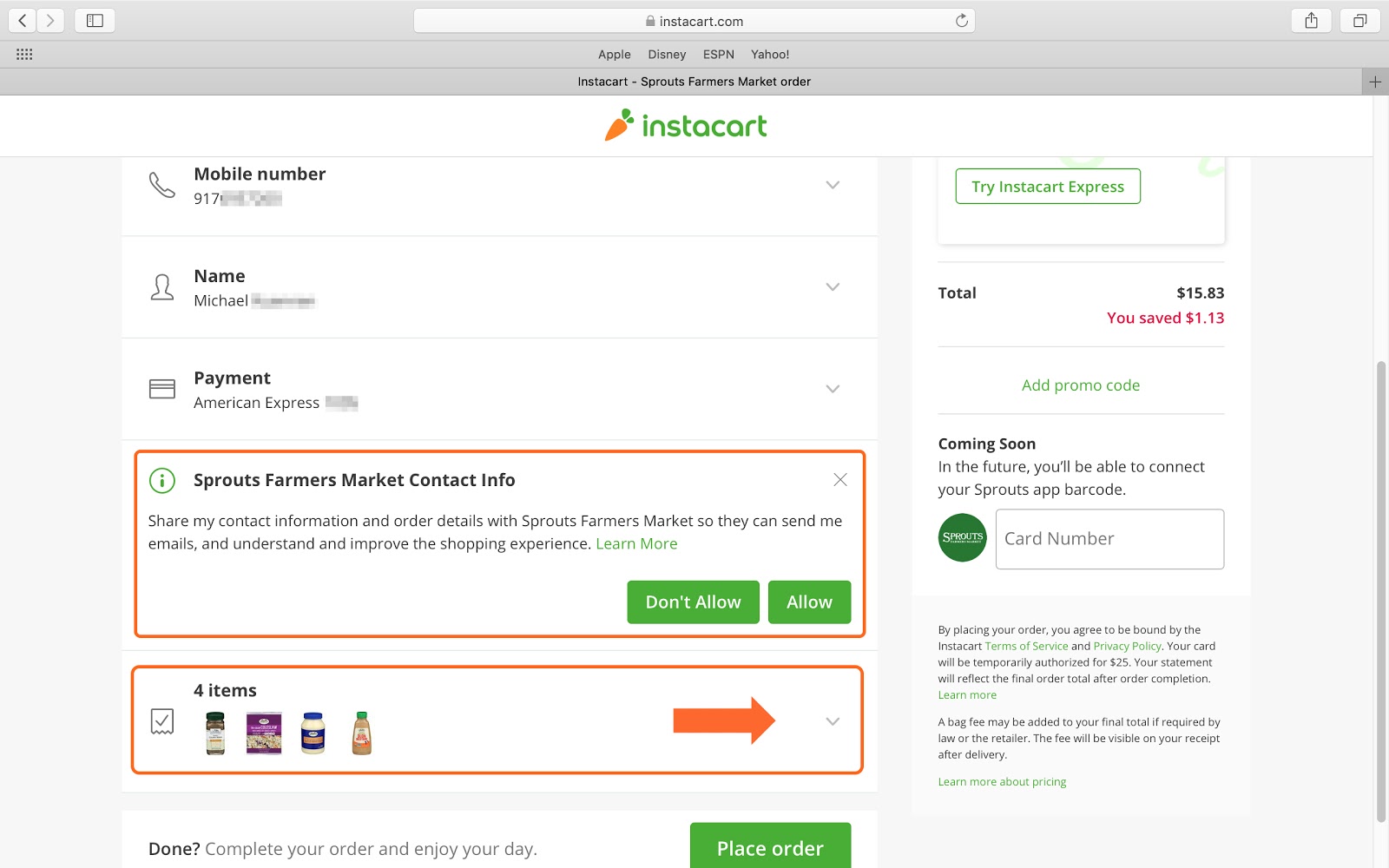
You can then choose whether to share your contact info with the store so they can email you by clicking either “Don’t Allow” or “Allow”. You then can confirm the items in your cart are correct by clicking the button indicated by the orange arrow.
Step 15
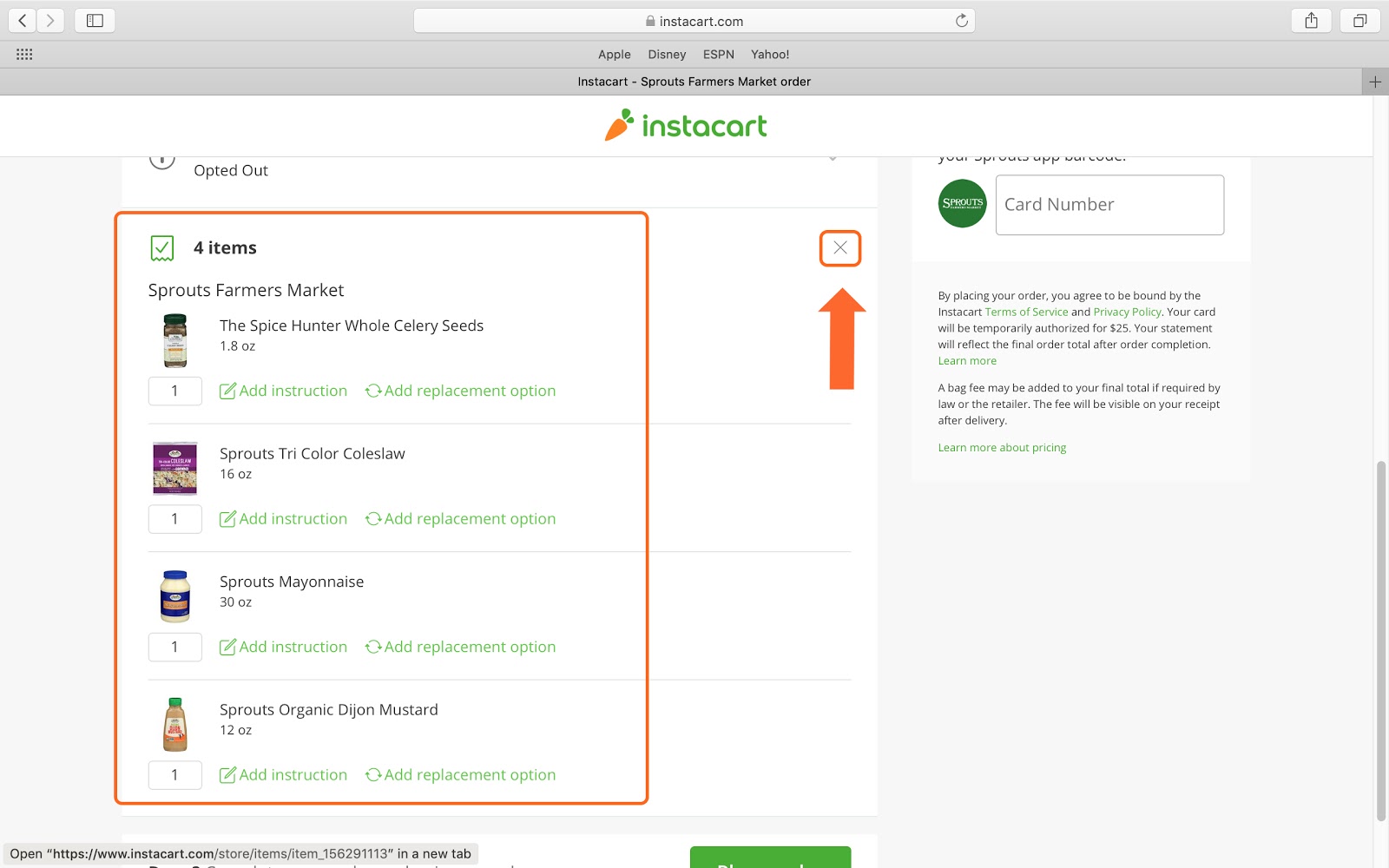
Check your list to make sure it’s correct and then click the small “X”.
Step 16
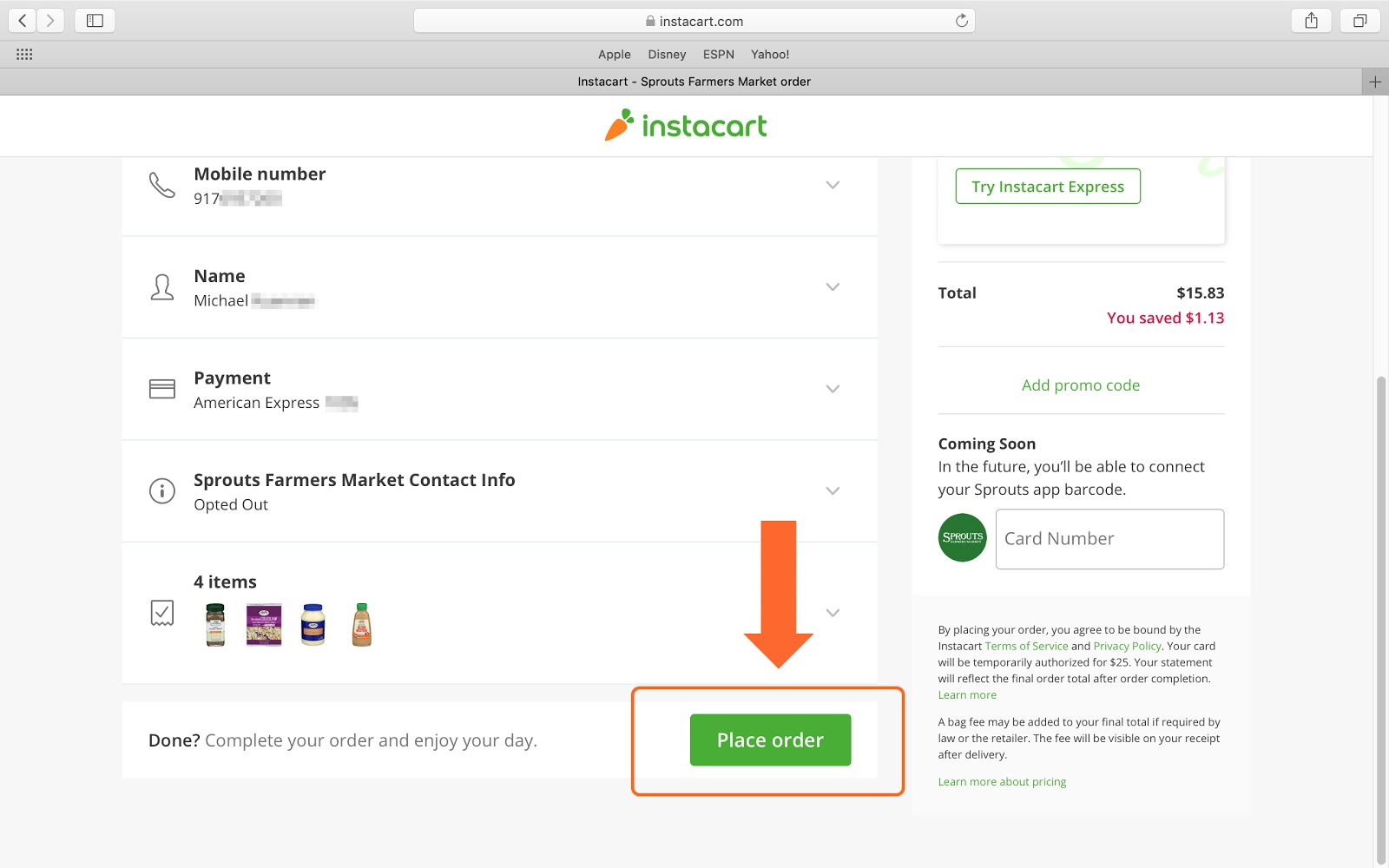
You are now ready to place your order. Click the green “Place order” button and your groceries will be on their way!
If you need help or have any questions, call us at
646-758-6606 or email support@candootech.com
To download a copy of this guide click below:
Comments
0 comments
Please sign in to leave a comment.